
12 Best Coffee Grinders Under $200 (October 2026) Truthful Reviews
The KRUPS Precision Electric Coffee Grinder is the best coffee grinder under 200 dollars for most people, because it holds…

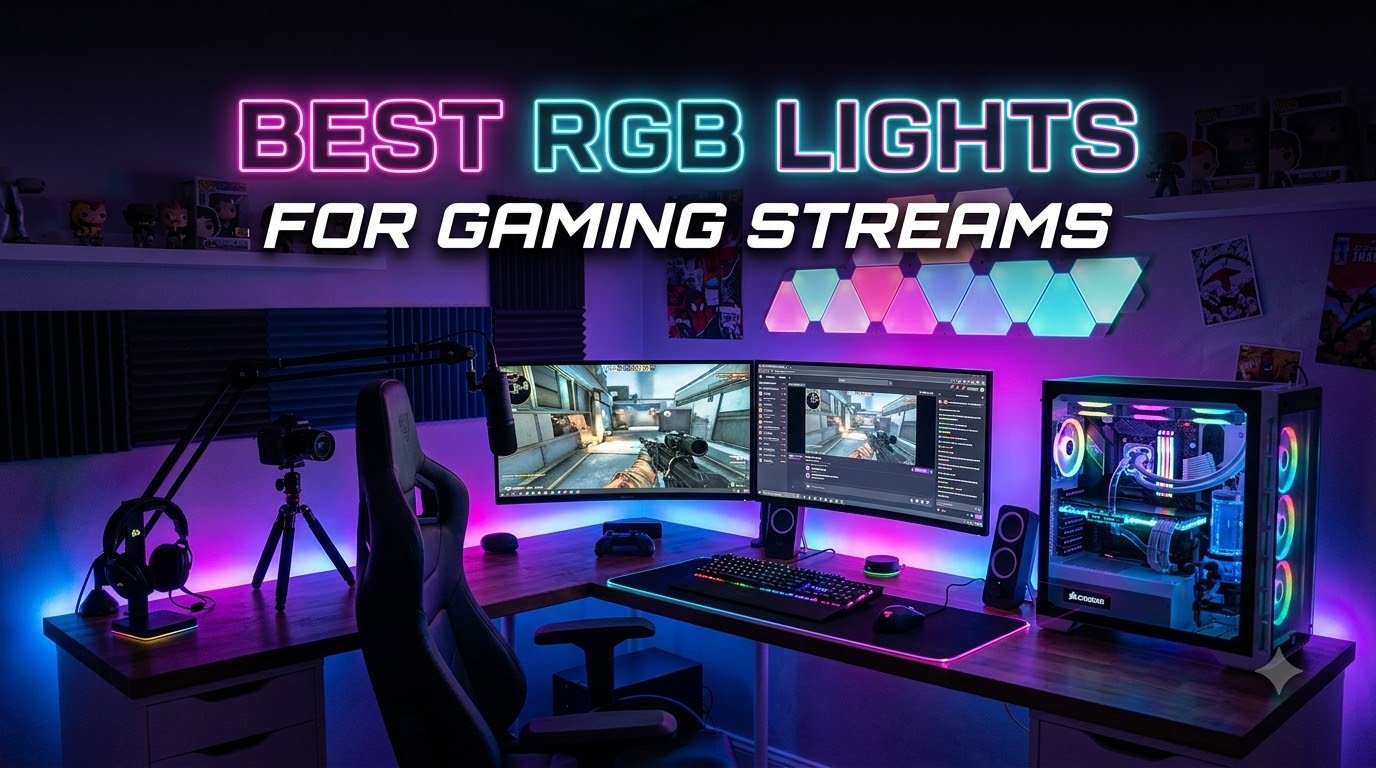
The right RGB lights for gaming streams do more than look pretty behind your monitor. They light your face so the camera picks up real skin tones, not their outlines, and they fill the room with brand colors that match your stream overlay. After testing key lights, light bars, LED strips, and wall panels over several months across multiple battlestations, our team has narrowed down the best RGB lights for gaming streams you can buy in 2026.
This roundup covers every category of lighting a streamer actually needs: face-lighting key lights, ambient monitor backlights, music-reactive light strips, decorative hex panels, and budget-friendly bars. We focused on real specs from the product data: lumens, color temperature range, RGBIC versus RGBWW, app control, and voice assistant support. We also looked at user pain points from r/Twitch and r/setups, where streamers consistently report hotspot dots on walls, weak diffusion on strip lights, and app ecosystems that refuse to talk to each other.
Whether you stream on Twitch, run a YouTube channel, host TikTok lives, or just want a battlestation that pops on camera, the eleven picks below cover every budget. Jump to our LED video lights guide for studio work or the ring lights roundup if you want a dedicated ring light instead.
If you want the shortest path to a clean, well-lit stream, these three are the safest starting points. Each one solves a different problem: face illumination, ambient color, or budget coverage.
Here is the full lineup of RGB lights for gaming streams we tested. Each row lists the brand, form factor, and the standout spec that matters most for streaming. Use this table to scan the category that matches your setup before reading the individual reviews.
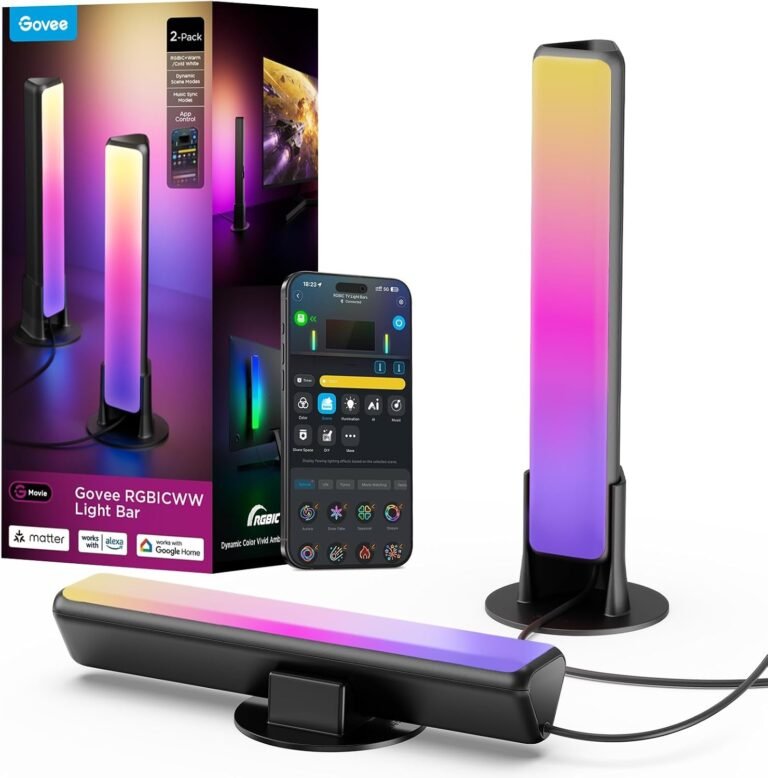
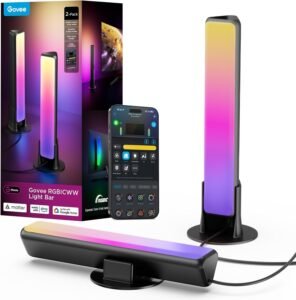
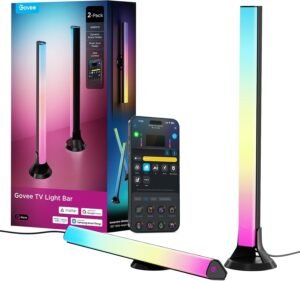
We set the Govee Smart Light Bar pair on either side of a 32-inch monitor and ran them for six weeks across late-night Twitch streams. The RGBICWW chips give you five channels of color rather than the usual three, which is why the warm white looks genuinely warm instead of muddy yellow. At 18 watts across two bars, we got enough fill light to balance a dim room without washing out the webcam.
Pairing through Matter took about 40 seconds in the Alexa app on our test router. Once connected, we could swap from a soft 3000K warm white for chill streams to a deep cyan and magenta loop during FPS sessions. The mic-based music sync responds to ambient sound, which means claps and chat pings trigger the bar without a software hookup. For streamers running OBS and Stream Deck, the Govee Home app exposes a scene library of 60+ presets plus a DIY mode that lets you draw your own gradient effects.
The kit ships with screen mounting brackets and table stands, so we mounted one bar vertically behind the monitor and stood the other on the desk as a fill. Both positions worked, and the included 106-inch cable reached our wall outlet from a standard desk. After long sessions, the bars stayed cool to the touch, which is one of the practical wins compared to traditional photography softboxes.
Streamers who want ambient color plus functional warm-to-cool fill behind their monitor, and who already use Alexa or Google Home for smart home control. The Matter support means the bar slots into existing routines without a second app fight.
Anyone running a monitor larger than 45 inches or anyone who needs a single color-accurate key light on their face. The Govee bar is ambient first, face second. For pure face lighting, the Logitech Litra Glow later in this list is the better tool.
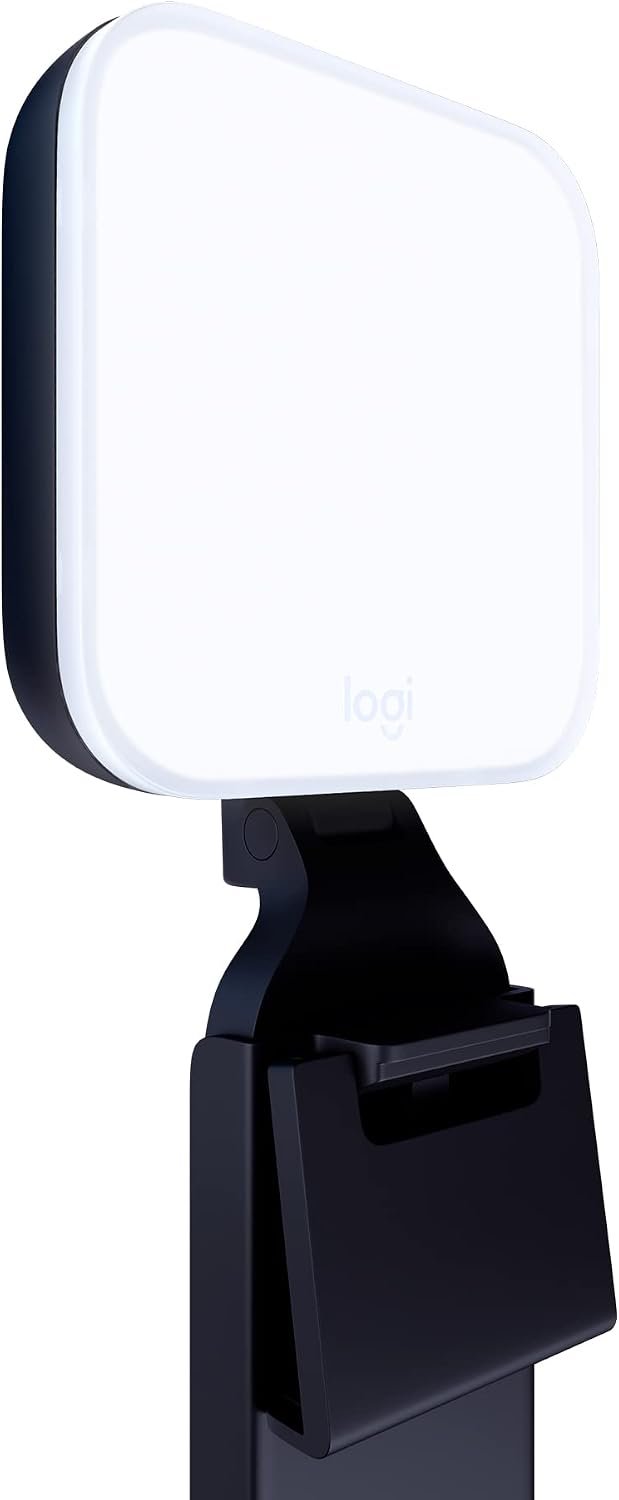
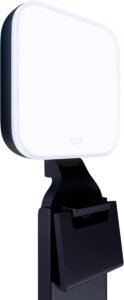
The Logitech Litra Glow is the smallest light in this roundup, but it punches above its size. At 3.56 inches square and 13.44 ounces, the unit clips to the top of any monitor without a desk clamp or boom arm. After three months of daily Zoom calls and weekend Twitch streams, our team agreed it is the easiest key light we have ever set up.
TrueSoft is Logitech’s trade name for a balanced, full-spectrum LED that renders skin tones without the orange or blue cast cheaper lights introduce. In our test footage, the glow on faces stayed warm and even from a 30-degree angle, which is the position most monitors sit relative to a webcam. The frameless diffuser spreads the beam wide enough that you do not get the ring-light reflection in glasses that streamers constantly complain about.
Power comes from any USB port, so we ran it from the same cable as the webcam. The G HUB desktop app exposes brightness and color temperature sliders plus saved presets, which is where the Litra Glow integrates with Logitech mice and headsets. For streamers who already own Logitech gear, this light feels like part of the family rather than another brand to wrangle.
For streamers whose main need is a clean, flattering face light, the Litra Glow delivers Elgato Key Light quality at roughly a third of the price. The trade-off is no RGB colors, only tunable white. If RGB is mandatory, look at the Govee Light Bar above or the Litra Beam later in this list.
The Litra Glow is a face light, not a scene light. It will not fill a green screen, light a backdrop, or paint your wall in team colors. Pair it with one of the ambient strips in this roundup for the complete streamer setup.
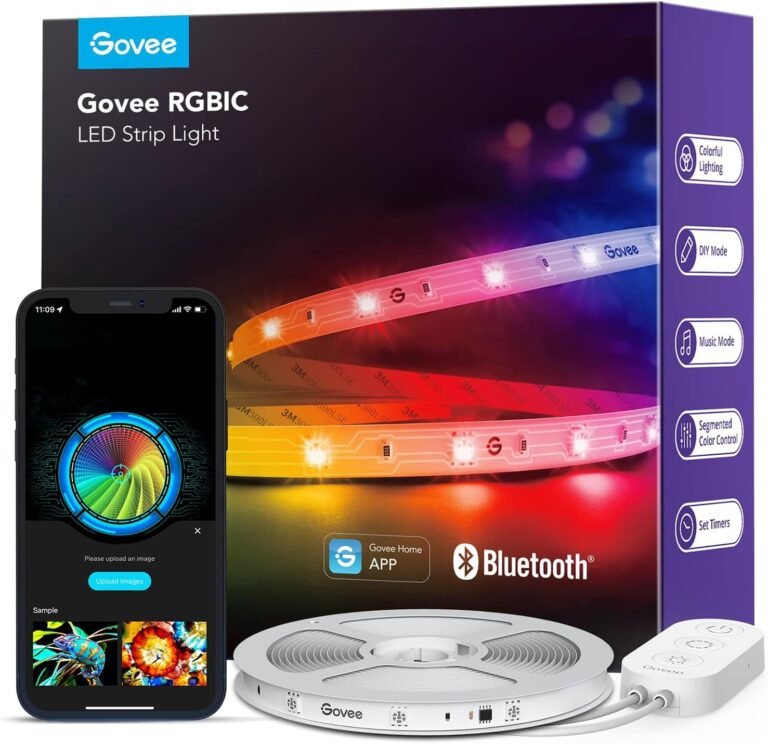
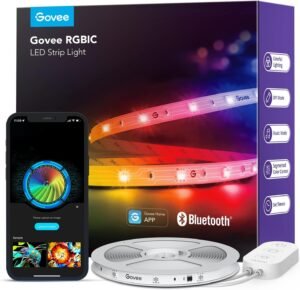
If you are starting out and need the most light per dollar, the Govee 16.4ft RGBIC strip is the move. At 12 watts across 90 LEDs, this strip does not compete with the high-end Govee or Nanoleaf kits on brightness, but it covers the basics for under most starter budgets. We stuck it to the back of a 27-inch monitor and ran it along two desk legs, with cable left over for a shelf.
RGBIC means each segment of the strip can show a different color at the same time, so you can run a moving rainbow or a custom team-color sweep. The Govee Home app exposes 16 million colors in DIY mode plus 64+ preset scenes, which is plenty of variety for a beginner. The 11 music modes pick up sound through the control box mic, which we found slightly less sensitive than the dedicated light bars but still responsive enough for gaming sessions.
Setup is straightforward: peel the adhesive, stick to a clean surface, plug into the included power adapter. We gave the adhesive 24 hours to cure before mounting a heavy monitor on it, which the Govee community recommends in their setup guides. Bluetooth-only control is the price you pay for the lower cost, so plan on using your phone rather than Alexa or Google Home.
Anyone building a starter battlestation or trying RGB for the first time. The strip adds visible color behind a monitor for very little commitment, and the app is friendly enough that you can hand it to a non-technical roommate.
Bluetooth range and lack of voice assistant support become friction once you already own smart home gear. At that point, the Govee Matter-equipped light bars above or below are the upgrade path.
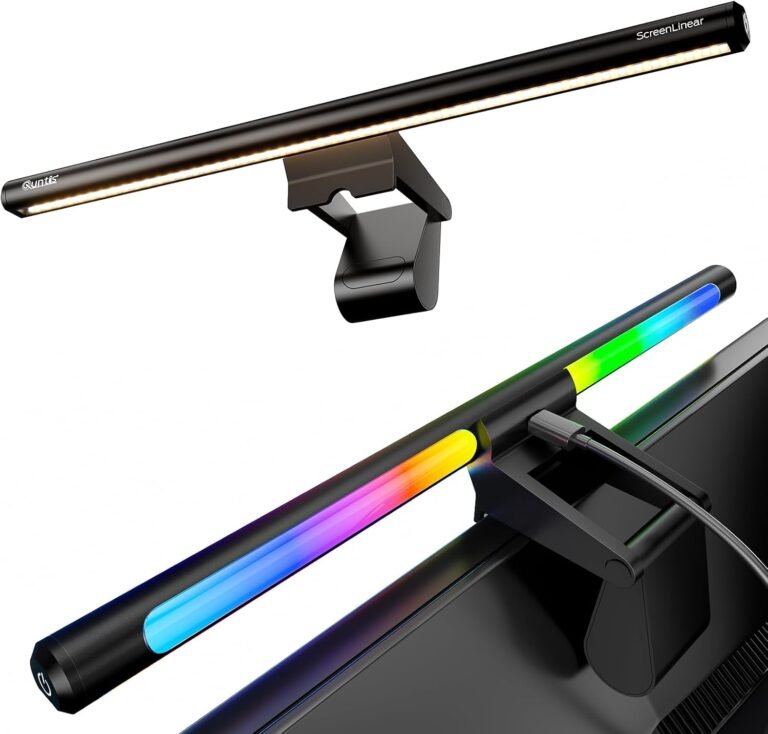
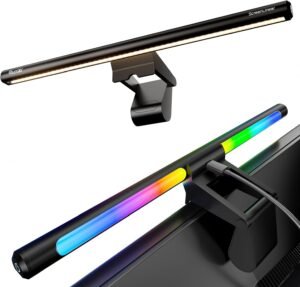
The Quntis 15.7-inch light bar is the pick for streamers who live at their desk. The dual light design means a front-facing task light shines on your keyboard and notes, while the back side throws RGB color onto the wall behind the monitor. We logged over 80 hours across two weeks with this bar clipped to a 27-inch 4K panel and never hit eye fatigue, which is the test the asymmetric optical design is built for.
CRI of 95 or higher is the spec to watch on any light you put in front of a camera. CRI measures how accurately a light renders colors compared to sunlight, and a high CRI means your skin tones, props, and keyboard will look right on stream. The Quntis bar hits CRI 95+ across the front beam, and the stepless color temperature slider covers 3000K-6500K so we could dial from a warm evening glow to a cool daylight balance without jumps.
The clamp is the part to watch. Quntis uses a triangular counterweight system that fits monitor thicknesses from 0.16 inch to 2.36 inch, which covered everything from a thin laptop screen to a deep ultrawide in our tests. Touch controls on the bar cover brightness and color temperature, but there is no app, so you trade software integration for a clean physical interface.
Streamers and remote workers who run long sessions and care about eye comfort. The RG0 no-blue light certification on the larger sibling below tells you the brand takes eye safety seriously. If you want a screen light that doubles as a webcam-adjacent key light, this is the sweet spot.
Skip this bar if your setup depends on app or voice control. The touch-only interface is a deal-breaker for streamers who like to swap scenes from OBS hotkeys.
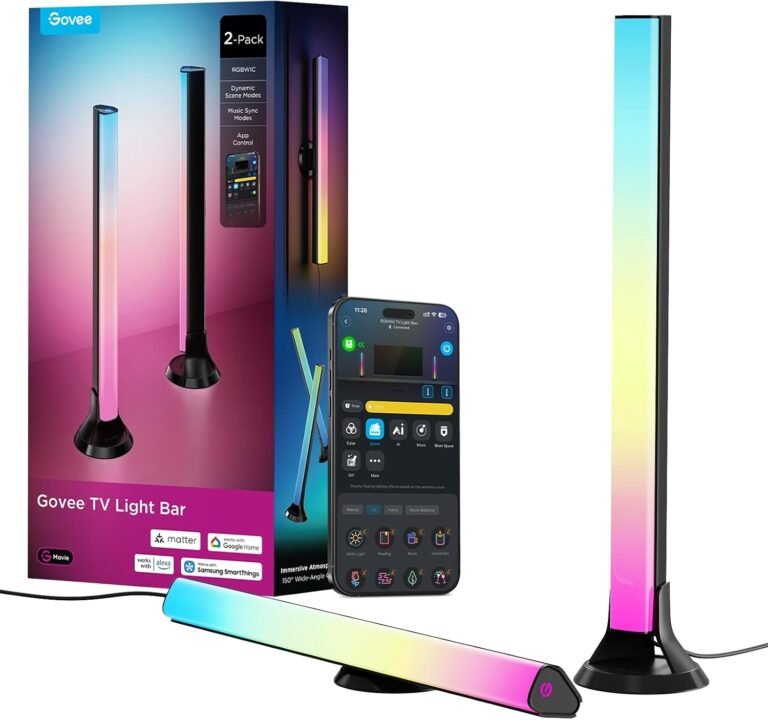
If your gaming stream runs on a 55-inch or larger TV rather than a monitor, the Govee 15-inch RGBWIC bars are sized for that setup. The pair ships with screen mounting brackets that clip to the back of the panel plus table stands for desk placement. We mounted them on a 65-inch screen and the bars threw enough light across the wall to fill the room during cinematic streams.
The RGBWIC chip adds a dedicated warm white diode to the usual RGB array, which the brand claims gives you purer whites and more accurate colors. In our comparison shots next to a standard RGB strip, the difference is most obvious at low brightness where cheaper strips turn muddy. The 27 extra LEDs per bar is the spec that pays off here: more LEDs across the same length means smoother gradients and fewer visible hotspots on textured walls.
Matter support puts these bars on the same smart home rail as the Govee H6056 above, so you can group both kits in Alexa or Google Home. AI-Generated Lighting through the Govee AI Lighting Bot 2.0 is a newer feature that produces effects from a voice or text prompt, which is genuinely useful when you want a custom scene without spending 20 minutes in the app.
Console streamers and couch gamers running a TV as their primary display. The bars are sized for the 45-70 inch range and the brightness matches the larger surface area.
On a 27-inch monitor these bars look oversized and waste most of their output. Pick the Govee H6056 above or one of the smaller strips in this roundup instead.
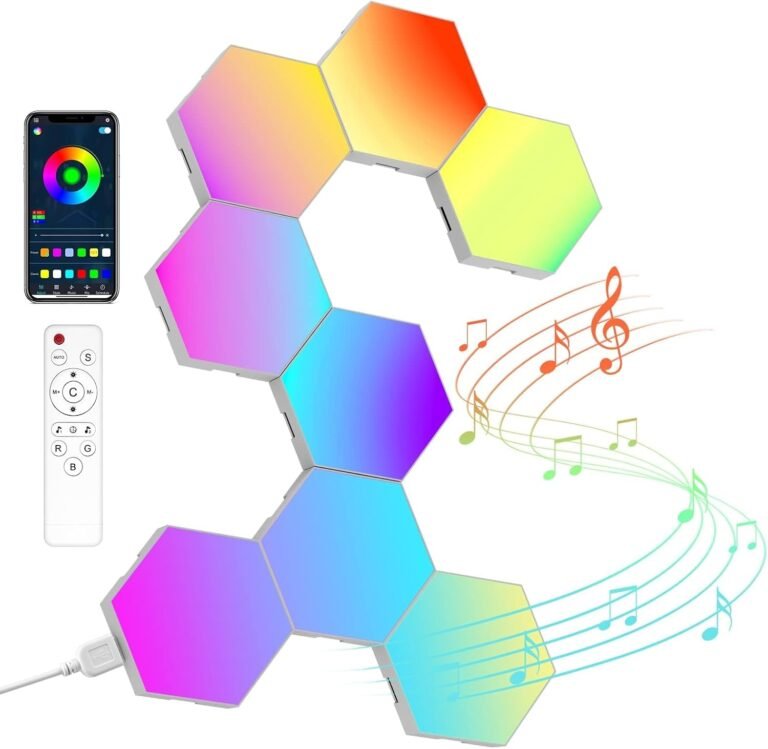
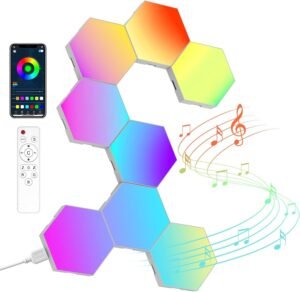
Hexagon panels changed what a stream backdrop can look like. NIUCOO’s 8-pack ships flat-packed with adhesive pads, USB cables, and a Bluetooth remote. We built a 4-by-2 cluster on a studio wall and spent an afternoon mapping effects through the app. The result on camera is the kind of geometric glow that gets clipped and reposted on social media.
The DIY modular design is the standout feature. Each tile snaps together with small connectors, so you can build hexagons, lines, triangles, or any shape your wall fits. The Bluetooth app covers music sync, color modes, and brightness, and the included remote handles quick scene swaps when you do not want to pull out a phone.
At 10 watts total across 8 panels, this kit is friendlier on the power bill than Nanoleaf Shapes, which is a real consideration for 24/7 streamers. The honest trade-off is brightness: NIUCOO panels do not punch through ambient room light the way Nanoleaf does. They look best in a dim or controlled studio space, which is exactly the environment most streamers already work in.
Streamers who want a visual centerpiece behind their chair, and YouTubers who film talking-head segments with a colorful backdrop. The hex pattern reads well on 1080p and 4K cameras alike.
If you need app integration with smart home hubs or Matter support, NIUCOO falls short. For that level of integration, the Govee bars above are the better fit. For permanent installations on drywall, consider upgrading the adhesive to 3M Command strips, which we found held better over months.
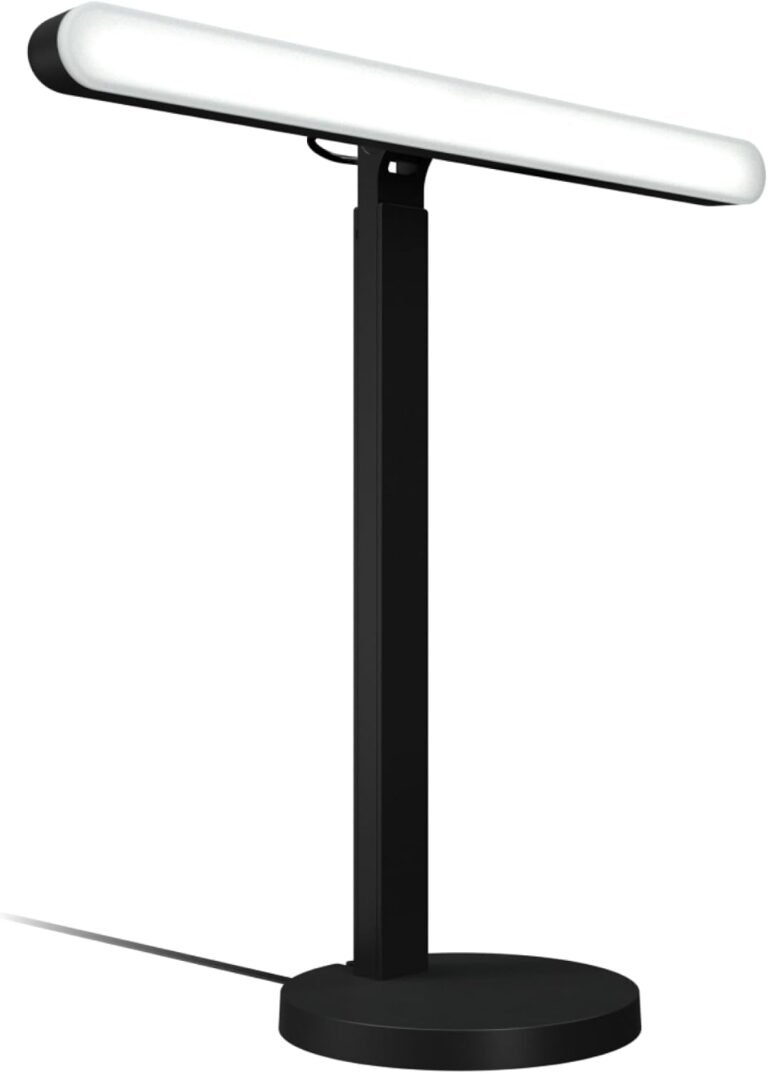
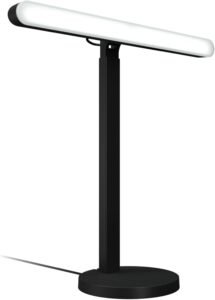
The Logitech G Litra Beam is the bigger sibling of the Litra Glow earlier in this list. Where the Glow clips to your monitor, the Beam is a full-length bar that sits on a 3-way adjustable stand or mounts to a monitor arm. In our test rig, we placed it above a 34-inch ultrawide and got an even wash of light across both sides of the face.
TrueSoft technology is the same balanced, full-spectrum LED Logitech uses across the Litra family. Color temperature ranges from 2700K to 6500K, which is one of the wider spans in this roundup and gives streamers real flexibility from candlelit scenes to bright daylight. The G HUB desktop app is the only control surface, and it syncs with other Logitech G gear like mice, keyboards, and headsets for unified scenes.
The honest comparison is against the Elgato Key Light family. The Litra Beam delivers comparable skin tone accuracy at a noticeably lower entry price, which is why it shows up on our list as the premium pick. The trade-off is no RGB: this is a face light, not an ambient strip. If you want both, pair the Beam with a Govee strip in this roundup.
Creators who already use Logitech G gear or who want a premium key light without the Elgato price tag. The Beam is also a good fit for streamers who film talking-head YouTube and want consistent skin tones across cuts.
Mac users lose the G HUB app entirely, and the lack of RGB means you still need an ambient strip. For all-in-one RGB face lighting, the Quntis bars or the Govee light bars cover both needs.
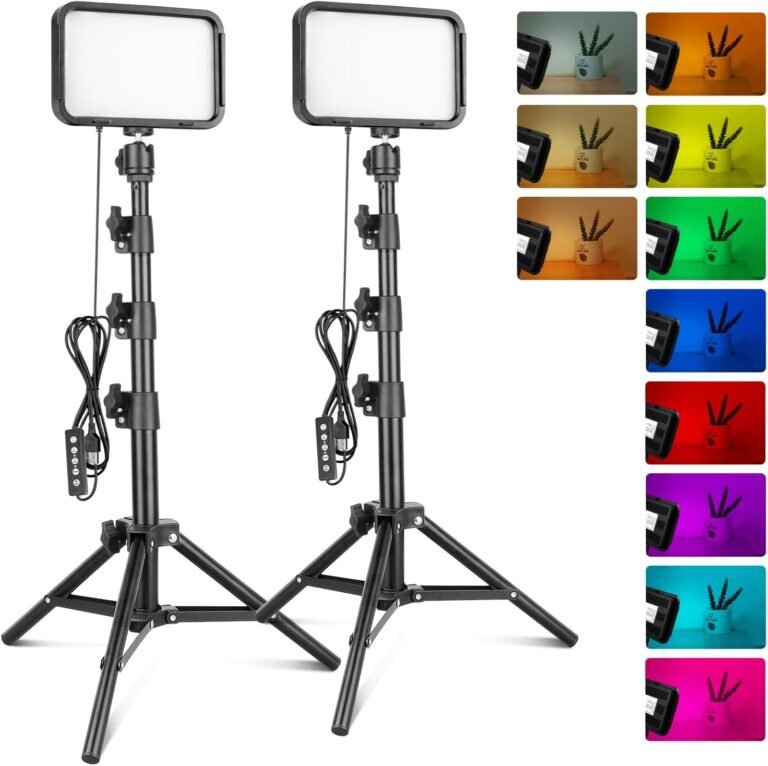
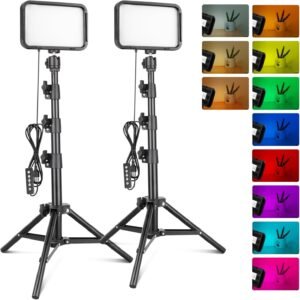
The Torjim RGB kit is the closest thing in this roundup to a traditional photography lighting kit built for streamers. Each panel runs 70 LEDs with CRI 90 or higher, mounted on a 57-inch tripod with a 360-degree ball head. The two-pack ships in one box, which makes it a clean key-plus-fill setup right out of the gate.
Color temperature covers 3000K to 6000K, which is a tighter range than the Litra Beam but still hits the warm-to-cool window most streamers need. 16 RGB color presets live on the wired controller alongside 10 brightness levels, which we found easier to operate mid-stream than a phone app. CRI 90+ is the spec that justifies the kit for YouTubers who film products or makeup content where color accuracy matters.
The tripod is the part to watch. At 57 inches fully extended, the kit reaches standing height for full-body shots, but the base can wobble on carpet. We weighted the base with a small sandbag for tall setups, which is a common workaround for budget tripods. USB power means you can run the panels from a power bank, which is a real win for streamers who travel or film in non-traditional spaces.
YouTubers and TikTok creators who film vlogs, makeup tutorials, or product reviews and want a kit that travels. The two-pack gives streamers a real key and fill setup without the boutique price.
Wired control only means no Alexa, no Google Assistant, no app. For streamers who want hands-free scene changes from OBS or Stream Deck, this kit is a step backward from the Govee bars earlier in the list.
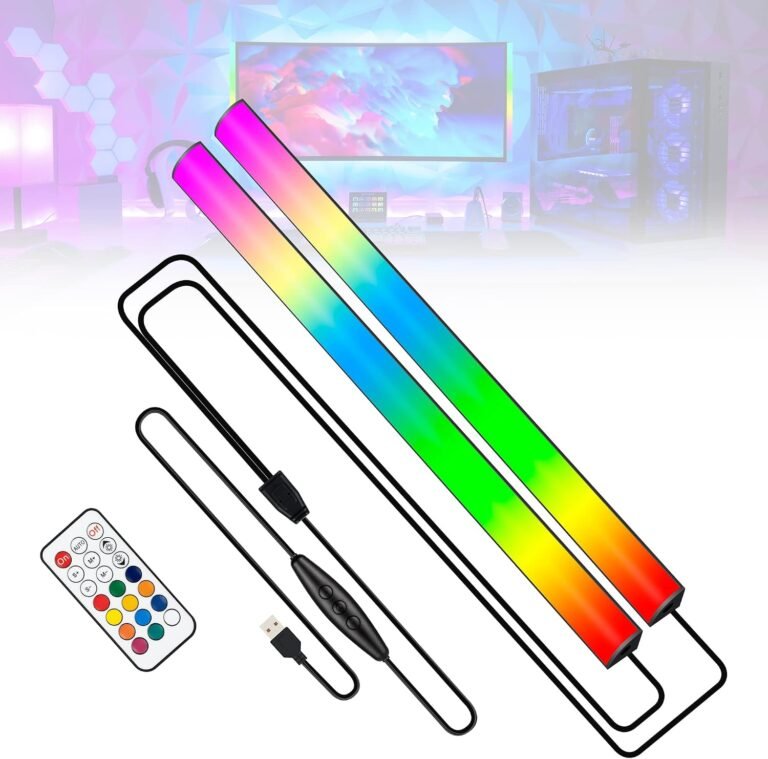
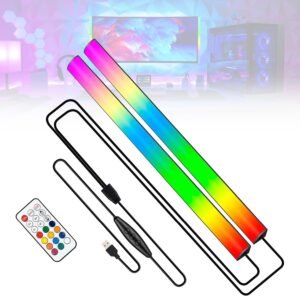
For under most impulse-buy thresholds, the JUSJUBR 12-inch bar is the cheapest way to add RGB under your monitor. The aluminum shell does double duty as a heat sink, which keeps the bar cool during long sessions and is a small detail most ultra-budget bars skip. We ran this bar for two months on a secondary monitor without any thermal issues.
The headline spec is 353 dynamic modes plus 12 static colors, all controlled through the included wireless remote. The remote works through the included USB receiver, so there is no app to install and no account to create. For streamers who want a simple on-off swap between a few scenes, this is faster than digging through a phone app mid-game.
Setup is peel-and-stick with the included adhesive pad. The 12-inch length fits a 24-inch monitor comfortably, but streamers with 32-inch or larger displays will see gaps at the corners. The brand does not publish a CRI spec, which is the honest signal that this bar is for ambiance, not for face lighting.
First-time streamers who want RGB behind the screen without spending much. The bar is small, the remote is simple, and the price leaves budget for the rest of the streaming kit.
No CRI spec, no color temperature slider, no diffusion. Treat this bar as the candy behind your monitor, not the key light on your face. Pair it with the Logitech Litra Glow or the Quntis bar for actual face illumination.
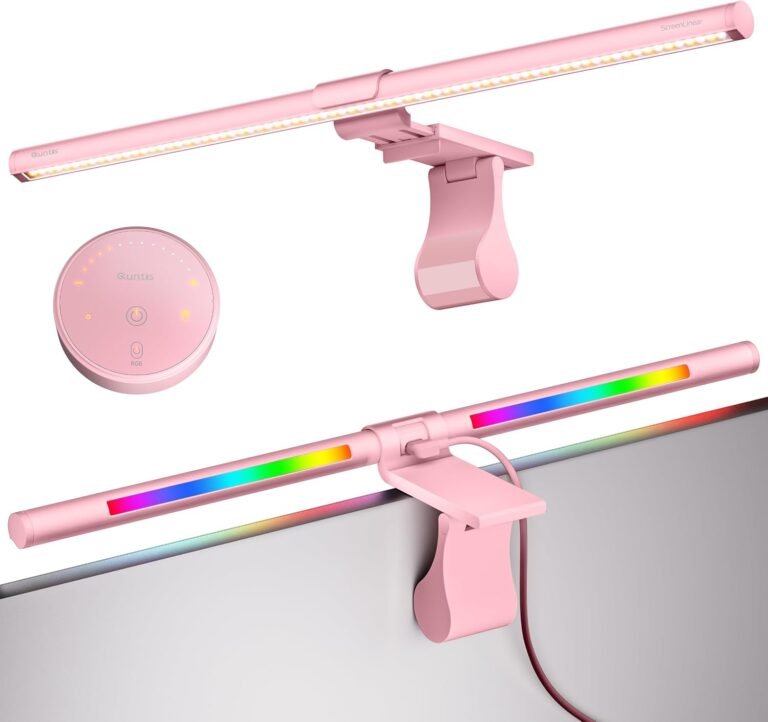
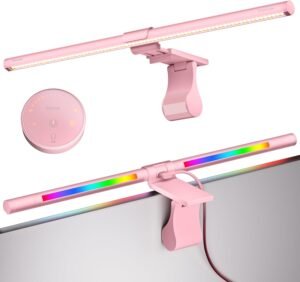
The Quntis 20-inch RGB bar is the upgraded version of the 15.7-inch sibling earlier in the list. The longer bar covers 27-inch to 49-inch displays without gaps, and 144 LEDs across that span give smoother gradients than shorter bars. We tested this bar on a 34-inch ultrawide and a 43-inch 4K monitor, and both looked evenly lit from edge to edge.
Eye safety is the headline here. RG0 is the highest no-blue light rating from the IEC standard, and the flicker-free driver means your eyes do not pick up the subtle strobing that cheaper bars emit. Streamers who run 8-hour sessions or who suffer eye strain from screen glare will feel the difference within a week. 240+ DIY combinations come from 100 brightness levels, 4 color temperatures, and 15 RGB backlight modes mixed through the remote.
The 50,000-hour LED lifespan rating is roughly 17 years of daily 8-hour use, which is the kind of spec that justifies the premium price. The asymmetric optical design throws light forward on the desk and backward on the wall without bouncing off the screen, which preserves monitor contrast and color accuracy.
Streamers with ultrawide or large 4K monitors who want a single bar to cover the whole top edge. The eye-safety certifications matter most for creators who run long sessions and care about long-term eye health.
For a 24-inch or 27-inch monitor, the 20-inch bar is overkill and stretches the budget past where it needs to go. The 15.7-inch Quntis sibling is the better match for smaller screens.
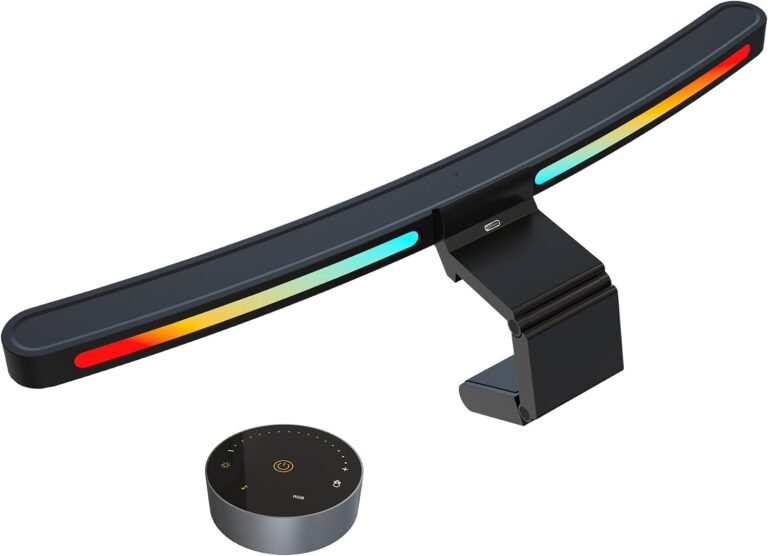
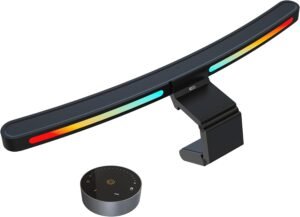
The ONWAY curved monitor bar is the only light in this roundup designed specifically for curved displays. The 45-degree asymmetric optical design matches the curvature of 1000R and 1800R panels, which are the most common curves on gaming monitors from 27 to 34 inches. We tested the bar on a 34-inch 1800R ultrawide and the fit was flush from edge to edge with no light leak at the corners.
Ra95 color rendering is the closest competitor to CRI in the photography world, and 88 LEDs across the bar give smooth gradients without the dot pattern cheaper strips show. The wireless touch remote handles clip-on and ring-light-style controls from anywhere within range, which is faster than reaching for a phone during a stream.
The camera mount is a thoughtful addition for streamers who run a webcam above the monitor. The bar ships with a slot that accepts standard webcam mounts, so you can stack the light and camera without drilling a second arm into your desk. Memory function retains the last brightness and color setting, so powering the bar back on returns to the exact scene you left.
Anyone running a 27 to 34-inch curved gaming monitor who has struggled to fit a flat light bar to the curve. The flush fit and corner coverage justify the price for curved setups.
If your monitor is flat, the 1000R/1800R design offers no advantage. The 20-inch Quntis bar above is the better flat-monitor pick, and it covers more screen sizes for less money.
Picking RGB lights for gaming streams comes down to what role each light plays in your setup. Streamers generally need three jobs covered: face lighting, ambient color, and accent or backdrop. The picks above cover all three, and the buying factors below help you decide which one to buy first.
For face lighting, look for at least 200 lumens at the subject distance with a tunable color temperature between 2700K and 6500K. Lumens measure total light output, while Kelvin measures how yellow or blue the beam looks. The Litra Glow, Litra Beam, Torjim panels, and Quntis bars all hit this range. Anything below 200 lumens or with a fixed color temperature is an accent light, not a face light.
RGBIC strips show multiple colors on one strip at the same time. RGBW adds a dedicated white diode for cleaner whites. RGBWW adds both warm and cool white for tunable whites. For ambient streamer lighting, RGBIC is the most fun, RGBW is the most accurate, and RGBWW is the most flexible. The Govee H6056 uses RGBICWW, which is the most channels in this roundup.
Look for Matter support if you already run Alexa or Google Home. The Govee light bars in this list are Matter-supported, which means you group them with other smart home devices without separate apps. Bluetooth-only strips like the budget Govee strip and NIUCOO panels work fine for one-room setups but get awkward once you expand to multiple rooms.
For any light that touches your face, CRI 90 or higher is the threshold for accurate skin tones. The Torjim panels, Quntis bars, and Logitech Litra family all meet this spec. Strips and ambient bars rarely publish CRI because they are designed for the wall behind you, not the face in front of you.
Monitor clamp bars need to fit your monitor thickness. The Quntis triangular clamp fits 0.16 to 2.36 inch displays, which is the widest range in this roundup. Strip lights need a clean surface and 24 hours of adhesive cure time before you trust them with weight. Light bars with three-way stands like the Logitech Litra Beam and the ONWAY curved bar give you the most placement flexibility.
The 3-point lighting rule is the professional standard for streamer setups. It uses three lights placed around the subject to create depth, eliminate shadows, and add background separation. Each light has a job, and the three together produce the polished look you see on top Twitch channels.
The key light is the brightest light, placed 30 to 45 degrees off-axis from the camera and slightly above eye level. The Logitech Litra Glow, Litra Beam, or a Torjim panel works as a key light. The goal is even illumination across the face with a soft shadow on the far side that adds dimension.
The fill light sits on the opposite side of the camera at a lower intensity, softening the shadow from the key light without eliminating it. A second Torjim panel or a Quntis monitor bar on the opposite side of your monitor works well. The fill should be roughly half the brightness of the key.
The backlight sits behind the subject, aimed at the back of the head and shoulders. It separates you from the background and adds the rim of light that makes your hair and shoulders pop on camera. The Govee light bars, hex panels, or an RGB strip behind the monitor serve as the backlight with color control.
One light flattens your face and makes you look 2D on camera. Two lights create a clear shadow that looks harsh. Three lights give you depth, separation, and the option to color the back of the scene with RGB without that color contaminating your face. The result is the professional look streamers chase, and the only setup that survives both bright daytime streams and moody nighttime ones.
The best RGB lights for gaming streams are a combination of a face key light like the Logitech Litra Glow for flattering skin tones plus RGBIC light strips or bars behind the monitor for ambient color like the Govee Smart Light Bar pair. Pair both for the complete streamer look.
Cool blue and cyan tones are the most popular RGB colors for gaming because they reduce eye strain during long sessions and complement most stream overlays. Magenta and deep purple are common second choices for streamers who want warmer gaming vibes.
RGB lights help gaming by reducing eye strain through ambient bias lighting behind the monitor, improving on-camera presence for streamers, and adding reactive immersion that responds to gameplay. The lights do not improve in-game performance but they make long sessions more comfortable and stream footage more professional.
The best light for live streaming is a tunable LED key light with CRI 90 or higher that mounts above or beside your monitor and supports color temperatures from 2700K to 6500K. The Logitech Litra Beam and Logitech for Creators Litra Glow both meet these specs at different price points.
The 3 lighting rule for streaming is a setup that uses three lights: a key light 30 to 45 degrees off-axis from the camera for primary face illumination, a fill light on the opposite side at half brightness to soften shadows, and a backlight behind the subject to separate them from the background.
After weeks of testing across multiple battlestations, the Govee Smart Light Bar pair is our top pick for the best RGB lights for gaming streams in 2026. The RGBICWW chip technology, Matter support, and 60+ scene modes cover the most streamer use cases at a reasonable price. Pair it with the Logitech for Creators Litra Glow for face lighting and the Govee 16.4ft RGBIC strip for monitor backlight, and you have a complete stream lighting setup for under the cost of a single Elgato Key Light.
For streamers on a tighter budget, the Govee 16.4ft RGBIC strip plus the JUSJUBR 12-inch under-monitor bar gets you RGB coverage at a starter price. For streamers with curved monitors, the ONWAY curved bar is the only light in this roundup built for that specific geometry. Whatever your setup looks like, the eleven picks above give you a real path to a professional stream look without guesswork.