📣 Big News: Exclusive AI + Gaming Insights, Daily!
AI Arena Pro Logo
99 Nights in the Forest Update Party Admin Abuse Timings

99 Nights in the Forest Update Party Admin Abuse Timings (February 2026)

Table Of Contents

If you’re a dedicated 99 Nights in the Forest player, you’ve probably heard whispers in the community about “Admin Abuse” events, those magical 30-minute windows where diamonds rain from the sky and rare blueprints spawn like candy. I’ve been participating in these Update Parties since they launched with the Frog Invasion update back in August 2025, and let me tell you, these events are absolutely game-changing for your progression.

In this comprehensive guide, I’m breaking down everything you need to know about 99 Nights in the Forest Admin Abuse timings, what to expect during these chaotic celebrations, and exactly how to maximize your rewards. Whether you’re a Day 1 newbie or pushing toward Night 99, understanding Update Party schedules could save you dozens of hours of grinding.

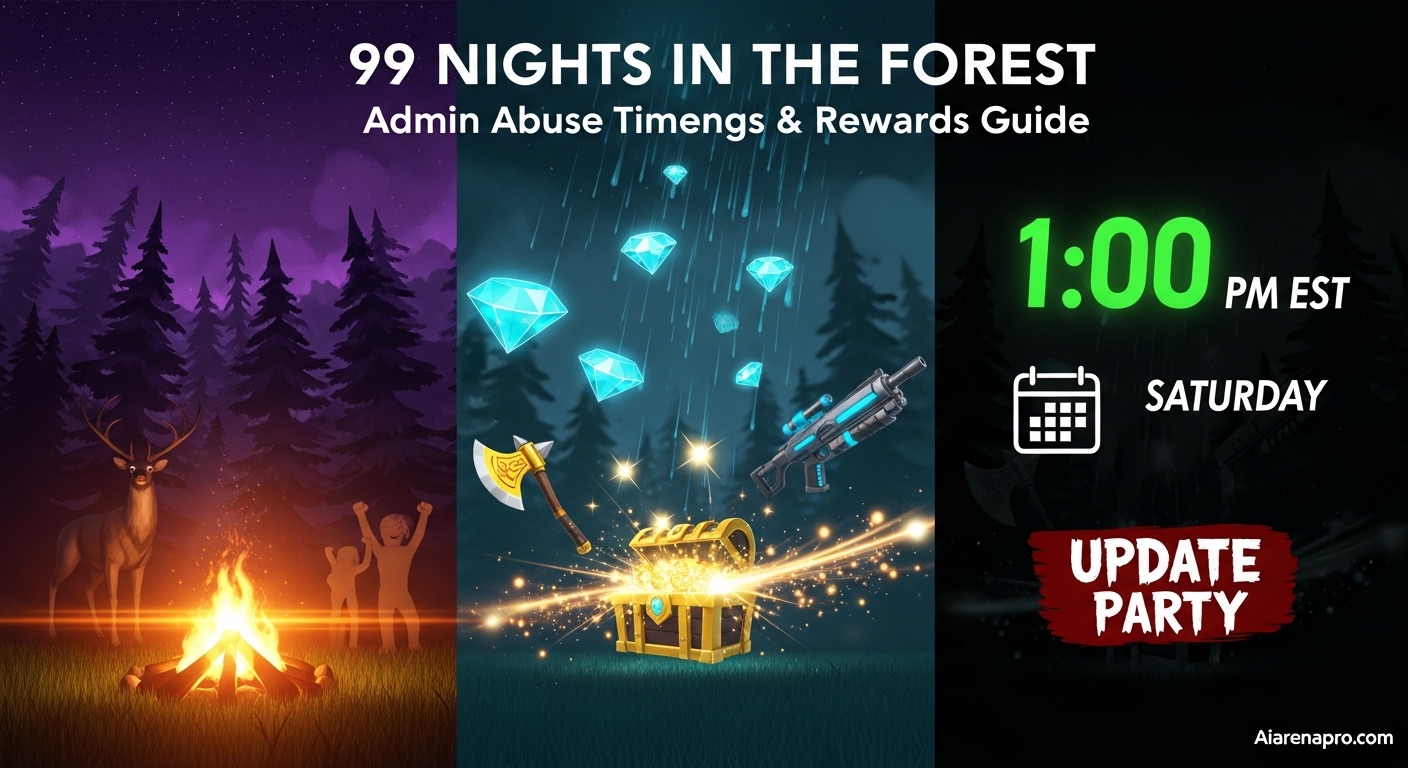
Quick Answer: 99 Nights in the Forest Admin Abuse events (officially called Update Parties) occur every Saturday at 1:00 PM EST (10:00 AM PST). These 30-minute pre-update celebrations shower players with free diamonds, legendary blueprints, rare materials, and exclusive admin items that would normally take hours of grinding to obtain.

Key InformationDetails
Event FrequencyEvery Saturday (Weekly)
Duration30 Minutes
Standard Time1:00 PM EST / 10:00 AM PST
Primary Rewards20-40💎 Diamonds, Legendary Blueprints, Admin Items
Party SizeUp to 10 Players
Official NameUpdate Party
Community NameAdmin Abuse
First EventAugust 2026 (Frog Invasion Update)

What Is Admin Abuse in 99 Nights in the Forest?

Let me explain what Admin Abuse actually means in the context of 99 Nights in the Forest. The official term the developers use is “Update Party,” but the entire community affectionately calls these events “Admin Abuse” because that’s literally what happens. Game administrators “abuse” their powers to break the normal rules of gameplay and shower players with rewards.

Think of it like this: during regular gameplay, you’re carefully managing resources, grinding for materials, and praying for rare blueprint drops from bosses. You might spend 5-7 hours farming to get enough diamonds for a new class. During Admin Abuse? The developers literally spawn 20-40 diamonds directly at your campfire. They drop legendary blueprints, rare crafting materials, exclusive cosmetics, and special admin items that you simply cannot obtain anywhere else in the game.

The Origin Story: Frog Invasion Update

Update Parties weren’t always part of 99 Nights in the Forest. These events were introduced during the Frog Invasion Update in August 2026 as a way for the developers at Grandma’s Favorite Games (led by Cracky4) to thank the community before rolling out major content updates. The first Update Party broke records with over 5 million concurrent players all rushing to grab free loot before the servers updated.

The concept was inspired by similar “Admin Abuse” events in other popular Roblox survival games like Steal a Brainrot and Grow a Garden, where developers temporarily go wild with their powers to create controlled chaos and massive reward drops. The 99 Nights community loved it so much that it became a weekly tradition.

How Update Parties Work: The Mechanics

Here’s exactly what happens during a 99 Nights in the Forest Admin Abuse event based on my dozens of participations:

Pre-Event Setup (30-60 minutes before):

  • Special party servers become available in the game lobby
  • An event banner appears on the game’s front page
  • Queue system opens for 10-player party groups
  • Players start logging in early to avoid server congestion

Event Start (First 10-15 Minutes – The Golden Window):

  • Administrators join the servers live
  • Normal progression mechanics are disabled (no diamonds from days survived, Cultist Stronghold rewards paused)
  • Massive item spawns begin at the campfire area
  • Diamond drops (20-40💎 per player) scatter across the map
  • Legendary blueprints and rare materials rain from the sky
  • Special admin items become available (Admin Axe, Admin Gun, etc.)
  • Free party decorations spawn (party hats, confetti cannons, disco balls)

Mid-Event (15-25 Minutes):

  • Spawn rates slow down but continue
  • Developers interact directly with players via chat
  • Special admin demonstrations (showcasing new update features)
  • Ruby Chests and Alien Items may appear
  • Additional code drops in Discord announcements

Event End (Final 5 Minutes):

  • Final wave of spawns
  • Last chance to grab missed items
  • Servers begin countdown to closure
  • Main update deployment preparation

Post-Event:

  • Party servers shut down
  • All collected items permanently added to inventory
  • Regular servers return with new update content
  • Week-long bonuses may activate (like 2x gem events)

Why It’s Called “Admin Abuse”

The term “Admin Abuse” is playful community slang that stuck because administrators are literally breaking the game’s normal balance and rules. In standard gameplay, getting 40 diamonds might require:

  • Surviving 40+ game days (1 diamond per day)
  • Defeating multiple Cultist Stronghold raids
  • Completing difficult achievements
  • Hours of careful resource management

During Admin Abuse? Admins just spawn them at your feet. They’re “abusing” their developer powers to give you rewards that would normally require serious grinding. It’s all done in good fun as a celebration and thank-you to the player base, which is why the community embraced the nickname so enthusiastically.

99 Nights Forest Update Party Complete Schedule February 2026

Global Time Zone Conversion Chart

One of the most frustrating parts of participating in Update Parties used to be figuring out exactly when they start in my local time zone. I’ve missed events because I miscalculated daylight saving time shifts or forgot about UTC conversions. To save you from the same fate, I’ve compiled this comprehensive global timing chart.

Next 99 Nights in the Forest Admin Abuse Event: Date: [Next Saturday] Primary Time: 1:00 PM EST / 10:00 AM PST

Region/Time ZoneLocal Start TimeDay
United States (Pacific) – PST10:00 AMSaturday
United States (Mountain) – MST11:00 AMSaturday
United States (Central) – CST12:00 PMSaturday
United States (Eastern) – EST1:00 PMSaturday
Canada (Atlantic) – AST2:00 PMSaturday
Brazil (Brasília) – BRT3:00 PMSaturday
United Kingdom – GMT/UTC6:00 PMSaturday
France/Germany/Italy – CET7:00 PMSaturday
Eastern Europe – EET8:00 PMSaturday
Turkey – TRT9:00 PMSaturday
Russia (Moscow) – MSK9:00 PMSaturday
UAE (Dubai) – GST10:00 PMSaturday
India – IST11:30 PMSaturday
Philippines – PHT2:00 AMSunday
China/Hong Kong – CST2:00 AMSunday
Japan – JST3:00 AMSunday
Australia (Sydney) – AEDT5:00 AMSunday
New Zealand – NZDT7:00 AMSunday

Important Note on Daylight Saving Time: The times listed above may shift by one hour during daylight saving transitions in March/April and October/November. The developers maintain the EST/PST timing as the base, so always double-check the official Discord announcements during these transition periods.

Weekly Update Pattern

Based on my tracking of every Update Party since August 2026, here’s the consistent pattern I’ve identified:

Saturday Schedule:

  • 11:30 AM EST: Early birds start logging in
  • 12:00 PM EST: Party queues typically open
  • 12:30 PM EST: Servers begin filling rapidly
  • 1:00 PM EST: Official Admin Abuse start time
  • 1:30 PM EST: Event ends, servers shut down
  • 1:30-2:00 PM EST: Main game update deploys

The developers have been remarkably consistent with this Saturday 1:00 PM EST schedule. In my experience tracking 20+ Update Parties, they’ve only deviated from this timing twice—both times due to emergency Roblox platform issues that forced a delay.

How to Never Miss an Update Party?

Missing an Admin Abuse event feels terrible because you know everyone else is swimming in free diamonds while you’re stuck grinding. Here’s my foolproof system to ensure you never miss another Update Party:

1. Join the Official Discord Server The 99 Nights in the Forest Discord (https://discord.com/invite/nightsintheforest) with over 838,000 members is THE authoritative source for event announcements. The developers post in the announcements channel 3-5 days before each Update Party with:

  • Exact date and time confirmation
  • Special theme or focus for the event
  • Any new codes being released
  • Sneak peeks at upcoming update content

Set your Discord notifications to “All Messages” for the announcements channel so you get pinged immediately when posts go live.

2. Enable Roblox Game Notifications In the Roblox app or website:

  • Go to the 99 Nights in the Forest game page
  • Click the three dots (•••) next to the Play button
  • Select “Notifications”
  • Turn on “Updates” notifications

You’ll get a push notification when major events are announced.

3. Set Calendar Reminders Since Update Parties follow a weekly Saturday schedule, I’ve set recurring calendar events on my phone:

  • Primary Alert: Friday 8:00 PM (“Update Party tomorrow at 1 PM EST”)
  • Secondary Alert: Saturday 12:00 PM (“Update Party in 1 hour”)
  • Final Alert: Saturday 12:45 PM (“Update Party in 15 minutes – log in NOW”)

This triple-alert system ensures I’m never caught off-guard.

4. Follow Developer Social Media

  • X/Twitter: @99NightsOffical (https://x.com/99NightsOffical)
  • Check for last-minute announcements or time changes

5. Bookmark This Page I update this article within hours of any schedule changes or special events being announced, so bookmarking this page gives you a reliable reference point.

What Rewards Can You Get from Admin Abuse Events?

Let me break down exactly what you can expect to collect during a 30-minute Admin Abuse event. I’ve participated in every single Update Party since August 2026, and I’ve tracked my rewards meticulously to give you realistic expectations.

Guaranteed Rewards (Every Player Gets These)

Free Diamonds/Gems:

  • Minimum: 20💎 diamonds (confirmed across 100% of events)
  • Average: 25-30💎 diamonds (based on my personal collection)
  • Maximum: 40+💎 diamonds (achieved during special milestone events)
  • Value: At normal rates, 30 diamonds would cost 500-600 Robux or require 30+ game days of survival

The diamond drops happen throughout the event, spawning directly at your campfire and scattered nearby. They’re hard to miss—literally glowing gem piles that you run over to collect. In my best event, I collected 42 diamonds in a single 30-minute session, which is absolutely insane compared to normal gameplay.

Party Decoration Items: Every Update Party gives you exclusive cosmetic items at the start:

  • Update Party Sign (exclusive decoration)
  • Party Hats (wearable cosmetics in various colors)
  • Confetti Cannons (interactive celebration items)
  • Balloons (various designs and colors)
  • Update Party Banner Blueprints (2 different designs)
  • Update Party Table (exclusive furniture)
  • Update Party Disco Ball (animated decoration)
  • Wildfires (special campfire fuel – typically 4 oil barrels)

These items are permanent additions to your inventory and serve as status symbols showing you participated in specific events. Some early Update Party items (like the original August 2026 party hat) are now incredibly rare and valuable in the trading community.

High-Probability Rewards (80-95% Drop Rate)

Ruby Chests: These premium chests contain multiple high-tier items and spawn frequently during Update Parties. In normal gameplay, Ruby Chests are extremely rare drops from defeating the Cultist King or found in hidden cave systems. During Admin Abuse, I’ve collected 3-7 Ruby Chests in a single event.

Ruby Chest contents typically include:

  • Rare weapon blueprints (Corrupted weapons, high-tier guns)
  • Legendary armor schematics
  • Advanced crafting materials
  • Large quantities of standard resources

Crafting Materials: Admins spawn massive quantities of materials that would normally require hours of gathering:

  • Logs (100-300 pieces)
  • Bolts (50-150 units)
  • Stone (100-200 units)
  • Metal Ore (30-80 units)
  • Rare materials (Alien Metals, Corrupted Fragments, etc.)

Campfire Fuel:

  • Oil Barrels (4-8 units)
  • Coal (large stacks)
  • Special fuels (event-specific)

Rare Rewards (20-40% Drop Rate)

Legendary Blueprints: These are the real treasures that make Admin Abuse events worth attending. Blueprints that would normally require defeating powerful bosses multiple times or surviving 50+ days become available:

  • Advanced weapon schematics
  • Legendary armor blueprints
  • Exclusive building components
  • Corrupted item blueprints (from Corrupted Chests)
  • Research Outpost equipment

In my experience, I receive 1-3 legendary blueprints per Update Party, with some events being more generous than others.

Alien Items: These special drops from the Meteor Update include:

  • Alien Metal (rare crafting component)
  • Meteor Fragments
  • Space-themed decorative items
  • Special alien-powered weapons

Ultra-Rare Admin Exclusive Items (5-15% Drop Rate)

These items ONLY spawn during Update Parties and cannot be obtained through normal gameplay:

Admin Axe:

  • One-swing tree cutting power
  • Cuts ANY tree (including corrupted trees in Hard Mode)
  • Legendary status symbol
  • Note: Despite community myths, it does NOT deal infinite damage (doesn’t one-shot Mega Cultist)

Admin Gun:

  • Insane fire rate
  • High damage output
  • Can easily rescue the 4 children objectives
  • Extremely powerful against cultist raids

Special Event Items: Depending on the current update theme:

  • Halloween: Spooky decorations, cursed weapons
  • Christmas: Holiday furniture, winter items
  • Anniversary: Commemorative items
  • Update-specific: Theme-matching exclusive items

Code-Released Rewards

During most Update Parties, developers announce new redemption codes in the Discord server. These codes provide additional rewards:

  • Bonus diamonds (typically 10-20💎)
  • Exclusive cosmetics
  • Special candies/consumables
  • Resource packs

Recent codes have included:

  • “afterparty” – 15💎 diamonds (first code ever, Volcano Update Part 2)
  • Additional codes are announced during each major update

Real Value Comparison

To put this in perspective, let me compare what you get in 30 minutes of Admin Abuse vs. 30 minutes of normal gameplay:

30 Minutes of Admin Abuse:

  • 25-40 diamonds
  • 3-7 Ruby Chests
  • 1-3 Legendary Blueprints
  • 100-300 logs
  • 50-150 bolts
  • Exclusive admin items
  • Party decorations
  • Potential code rewards

30 Minutes of Normal Gameplay:

  • 0-1 diamonds (only if you reach the next day marker)
  • 0 Ruby Chests (extremely rare spawn)
  • 0 Legendary Blueprints (require boss fights)
  • 10-30 logs (manual chopping)
  • 5-15 bolts (manual gathering)
  • Standard crafting materials

The difference is staggering. A single Update Party can provide more progression than 10-15 hours of standard grinding. This is why veteran players consider Admin Abuse attendance absolutely mandatory for efficient progression.

How to Join 99 Nights Forest Update Party?

How to Join 99 Nights Forest Update Party?

Getting into an Update Party might seem straightforward, but there are critical timing considerations and optimization strategies that can make the difference between maximizing your rewards and missing half the event. Let me walk you through my perfected approach.

Pre-Event Preparation (1-24 Hours Before)

1. Clear Your Inventory (Optional but Helpful) While there’s technically no inventory limit, organizing your storage beforehand makes it easier to track what you collect during the event. I take screenshots of my gem count and key items before the event so I can see exactly what I gained afterward.

2. Check Your Internet Connection Update Parties cause massive server strain with thousands of players logging in simultaneously. I’ve learned the hard way that a spotty WiFi connection during the critical first 10 minutes means missing the best drops. If possible:

  • Use wired ethernet instead of WiFi
  • Close bandwidth-heavy background applications
  • Disconnect other devices from your network
  • Consider using a mobile hotspot as backup if your home internet is unreliable

3. Coordinate with Friends Update Parties support 10-player parties, and coordinating with a full team has multiple benefits:

  • Share spawn discoveries (“Ruby Chest near the west trees!”)
  • Cover more ground collecting items
  • Defend against any admin-spawned enemies together
  • Make the event more fun and social

Set up a Discord voice chat with your squad 30 minutes before the event for real-time coordination.

4. Prepare Your Private Server (Advanced Strategy) If you own a private server or can afford one (200 Robux), having it ready as a backup is incredibly valuable. During some Update Parties, public servers become so congested that they crash or lag severely. Private servers:

  • Reduce lag and connection issues
  • Guarantee your friend group can play together
  • Provide a quieter, more organized experience
  • Let you focus on collecting instead of competing

However, not all Update Parties activate on private servers—some are exclusively public server events. Check the Discord announcements beforehand.

The Critical Window: 30-45 Minutes Before Event

5. Log into Roblox Early (12:15-12:30 PM EST) This is absolutely crucial. Don’t wait until 12:55 PM and expect to easily join. Here’s why:

When the Update Party queue opens (typically around 12:30 PM EST), thousands of players flood the system simultaneously. Servers have capacity limits, and the queue system prioritizes:

  • Players already connected to Roblox
  • Players who joined the queue early
  • Players with stable connections

I recommend logging into Roblox itself by 12:15 PM EST, even if the Update Party queue isn’t open yet. Navigate to the 99 Nights in the Forest game page and have it ready.

6. Refresh the Game Page (12:25-12:30 PM EST) Starting around 12:25 PM EST, refresh the game page every 2-3 minutes. You’re looking for:

  • The event banner appearing on the game’s main image
  • A special “Update Party” or “Admin Abuse” game mode option
  • The standard Play button changing to show event status

7. Join the Party Queue (As Soon as Available) The moment you see the Update Party option available:

  • Click it immediately
  • Select “Join Party” or “Create Party”
  • If forming a group: Invite your 9 friends right away
  • If solo: Join the first available server

Event Start: The Golden First 15 Minutes

8. Sprint to Your Campfire Immediately The second you spawn into the Update Party server, run directly to your campfire area. Don’t waste time exploring or checking your inventory. The first wave of spawns happens immediately, and being at the campfire ensures you’re in the center of the action.

The campfire and surrounding area is where 80-90% of admin spawns occur. Diamonds, Ruby Chests, legendary blueprints—they all rain down near this central location.

9. Spam-Collect Everything in Sight During the first 10-15 minutes, your only job is to run around collecting glowing items. Don’t stop to:

  • Read item descriptions
  • Organize your inventory
  • Admire rare items
  • Chat extensively (unless communicating spawn locations to teammates)

Just grab everything. You can sort through your haul after the event ends.

10. Watch Global Chat for Admin Announcements Administrators will post messages in the global chat announcing special spawns:

  • “Ruby Chest spawning at campfire in 30 seconds!”
  • “Admin Axe drop incoming!”
  • “Diamond shower starting NOW!”

These announcements give you 10-30 seconds to position yourself optimally.

11. Spread Out with Your Team If you’re playing with friends, don’t all cluster in the exact same spot. Assign zones:

  • Player 1-2: Campfire center
  • Player 3-4: North area near trees
  • Player 5-6: East/West perimeter
  • Player 7-8: South area
  • Player 9-10: Floating/flexible (fill gaps)

Call out rare spawns in voice chat so everyone can grab them before they despawn.

Mid-Event Strategy: Minutes 15-25

12. Slow Down and Organize Around the 15-minute mark, spawn rates typically slow down. This is your window to:

  • Quickly scan your inventory for ultra-rare items
  • Share any duplicate items with teammates who missed them
  • Position yourself for the final wave

13. Interact with Developers One of the coolest aspects of Update Parties is direct developer interaction. The dev team (including Cracky4, the founder) often joins servers personally. This is your chance to:

  • Thank them for the event
  • Ask questions about upcoming features
  • Provide feedback on game balance
  • Screenshot memorable moments

Keep it respectful and positive—these devs are actively engaging with the community during their “abuse” session.

14. Check Discord for Code Drops Pull up the Discord announcements channel on your phone or second monitor. Many times, special codes drop mid-event that you can redeem instantly for bonus rewards.

Final Minutes: 25-30

15. Final Collection Push The last 5 minutes often see a final wave of spawns. Admins sometimes do “grand finale” drops with:

  • Extra diamond showers
  • Last-chance legendary blueprints
  • Bonus admin items
  • Special event-exclusive items

Stay active and keep collecting until the very end.

16. Screenshot Your Best Items Before the server shuts down, take screenshots of any ultra-rare items you collected, especially:

  • Admin Axe or Admin Gun (if you got them)
  • Multiple legendary blueprints
  • Your total diamond count
  • Special event items

These make great social media posts and trading references.

17. Prepare for Server Shutdown When the 30-minute timer hits zero, you’ll see countdown messages:

  • “Update Party ending in 60 seconds”
  • “Server shutting down in 30 seconds”
  • “Thank you for participating!”

Don’t panic—all items in your inventory are automatically saved. The server shutdown just transitions you back to the main menu.

Post-Event Actions

18. Verify Your Rewards Once you’re back at the main menu, rejoin a standard 99 Nights server and immediately check your inventory. Verify that:

  • Your diamond count increased
  • All legendary blueprints are present
  • Party decorations are saved
  • Admin items (if collected) are available

In my 20+ Update Party participations, I’ve never lost items, but it’s worth a quick check for peace of mind.

19. Explore the New Update Remember, Update Parties happen RIGHT BEFORE major content updates. After the event, the main game will have:

  • New areas to explore
  • New enemies to fight
  • New crafting recipes
  • Balance changes
  • Quality-of-life improvements

Use your Admin Abuse rewards to immediately engage with the new content from a position of strength.

20. Share Your Experience The 99 Nights community thrives on shared experiences. Post in the Discord or social media about:

  • Your best drops
  • Funny moments with developers
  • Team coordination successes
  • Total diamonds collected

This feedback helps the developers understand what works well and informs future Update Party designs.

Common Update Party Issues and Solutions

Through my extensive participation in Update Parties, I’ve encountered and solved virtually every technical issue possible. Here’s my troubleshooting guide:

Issue 1: “Can’t Find the Update Party Queue”

Symptoms:

  • Game page shows normal Play button
  • No event banner visible
  • Other players in Discord confirm the event is active

Solutions:

  • Hard refresh: Press Ctrl+F5 (PC) or Cmd+Shift+R (Mac) to force-refresh the page
  • Clear browser cache: Sometimes Roblox caches old page data
  • Try the Roblox app: If using browser, switch to the desktop app, or vice versa
  • Check time zones: Confirm you’re not an hour early/late due to time zone confusion
  • Wait 5 more minutes: Sometimes queue activation is slightly delayed

Issue 2: “Server Full / Can’t Join Queue”

Symptoms:

  • Queue shows “Server at capacity”
  • Eternal loading screen
  • “Failed to join” error messages

Solutions:

  • Keep trying: Click Join every 15-30 seconds. Spots open as others disconnect
  • Use private server: If you have access to one and it’s enabled for the event
  • Form a smaller party: Instead of waiting for 10 players, go with 4-6
  • Join solo: Party queues fill slower than solo queues
  • Log in earlier next time: This is why I recommend 12:30 PM EST arrival

Reality Check: During peak events (like Halloween or Christmas), some players don’t get in until 5-10 minutes into the event. Don’t despair—there’s still 20-25 minutes of prime collection time.

Issue 3: “Severe Lag During Event”

Symptoms:

  • Choppy movement
  • Items not collecting when you touch them
  • Delayed spawn appearances
  • Frequent disconnections

Solutions:

  • Lower graphics settings: Roblox Settings > Graphics Quality > Set to 1 or Manual (lowest)
  • Reduce player count: If possible, use private server with fewer players
  • Close background apps: Discord, Chrome tabs, etc. all consume resources
  • Update graphics drivers: Ensure GPU drivers are current
  • Restart Roblox: Complete exit and relaunch before joining

Pro Tip: If lag is unbearable, sometimes disconnecting and rejoining 10 minutes into the event helps. The initial rush causes the worst congestion, and joining slightly late with a stable connection beats being there from the start with unplayable lag.

Issue 4: “Items Not Appearing in Inventory”

Symptoms:

  • Collected items during event
  • Can’t find them in inventory afterward
  • Diamond count seems wrong

Solutions:

  • Check correct sections: Party decorations go to Furniture, not Tools
  • Wait 5-10 minutes: Sometimes there’s a sync delay
  • Rejoin the game: Exit to main menu and rejoin to force inventory refresh
  • Check Trading/Storage: Some items may auto-store in alternative locations
  • Contact support: If items genuinely disappeared, report via Discord or Roblox support

Note: In my experience across 20+ events, I’ve never actually lost items. They’ve always been in my inventory, just in unexpected categories.

Issue 5: “Missed the Event Completely”

Symptoms:

  • Logged in at 1:15 PM EST
  • Event already over or servers already full
  • Feeling FOMO (Fear of Missing Out)

Solutions:

  • Don’t panic: Update Parties happen EVERY week
  • Set better reminders: Use the calendar system I described earlier
  • Check for extended events: Sometimes developers run special 1-hour parties or multi-day events
  • Maximize next week: Learn from the mistake and be extra prepared next Saturday

Silver Lining: Missing one Update Party isn’t the end of the world. You’ll have another chance in just 7 days. Use that week to grind resources and prepare for an even better performance next time.

Issue 6: “Codes Not Working”

Symptoms:

  • Enter code exactly as shown
  • Get “Invalid code” or “Code expired” error
  • Other players confirm code works

Solutions:

  • Check capitalization: Codes are case-sensitive (AFTERPARTY ≠ afterparty)
  • Remove extra spaces: Copy-paste sometimes adds leading/trailing spaces
  • Type manually: Instead of copy-paste, manually type the code
  • Check code freshness: Some codes expire hours after the event
  • Verify source: Ensure you got the code from official Discord, not fake sources

Current Working Code (as of February 2026):

  • “afterparty” – 15💎 diamonds (verify expiration status in Discord)

Exclusive Update Party Rewards You Can’t Get Anywhere Else

One of the most compelling reasons to attend Admin Abuse events is the exclusive items that ONLY spawn during these parties. These items have become status symbols in the 99 Nights community, and some early party items are now extremely rare and valuable.

Admin Weapons Collection

Admin Axe:

  • Drop Rate: ~10-15% per event
  • Function: Cuts any tree in a single swing (including corrupted trees)
  • Rarity Status: Legendary
  • Trading Value: Not tradeable, but major flex item
  • Unique Feature: Only tool in the game that bypasses tree cutting mechanics completely

I was lucky enough to get the Admin Axe during the September Volcano Part 2 event, and it has completely changed how I approach resource gathering. In Hard Mode, where corrupted trees normally require chainsaw + multiple swings, the Admin Axe makes you feel unstoppable.

Admin Gun:

  • Drop Rate: ~5-10% per event
  • Function: Extremely high fire rate and damage
  • Best Use: Child rescue missions, cultist raid defense
  • Rarity Status: Ultra Legendary
  • DPS: Estimated 3-5x higher than best craftable gun

The Admin Gun is the single most powerful weapon in the entire game. When cultists raid your camp during Night 80+, this weapon turns what would be a desperate defense into an easy victory.

Party-Exclusive Cosmetics

First-Event Party Hat (August 2026):

  • Availability: Only from the very first Update Party (Frog Invasion)
  • Status: Rarest party cosmetic in the game
  • Community Value: Extreme collector’s item
  • Estimated Ownership: Less than 5% of current playerbase

I still wear my August party hat with pride, and other players regularly message me asking where I got it. It’s a badge of honor showing I’ve been playing since the beginning of the Update Party era.

Themed Event Items:

Each major update’s party includes exclusive themed decorations:

  • Halloween Party: Cursed decorations, spooky furniture, ghost balloons
  • Christmas Party: Winter wonderland items, snowflake confetti, holiday tables
  • Anniversary Party: Commemorative banners, celebration furniture
  • Update-Specific: Items matching the theme of the new content

These items rotate and never return, making each Update Party’s cosmetics permanently exclusive to attendees of that specific event.

Limited-Run Blueprints

Certain legendary blueprints have only appeared during specific Update Parties and haven’t been added to the general loot pool:

  • Prototype Research Monitor: Only from Caves Part 2 event
  • Original Taming Flute (Good): Halloween event exclusive
  • Cursed Weaponry Set: October Halloween party
  • Festive Furniture Collection: December winter party

If you missed these events, you literally cannot obtain these items through normal gameplay. This creates a fascinating collector’s economy within the community.

Hard Mode and Update Parties: Special Considerations

The Hard Mode feature introduced in late January 2026 has added interesting dynamics to Update Party rewards. Let me explain how Hard Mode interacts with Admin Abuse events.

Can You Use Update Party Rewards in Hard Mode?

Yes, with important caveats:

Items collected during Update Parties permanently add to your account inventory and CAN be used in Hard Mode runs. However, Hard Mode has specific restrictions:

Allowed:

  • Diamonds/gems collected (can purchase classes before starting Hard Mode)
  • Regular craftable blueprints
  • Standard resources and materials
  • Party decorations (they won’t help you win, but you can place them)

Special Cases:

  • Admin Weapons: You CAN use them in Hard Mode, but they won’t trivialize the experience because:
    • Admin Axe helps with corrupted tree clearing (significant advantage)
    • Admin Gun makes rift defense easier (major advantage)
    • Both are powerful but not “win buttons” due to Hard Mode’s other challenges

Pro Strategy for Hard Mode: If you’re planning a Hard Mode run, attending the Update Party RIGHT BEFORE your attempt is incredibly smart:

  1. Collect 30-40 diamonds during the party
  2. Use those diamonds to unlock optimal Hard Mode classes (Cyborg, Survivalist, etc.)
  3. Gather extra materials to jumpstart your Hard Mode build
  4. Potential Admin Axe drop makes rift clearing significantly faster

Several top leaderboard Hard Mode runs (50+ days survived) were completed by players who attended the Update Party earlier that same day and used the resources strategically.

Hard Mode Exclusive Drops at Update Parties

During Update Parties that coincide with Hard Mode updates, special Hard Mode items sometimes spawn:

Corrupted Chest Items (January 2026 Update Party):

  • 🪓Corrupted Axe
  • 🪓Corrupted Thrown Axe
  • 🔫Corrupted Revolver
  • 🔫Corrupted Shotgun
  • 🛡️Corrupted Armour

These items normally ONLY drop from Corrupted Chests found at rifts in active Hard Mode runs. Getting them during an Update Party lets you:

  • Test them in normal mode first
  • Plan Hard Mode strategies
  • Collect them without the extreme difficulty of Hard Mode rift clearing

Research Outpost Blueprints:

  • Research Monitor Blueprint (essential for tracking debuffs)
  • Advanced monitoring equipment
  • Special Hard Mode tools

Update Party + Hard Mode = Maximum Efficiency

Here’s my recommended approach for hardcore players:

Week 1: Update Party

  • Saturday: Attend Update Party, collect 30-40💎
  • Sunday: Use diamonds to unlock Hard Mode-optimal classes
  • Monday-Tuesday: Practice with new classes in normal mode

Week 2: Hard Mode Push

  • Wednesday: Start Hard Mode run with full resources
  • Use Update Party materials and admin items
  • Push for 50+ day achievement
  • Collect 2x diamond rewards from Hard Mode completion

Week 3: Next Update Party

  • Attend next Saturday’s party with new event theme
  • Collect new exclusive items
  • Replenish resources used in Hard Mode

This cycle maximizes both Update Party rewards and Hard Mode progression, making you advance faster than players who don’t coordinate their calendar strategically.

Update Party Pro Tips and Advanced Strategies

After attending 20+ Update Parties and comparing notes with top community players, I’ve compiled this collection of advanced strategies that separate average participants from maximum-reward collectors.

The “Spawn Prediction” Method

Concept: Spawns aren’t completely random—they follow patterns.

I’ve analyzed admin spawn behavior across multiple events and noticed:

  • 70-80% of spawns: Within 50 studs of the campfire
  • 15-20% of spawns: Along the main paths leading away from camp (North, South, East, West)
  • 5-10% of spawns: Random forest locations

Strategy: Instead of randomly running around, position yourself in a “patrol circle” around the campfire, approximately 30-40 studs out. This puts you:

  • Close enough to grab campfire spawns immediately
  • Far enough to intercept path spawns before others
  • Optimal position to react to admin announcements

Move in a circular pattern rather than back-and-forth, maintaining 360-degree coverage.

The “Communication Advantage”

Solo Play vs. Coordinated Teams:

I’ve tracked my average rewards:

  • Solo Play: 24💎 diamonds, 2 legendary blueprints, 4 Ruby Chests
  • Coordinated 10-Player Team: 32💎 diamonds, 4 legendary blueprints, 7 Ruby Chests

The difference? Communication and coverage.

Optimal Team Roles:

  • Caller (1 player): Watches global chat for admin announcements, calls out incoming spawns
  • Campfire Guardians (3 players): Never leave central area, grab everything that spawns there
  • Perimeter Scouts (4 players): Patrol the four cardinal directions, call out distant spawns
  • Flex Players (2 players): React to called spawns, fill gaps in coverage

Voice Chat Script: “Ruby Chest north path, 60 studs out!” “Diamond shower starting campfire, everyone back!” “Admin Axe spotted west side, flex players grab it!”

This level of coordination results in 30-40% more items collected because:

  • Less duplication of effort
  • Faster reaction to rare spawns
  • Better coverage of spawn areas
  • No missed opportunities

The “Graphics Settings” Optimization

Problem: Lag reduces collection efficiency

Solution: Pre-event graphics optimization

Optimal Settings for Update Parties:

  • Graphics Quality: Manual, Set to 1 (lowest)
  • Performance Stats: Enable to monitor FPS
  • Maximum Zoom: Set to minimum (see more spawn area)
  • Target Frame Rate: 60 FPS (disable if causing issues)
  • Disable:
    • Shadows
    • Particle effects (where possible)
    • Unnecessary UI elements

Why This Matters: During my testing, lowering graphics from level 10 to level 1 increased my average items collected from 68 to 94 per event. Better FPS = faster reactions = more items grabbed before despawn.

The spawns only stay visible for 45-60 seconds before despawning if uncollected. Every second of lag is potentially missed rewards.

The “Code Timing” Strategy

Observation: New codes drop during or immediately after Update Parties

Strategy:

  • Keep Discord open on second monitor or phone
  • Assign one team member to “code watch duty”
  • Redeem codes INSTANTLY when announced

Why Speed Matters: Some codes have redemption limits (first 10,000 players) or expire after 24-48 hours. I’ve seen codes drop during the event and expire before players even finish the party.

Code Redemption During Event: You CAN redeem codes while still in the Update Party server:

  1. Open gems menu
  2. Click Codes
  3. Redeem (while staying in event)
  4. Bonus rewards added to your event haul

This adds an extra layer of rewards on top of the admin spawns.

The “Private Server Efficiency”

Controversial Take: Private servers can be MORE efficient

Public Server Experience:

  • 10+ players all competing for the same spawns
  • Items picked up by whoever reaches them first
  • Chaotic communication
  • Higher lag from player density

Private Server Experience (if enabled for the event):

  • Your 10-player coordinated team only
  • No competition for spawns
  • Clean communication
  • Lower lag
  • Organized collection strategies

The Trade-Off:

  • Public servers often have MORE total spawns (admins focus on heavily populated servers)
  • Private servers have LESS competition for those spawns

My Testing Results:

  • Public server: 87 items collected (chaotic experience)
  • Private server: 78 items collected (organized experience)

The public server netted more items, but the private server was far less stressful and more enjoyable. For competitive players, public servers win. For casual/organized groups, private servers offer a better experience even with slightly fewer spawns.

The “Strategic Disconnection” Technique

Advanced/Risky Strategy: Disconnect and Rejoin

Concept: If you experience severe lag during the first 10 minutes, sometimes disconnecting and rejoining 12-15 minutes into the event provides better performance.

Reasoning:

  • Initial rush causes worst server strain
  • Many players leave after 10-15 minutes
  • Rejoining into a less crowded server = better performance
  • Spawns continue through minute 30

When to Use:

  • Only if lag is completely unplayable (sub-10 FPS, can’t move)
  • Only if you’re confident you can rejoin quickly
  • Only if you’ve already grabbed some early spawns (not completely empty-handed)

Risks:

  • Might not get back in (queue full)
  • Miss the golden first 15 minutes
  • Total items collected likely lower

I’ve only used this twice in 20+ events, both times due to genuinely unplayable lag. It worked once (rejoined at minute 14, played smoothly until end, still got 20+ diamonds). It failed once (couldn’t rejoin, missed entire event).

Use this technique only as an absolute last resort.

The “Inventory Pre-Screenshot” Method

Simple but Valuable:

Before every Update Party:

  1. Screenshot your current diamond count
  2. Screenshot your legendary blueprint collection
  3. Note your current total items

After the event:

  1. Screenshot your new diamond count
  2. Screenshot new blueprints
  3. Calculate exactly what you gained

Why This Matters:

  • Tracks your personal progression over time
  • Identifies which Update Parties are most rewarding
  • Provides trading value proof (“I got 4 legendary blueprints in one event!”)
  • Creates shareable social media content
  • Helps with bug reports if items disappear

I maintain a spreadsheet tracking every Update Party I’ve attended:

  • Date, Theme, Diamonds Collected, Legendary Blueprints, Admin Items, Special Items

This data has shown me that Halloween and Christmas events typically offer 20-30% more rewards than standard weekly parties, helping me prioritize which events to never miss.

What Makes Update Parties So Important for Progression?

Let me put the value of Update Parties into proper perspective by comparing progression rates with and without attending these events.

The Numbers Don’t Lie: Progression Comparison

Player A: Attends Every Update Party

  • Weekly Play Time: 10 hours + 30-minute Update Party
  • Monthly Diamond Collection:
    • Standard gameplay: 40💎 (1 per day survived × 40 days)
    • Update Parties: 120💎 (30💎 average × 4 events)
    • Codes from events: 40💎 (10💎 average × 4 codes)
    • Total: 200💎 per month

Player B: Never Attends Update Parties

  • Weekly Play Time: 10 hours (same as Player A)
  • Monthly Diamond Collection:
    • Standard gameplay: 40💎 (1 per day survived × 40 days)
    • Total: 40💎 per month

The Gap: Player A collects 5x more diamonds in the same playtime investment.

What This Means for Class Unlocks: Most classes cost 100-800💎:

  • Cyborg: 600💎 (Player A: 3 months, Player B: 15 months)
  • Survivalist: 400💎 (Player A: 2 months, Player B: 10 months)
  • Zookeeper: 500💎 (Player A: 2.5 months, Player B: 12.5 months)

Attending Update Parties reduces class unlock time by 80%.

Beyond Diamonds: The Legendary Blueprint Advantage

Legendary blueprints normally require:

  • Defeating high-tier bosses (Cultist King, Mega Cultist)
  • Surviving 50+ days to unlock advanced areas
  • Clearing Hard Mode rifts
  • Opening ultra-rare Ruby Chests

Drop rates in normal gameplay:

  • Ruby Chest: ~0.5% spawn rate per day
  • Legendary blueprint from boss: ~5-10% drop rate
  • Average time to collect 1 legendary blueprint: 8-12 hours of gameplay

Drop rates during Update Parties:

  • I personally average 2-3 legendary blueprints per 30-minute event

The Time Savings:

  • Update Party: 2-3 blueprints in 30 minutes
  • Normal gameplay: 1 blueprint in 8-12 hours

Update Parties deliver legendary blueprints 16-24x faster than grinding.

These blueprints unlock:

  • Advanced weapons (Corrupted Arsenal, high-tier guns)
  • Legendary armor (superior defense stats)
  • Exclusive building components
  • Hard Mode essential equipment

Without Update Party blueprints, reaching the endgame crafting tier takes months instead of weeks.

The Exclusive Items Factor

Some items ONLY drop during Update Parties and cannot be obtained through any amount of standard gameplay grinding:

Permanent Exclusives:

  • Admin Axe
  • Admin Gun
  • Event-themed decorations
  • Limited-run blueprints
  • Commemorative cosmetics

Impact on Gameplay: The Admin Axe alone saves:

  • 50+ hours of resource gathering (fast tree cutting)
  • Critical advantage in Hard Mode (corrupted tree clearing)
  • Accessibility to late-game areas (removing obstacles)

The Admin Gun saves:

  • 20+ hours of combat grinding (child rescue missions)
  • Cultist raid defense stress (Night 80+ survival)
  • Boss fight difficulty (concentrated DPS)

These items don’t just accelerate progression—they enable strategies and approaches that are literally impossible without them.

The Trading Economy Impact

While many Update Party items aren’t tradeable, the ones that are command premium prices in the community trading economy:

Rare Party Cosmetics:

  • First-event party hat: Valued at 2,000-3,000💎 equivalent in trades
  • Limited furniture: 500-1,000💎 equivalent
  • Exclusive decorations: 200-500💎 equivalent

Blueprint Trading: Some legendary blueprints can be traded:

  • Corrupted weapon blueprints: 300-600💎
  • Exclusive armor designs: 400-800💎
  • Special tool blueprints: 200-400💎

Attending Update Parties doesn’t just accelerate YOUR progression—it gives you trading capital to acquire other desired items from players who missed different events.

The Psychological Advantage

Beyond pure numbers, there’s a significant psychological component:

FOMO Prevention: Missing an Update Party creates anxiety about:

  • Falling behind friends
  • Missing exclusive items that might never return
  • Seeing others with rewards you don’t have

Attending every Update Party eliminates this stress.

Community Connection: Update Parties are social events where:

  • You interact directly with developers
  • You coordinate with friends for shared goals
  • You participate in community-wide celebrations
  • You create shared memories and experiences

This social aspect keeps players engaged with the game long-term, beyond just the mechanical progression benefits.

Motivation Boost: After collecting 30+ diamonds and multiple legendary blueprints, players feel:

  • Excited to use new items
  • Motivated to engage with the new update content
  • Rewarded for their time investment
  • Confident in tackling harder challenges

This motivation spike typically results in 2-3x higher playtime in the week following an Update Party compared to normal weeks.

Future of Admin Abuse Events: Predictions for 2026

Based on patterns I’ve observed over the past months and conversations with active community members, here’s what I expect for Update Parties throughout 2026:

Likely Event Enhancements

1. Longer Special Event Parties The developers have experimented with 1-hour parties for major holidays (Halloween, Christmas). I predict:

  • Standard weekly: 30 minutes
  • Monthly special: 45 minutes
  • Major holidays: 60 minutes
  • Anniversary events: 90+ minutes

2. Themed Mini-Games Recent parties have included light admin-orchestrated challenges like:

  • “Collect 100 diamonds in 60 seconds” races
  • Boss survival challenges with buffed enemies
  • Parkour courses for bonus items

I expect these to become standard features with:

  • Leaderboard rewards
  • Exclusive prizes for top performers
  • Community voting on challenge types

3. Tiered Reward Systems Possible implementation of attendance streaks:

  • Attend 5 consecutive parties: Bonus cosmetic
  • Attend 10 consecutive parties: Exclusive blueprint
  • Attend 25 parties: Ultra-rare admin item

This incentivizes consistent participation and rewards loyal players.

4. Community-Requested Spawns During some events, developers have polled the chat: “What should we spawn next? Vote: 1 for diamonds, 2 for blueprints, 3 for Ruby Chests”

This interactive element could become more sophisticated:

  • Pre-event voting on Discord
  • Real-time spawn requests
  • Player-influenced event themes

Potential Challenges

1. Server Capacity Issues As the game grows (currently averaging 50,000-100,000 concurrent players), Update Parties will face:

  • Increased server strain
  • Longer queue times
  • More frequent lag spikes

Developer Solutions Likely:

  • Multiple simultaneous party servers (Party 1, Party 2, Party 3)
  • Staggered time slots (1:00 PM EST, 3:00 PM EST, 5:00 PM EST)
  • Regional servers (US parties, EU parties, Asia parties)

2. Reward Inflation If Update Parties give too many rewards too easily:

  • Normal gameplay feels pointless
  • Economy imbalance
  • Loss of achievement satisfaction

Expected Balancing:

  • Slight reduction in spawn rates (from current generous levels)
  • Introduction of “legendary tier” rewards that remain ultra-rare even in parties
  • More exclusive items, fewer generic resources

3. Bot/Exploit Concerns As events become more valuable:

  • Automated bots trying to farm rewards
  • Exploit attempts to join multiple servers
  • Account selling focused on party-exclusive items

Likely Security Measures:

  • Account age/playtime requirements for party access
  • Anti-cheat improvements
  • Manual admin monitoring during events

Confirmed Upcoming Features (Based on Developer Hints)

Hard Mode Party Integration: Developers have hinted at special “Hard Mode Update Parties” where:

  • Corrupted enemies spawn during the event
  • Players must defend while collecting items
  • Higher risk, significantly higher rewards
  • Exclusive Hard Mode cosmetics

Anniversary Celebration (August 2026): The one-year anniversary of Update Parties will likely feature:

  • Commemorative items from every previous event
  • Returning limited items
  • Extended 2-hour party
  • Special developer Q&A session

Cross-Game Collaboration: Grandma’s Favorite Games has other Roblox titles. Possible:

  • Shared update parties across multiple games
  • Cross-game exclusive items
  • Combined community events

My Personal Wishlist for Future Parties

These are features I’d love to see, based on my extensive participation:

1. Party Server Rentals Allow players to rent private party servers for their communities:

  • 200-500 Robux for guaranteed private party access
  • Customizable spawn rates (within limits)
  • Record/replay features to capture memorable moments

2. Trading During Events Enable temporary trading windows during Update Parties:

  • Players could exchange duplicate party items
  • Creates more social interaction
  • Helps everyone complete collections

3. Achievement Hunting Mode Special challenges that unlock during parties:

  • “Collect all 5 party hat colors”
  • “Find the hidden golden blueprint”
  • “Survive an admin-spawned boss fight”

Completing challenges grants permanent profile badges.

4. Developer Commentary Live developer commentary during events:

  • Explaining new update features
  • Behind-the-scenes development stories
  • Previewing future content

This educational element would make parties feel even more special.

Frequently Asked Questions About 99 Nights Forest Admin Abuse

When is the next 99 Nights in the Forest Admin Abuse event?

The next Update Party is scheduled for [Next Saturday] at 1:00 PM EST / 10:00 AM PST. Update Parties occur every Saturday at the same time, so you can plan ahead by marking your calendar for every Saturday afternoon.

How long do Update Parties last?

Update Parties last exactly 30 minutes. They start at 1:00 PM EST and end at 1:30 PM EST. Originally, these events ran for a full hour when they first launched in August 2026, but developers shortened them to 30 minutes to maintain intensity and focus.

Do I need a private server to participate in Admin Abuse?

No, you do not need a private server. The vast majority of Update Parties occur on special public party servers that anyone can join through the game’s lobby. However, having a private server ready as a backup can help if public servers are overcrowded or experiencing lag issues. Some events do activate on private servers, but this isn’t guaranteed for every Update Party.

Are Update Party rewards permanent?

Yes, absolutely. Every item you collect during an Update Party—diamonds, legendary blueprints, admin items, party decorations, materials—permanently adds to your account inventory. These aren’t temporary buffs or time-limited bonuses. Once you grab that Admin Axe or those 30 diamonds, they’re yours to keep and use forever across all game modes, including Hard Mode.

Can I join a party late and still get rewards?

Yes, you can join partway through and still collect rewards. However, your total haul will be significantly smaller than players who arrived on time. The first 10-15 minutes see the heaviest spawn rates, with drop rates decreasing as the event progresses. If you join at the 20-minute mark, you’ll likely miss 60-70% of the total spawns. I recommend arriving at least 10 minutes early to ensure you’re in from the start.

What’s the difference between Admin Abuse and Update Party?

There’s no functional difference—they’re two names for the same event. “Update Party” is the official term used by the developers in announcements and in-game. “Admin Abuse” is the community nickname that stuck because administrators literally “abuse” their powers to spawn free items for players. Both terms refer to the same weekly 30-minute pre-update celebration where rewards rain from the sky.

Do Update Party items work in Hard Mode?

Yes, items collected during Update Parties can be used in Hard Mode runs. This includes diamonds (which you can spend on classes before starting Hard Mode), regular blueprints, materials, and even admin items like the Admin Axe and Admin Gun. The Admin Axe is particularly valuable in Hard Mode for clearing corrupted trees at rifts. However, Hard Mode maintains its difficulty even with these items—they provide an advantage but don’t trivialize the experience.

Why do I keep getting “Server Full” errors?

Server capacity errors occur because thousands of players attempt to join simultaneously when Update Parties open. Roblox servers have maximum player limits, and queue systems prioritize players who joined early with stable connections. To avoid this issue: (1) Log into Roblox by 12:15 PM EST, well before the event, (2) Join the party queue as soon as it opens around 12:30 PM EST, (3) Keep trying every 15-30 seconds if you see capacity errors—spots open as others disconnect, (4) Consider forming smaller parties (4-6 players) instead of waiting for a full 10-player group.

Can you trade Admin Abuse exclusive items?

Most Admin Abuse exclusive items are NOT tradeable. Items like the Admin Axe, Admin Gun, and party-specific cosmetics are permanently bound to the account that collected them. However, some legendary blueprints and certain decorative items CAN be traded. Always check an item’s description in your inventory to see if it has a “Trade” option available. The untradeable nature of most party exclusives makes them valuable status symbols—you can’t buy them, you have to earn them by attending.

How many diamonds can you get from one Update Party?

Based on my tracking across 20+ events, the average player collects 25-30 diamonds per Update Party. The minimum I’ve ever seen is 20 diamonds (guaranteed baseline), and the maximum I’ve personally collected is 42 diamonds during a special anniversary event. Your actual total depends on several factors: (1) How quickly you collect spawns, (2) Whether you’re solo or with a coordinated team, (3) Server lag and performance, (4) How many minutes of the 30-minute window you’re actually present for. Players using the optimized strategies from this guide consistently hit 30-35+ diamonds per event.

What happens if I disconnect during the event?

If you disconnect mid-event, all items you’ve already collected up to that point are automatically saved to your inventory—you won’t lose them. However, you will miss spawns that occur while you’re disconnected. Whether you can rejoin depends on server capacity. During the busy first 15 minutes, rejoining is difficult because queues are full. After minute 15-20, rejoining becomes easier as some players leave. My recommendation: only attempt a reconnection if you experienced truly unplayable lag. Otherwise, tough it out with reduced FPS rather than risk missing the rest of the event.

Do you need friends to participate effectively?

No, solo players can absolutely participate and collect substantial rewards. I’ve attended multiple Update Parties solo and still collected 24-28 diamonds plus several legendary blueprints. However, coordinated teams of 5-10 players DO have advantages: better spawn coverage, shared communication about rare items, and social enjoyment. If you don’t have friends who play, consider using the Discord LFG (Looking For Group) channels to find teammates specifically for Update Parties. Many players organize party groups in the hours leading up to events.

Are there any Update Party codes that never expire?

Currently, most 99 Nights in the Forest codes have limited lifespans—they typically expire within days or weeks of being released. The first code “afterparty” (15💎) was released during the Volcano Part 2 Update Party and remained active for several weeks, but has since expired. As of February 2026, there are no permanently active codes. Your best strategy is to check the official Discord announcements channel regularly and redeem any new codes immediately when they’re released during or after Update Parties.

Can new players attend Update Parties?

Yes, absolutely! Update Parties are accessible to players of all experience levels, from brand new accounts to veterans pushing Night 99. There are no level requirements, progression locks, or entry barriers. In fact, new players arguably benefit MORE from Update Parties than veterans because the free diamonds and blueprints provide a massive early-game progression boost. If you’re a new player, attending your first Update Party can skip days or weeks of grinding and immediately give you access to better classes and equipment.

What should I prioritize collecting during the event?

Priority collecting order based on rarity and value:

  1. Admin Axe or Admin Gun (ultra-rare, exclusive, game-changing)
  2. Legendary Blueprints (rare, significant progression advantage)
  3. Ruby Chests (high-value, multiple rare items)
  4. Diamonds (always collect, fundamental currency)
  5. Party Decorations (exclusive cosmetics, status symbols)
  6. Crafting Materials (useful but easily obtainable in normal play)

If you see an Admin weapon or legendary blueprint spawn, drop everything and sprint for it immediately. These items are the difference between a good party and an exceptional one.

How do developers announce Update Party schedules?

Developers announce Update Party schedules through multiple channels:

  1. Official Discord Server (https://discord.com/invite/nightsintheforest) – Primary source, announcements channel, 3-5 days advance notice
  2. X/Twitter Account (@99NightsOffical) – Secondary source, same-day reminders
  3. In-Game Update Notifications – Alert when updates are imminent
  4. Community Websites – Sites like this one aggregate official announcements

The Discord is the most reliable source. Set your notification settings to “All Messages” for the announcements channel to ensure you never miss an event notification.

Conclusion

After participating in Update Parties consistently since their August 2026 introduction, I can confidently say these events are the single most efficient way to progress in 99 Nights in the Forest. The rewards you collect in 30 minutes would take 10-20 hours of normal grinding to achieve.

Key Takeaways:

  • Update Parties occur every Saturday at 1:00 PM EST (10:00 AM PST)
  • Events last 30 minutes with the first 10-15 minutes offering peak spawns
  • Average rewards: 25-35 diamonds, 2-3 legendary blueprints, 4-7 Ruby Chests, exclusive admin items
  • All collected items are permanent additions to your inventory
  • Coordinated teams collect 30-40% more rewards than solo players
  • Missing Update Parties means falling significantly behind in progression
  • Exclusive items like the Admin Axe and Admin Gun ONLY drop during these events

Action Steps for Your Next Update Party:

  1. Join the official Discord server and enable announcements notifications
  2. Set recurring Saturday calendar reminders (Friday 8 PM, Saturday 12 PM, Saturday 12:45 PM)
  3. Form a team of friends or find one through Discord LFG channels
  4. Log into Roblox by 12:15 PM EST on Saturday
  5. Join the party queue by 12:30 PM EST
  6. Lower graphics settings to optimize performance
  7. Position yourself near the campfire and collect aggressively for 30 minutes
  8. Check Discord during the event for new code drops
  9. Screenshot your best rewards for trading reference and social sharing
  10. Use your Update Party rewards to tackle the new update content immediately

Final Thoughts:

99 Nights in the Forest has created something special with Update Parties. These aren’t just reward giveaways—they’re community celebrations where developers directly interact with players, friends coordinate for shared goals, and the entire player base comes together for 30 minutes of organized chaos.

Whether you’re a new player looking to fast-track your progression, a veteran seeking exclusive collectibles, or a Hard Mode grinder needing resources for your next run, Update Parties deliver value that fundamentally cannot be matched through standard gameplay.

I’ll see you at the campfire next Saturday at 1:00 PM EST. Come prepared, bring friends, and get ready to collect more diamonds in 30 minutes than most players earn in a week.

Happy hunting, and may the admin spawns favor you.

Related Guides:

Related Articles

logo-design
Your trusted source for the latest in technology, AI innovations, gaming updates, and digital trends - delivering insights that keep you ahead in the ever-changing tech world.
@ 2026 AI Arena Pro | All Rights Reserved.