Anime Last Stand Tier List (December 2025) Best Units Ranked
Welcome to the most comprehensive Anime Last Stand tier list you’ll find anywhere! I’ve spent countless hours analyzing every unit…

If you’re looking for a way to jump into Roblox without installing the official app, I’ve got you covered. Roblox officially stopped supporting browser-based play a while back, but that doesn’t mean you’re out of options. After testing multiple methods and researching the best alternatives, I’ve discovered a legitimate way to play Roblox without downloading anything to your device.
Whether you’re dealing with limited storage space, using a school or work computer, or just want to try Roblox quickly without commitment, this comprehensive guide will walk you through everything you need to know about playing Roblox without the traditional download process.
The short answer is yes, you can play Roblox without downloading it, but there’s an important catch. Roblox no longer supports native browser gameplay through their official website. When you visit Roblox.com and try to launch a game, the platform requires you to download and install the Roblox Player application.
However, you can bypass this requirement using cloud gaming services, specifically now.gg, which streams the mobile version of Roblox directly to your web browser. This means the game runs on remote servers in the cloud, and you simply interact with it through your browser window.
| Method | Requirements | Best For |
|---|---|---|
| now.gg Cloud Gaming | Modern browser + Stable internet | School/work computers, Chromebooks, low-storage devices |
| Official Roblox App | Download + Installation | Best performance, full features, regular players |
| CloudMoon Platform | Browser + Internet connection | Alternative cloud gaming option |
Before we dive into the step-by-step process, make sure you have these basics ready:
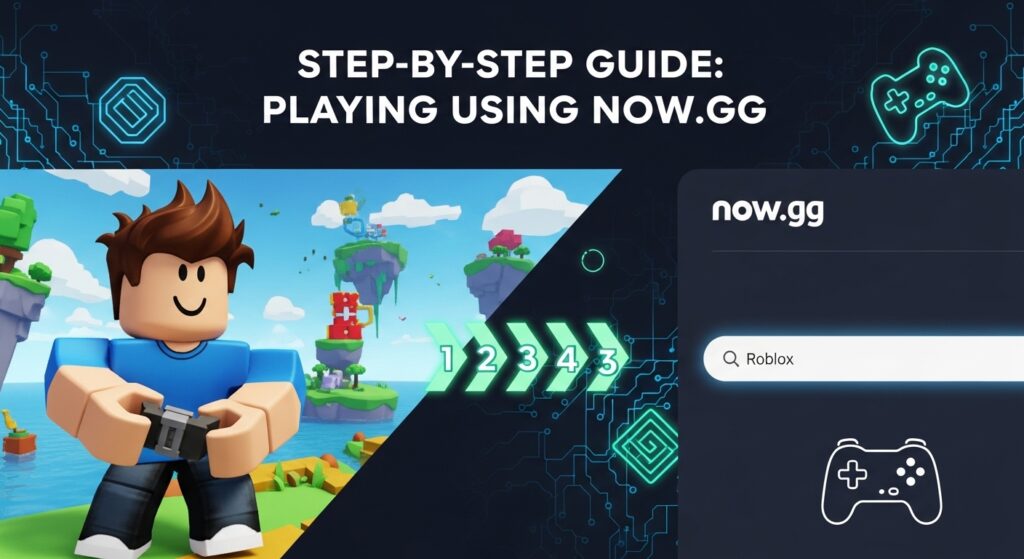
now.gg is the most popular and reliable cloud gaming platform for playing Roblox without downloads. I’ve personally tested this method across multiple devices, and here’s exactly how to get started.
Launch your preferred web browser on any device. I recommend using Chrome or Edge for the best compatibility, but Firefox and Safari work well too. Make sure your browser is updated to the latest version for optimal performance.
Navigate directly to the now.gg Roblox page by searching “now.gg Roblox” in your browser, or visit the official now.gg website and use their search function to find Roblox. The platform hosts the official mobile version of Roblox on their cloud servers.
Once you’re on the Roblox page within now.gg, you’ll see a prominent “Play in Browser” button. Click this button to launch the cloud-streamed version of Roblox. The platform will load the game environment within a few moments, depending on your internet connection speed.
When the game loads, you’ll see the familiar Roblox login screen. Enter your existing Roblox username and password to access your account. All your saved games, avatar customizations, friends list, and in-game purchases will be available just as they would be in the official app.
If you don’t have a Roblox account yet, you can create one directly through this interface following the standard registration process.
Once logged in, you’ll have full access to the Roblox platform. You can browse millions of user-created experiences, search for specific games, access your favorites, or explore trending titles. The gameplay experience is nearly identical to using the mobile app, with all features accessible through your browser window.
Cloud gaming might sound complicated, but the concept is actually quite simple. Instead of your device running the game locally, now.gg’s powerful remote servers handle all the processing work. The game runs on their hardware, and they stream the video output to your browser while your keyboard, mouse, or touchscreen inputs are sent back to their servers in real-time.
This technology is similar to how streaming services like Netflix work for video content, except it’s designed specifically for interactive gaming experiences. The major advantage is that your device specifications don’t matter nearly as much. Even older computers, Chromebooks, or devices with minimal storage can run demanding games smoothly through cloud streaming.
The platform is particularly useful for Roblox because many school and workplace networks block the installation of applications, but browser-based access often remains available. Additionally, cloud gaming eliminates the need to wait for downloads, updates, or patches, as the remote servers are always running the latest version.
While now.gg is the most widely used platform, several alternatives exist for playing Roblox without downloading:
CloudMoon – Another cloud gaming service that streams Roblox games directly through your browser. The interface is user-friendly and supports most modern browsers. CloudMoon offers instant access without registration, though creating an account provides additional features.
Boosteroid – A premium cloud gaming service that supports Roblox along with hundreds of other games. Unlike now.gg, Boosteroid requires a paid subscription, but it offers higher quality streams, lower latency, and fewer advertisements.
Shadow PC – A full cloud PC service that allows you to run any Windows application, including Roblox. This is the most expensive option but provides the closest experience to having a dedicated gaming computer.
I’ve tested all these platforms, and for most users, now.gg remains the best free option specifically for Roblox. The alternatives are worth considering if you encounter regional restrictions or want premium features.
One common issue players face is seeing a message that says “Roblox is not available in your region” when trying to access now.gg. This happens because now.gg has server availability limits in certain countries, primarily due to capacity constraints rather than legal restrictions.
The developers of now.gg provide an official proxy service specifically designed to help users in regions where the platform shows availability errors. Visit the now.gg proxy page through their official website. This proxy routes your connection through different servers that may have available capacity.
Before trying more complex solutions, attempt these basic troubleshooting methods:
Disable your adblocker – Browser extensions that block advertisements can interfere with now.gg’s loading process since the platform is ad-supported. Temporarily disable these extensions and refresh the page.
Clear your browser cache and cookies – Accumulated browser data sometimes causes loading issues. Clear your cache, close all browser windows, and try accessing now.gg again with a fresh session.
Try a different browser – If Chrome isn’t working, test Firefox, Edge, or Safari. Different browsers handle cloud gaming streams slightly differently, and switching can resolve compatibility issues.
Check your internet connection – Run a speed test to ensure you’re getting at least 10 Mbps download speed with low latency (under 40ms ping is ideal). Cloud gaming is extremely sensitive to connection quality.
Try during off-peak hours – Server capacity limitations are most common during peak usage times. Attempting to access Roblox through now.gg during early morning or late evening hours in your timezone may yield better results.
Many guides suggest using VPN services to bypass regional restrictions on now.gg, but I need to be honest with you about the limitations. now.gg has implemented detection systems that identify and block most external VPN services. Even if you successfully connect to a VPN, the platform often shows an error or refuses to load the game.
The irony here is that if you’re willing to download and install VPN software to access now.gg, you might as well just install the official Roblox app instead, which will give you significantly better performance and features. The whole point of using now.gg is to avoid downloads, so requiring VPN software defeats the purpose.
That said, some premium VPN services with residential IP addresses occasionally work, but success is inconsistent and not guaranteed. Your best bet remains the official now.gg proxy rather than third-party VPNs.
After extensive testing across multiple devices and connection types, I’ve compiled a comprehensive list of advantages and disadvantages you should consider before committing to browser-based play.
No storage space required – This is the biggest benefit for users with limited device storage. The official Roblox app and its associated game files can consume several gigabytes, while browser-based play uses virtually no local storage beyond temporary browser cache.
Works on restricted devices – School computers, work laptops, and public computers often prohibit software installations. Cloud gaming through now.gg bypasses these restrictions since it only requires browser access.
Instant access – Skip the download and installation process entirely. From deciding you want to play Roblox to actually playing takes less than a minute with now.gg.
No updates needed – The cloud servers are always running the latest version of Roblox. You’ll never need to wait for updates or patches to download before playing.
Compatible with older devices – Computers that don’t meet Roblox’s minimum system requirements can still run the game smoothly through cloud streaming since the processing happens remotely.
Cross-device continuation – Since your game progress is tied to your Roblox account, you can seamlessly switch between devices without any setup.
Requires constant internet connection – Unlike the downloaded app which can handle brief connection interruptions, cloud gaming immediately stops working if your internet drops.
Potential input lag – There’s a slight delay between your actions and what happens on screen due to the round-trip communication with remote servers. This is usually minimal (50-150 milliseconds) but can affect fast-paced or competitive games.
Lower graphics quality – The video stream is compressed to work over internet connections, resulting in somewhat reduced visual fidelity compared to the native app. The difference is noticeable but not game-breaking for most experiences.
Advertisement interruptions – now.gg is a free service supported by advertisements. You’ll encounter ads before launching games and occasionally during gameplay. The ads can be intrusive and disruptive.
Limited control customization – Advanced input settings and control remapping options available in the official app may not be accessible through the browser interface.
Regional availability issues – As mentioned earlier, now.gg isn’t available in all countries, and server capacity can limit access during peak times.
Performance variability – Your experience depends heavily on factors outside your control, including server load, distance from data centers, and internet routing. Performance can fluctuate throughout the day.
While cloud gaming is convenient, the official Roblox app remains the superior choice in many situations. If any of these scenarios apply to you, I strongly recommend installing the traditional app:
You have adequate storage space on your device and no installation restrictions blocking you. The official app provides the smoothest, most responsive gameplay with the best graphics quality and lowest latency.
You plan to play Roblox regularly rather than occasionally. The improved performance and reduced advertisements make the app much more enjoyable for consistent players.
You want to participate in competitive games or experiences that require precise timing and fast reflexes. The input lag inherent to cloud gaming puts you at a disadvantage in these situations.
You have a slow or unstable internet connection. The official app can handle connection hiccups much better than cloud streaming, which requires consistent bandwidth.
You want access to Roblox Studio to create your own games and experiences. Cloud platforms only provide access to playing games, not the development tools.
If you’ve decided that browser-based play is right for your situation, these tips will help you get the best possible experience from now.gg:
Use a wired connection – If possible, connect your device to your router with an ethernet cable instead of relying on WiFi. Wired connections provide more stable, consistent speeds with lower latency.
Close unnecessary applications and browser tabs – Every program running on your device consumes resources. Close everything you don’t need to ensure your browser has maximum processing power and memory available.
Position yourself close to your WiFi router – If you must use WiFi, physical proximity to the router improves signal strength and reduces interference.
Enable full-screen mode – Press F11 on most browsers to enter full-screen mode. This dedicates your entire screen to the game and reduces the processing overhead of rendering browser interface elements.
Use headphones – Built-in speakers can introduce audio sync issues. Headphones typically provide better audio quality and more accurate synchronization with the video stream.
Adjust graphics settings within Roblox – Once in-game, access Roblox’s settings menu and lower graphics quality if you experience lag. The platform allows you to customize rendering distance, particle effects, and other visual elements.
Play during off-peak hours – Server congestion during popular times (after school and evenings) can affect performance. Early morning or late night gaming sessions typically offer the smoothest experience.
Bookmark the page – Save the now.gg Roblox page as a bookmark in your browser for faster access in future sessions without searching.
Not all Roblox experiences are equally well-suited to cloud gaming. Based on my testing, these popular games perform excellently through now.gg and similar platforms:
Brookhaven RP – This role-playing game involves exploring a virtual town, customizing your character, and interacting with other players. The slower-paced gameplay works perfectly with cloud streaming, and the social aspects aren’t affected by minor input lag.
Adopt Me! – The pet adoption and home building game plays smoothly through browsers. Trading, caring for pets, and decorating homes don’t require precise timing or fast reflexes, making this an ideal choice for cloud gaming.
Blox Fruits – While this is an action-adventure game, its combat system is forgiving enough that the slight input lag from cloud gaming doesn’t significantly impact gameplay. The exploration and leveling mechanics work well in browser.
Tower of Hell – This parkour obstacle course game is surprisingly functional through cloud streaming. The controls translate well to browser-based play.
Murder Mystery 2 – The social deduction gameplay relies more on observation and deduction than fast reflexes, making it well-suited to cloud gaming.
Games that are more challenging through cloud gaming include competitive shooters, fast-paced fighting games, and experiences requiring precise timing or complex control schemes. These are playable but may feel frustrating compared to the official app.
Even with perfect setup, you may encounter occasional problems. Here are the most common issues players report and how to fix them:
This is the most frequent problem. Try refreshing the page first. If that doesn’t work, clear your browser cache and cookies, close all browser windows completely, and start fresh. Sometimes simply waiting 30 seconds and trying again resolves temporary server issues.
Make sure your browser window has focus by clicking inside the game area. Browser extensions can interfere with input detection, so disable them temporarily. Some players find that keyboard controls work more reliably than mouse controls in browser-based play.
This usually indicates internet stability issues rather than problems with now.gg itself. Run a connection test to check for packet loss. If using WiFi, try moving closer to your router or switching to a wired connection. Close other applications consuming bandwidth like video streams or downloads.
now.gg automatically adjusts stream quality based on your connection speed. If the video looks pixelated or blurry, your internet might not be meeting the recommended 10 Mbps threshold. Close other devices using your network, or try playing during times when fewer people in your household are online.
If you can’t log into your Roblox account through now.gg, first verify your credentials by trying to log in on the official Roblox website. Enable cookies in your browser settings, as the login system requires them. If you have two-factor authentication enabled on your Roblox account, you’ll need to complete that verification process.
Playing Roblox through cloud gaming platforms raises legitimate security questions. Here’s what you need to know to stay safe:
Always use the official now.gg website – Fake copycat sites exist that try to steal Roblox login credentials. Verify you’re on the legitimate platform by checking the URL carefully. The official site is now.gg without any additional words or characters in the domain name.
Enable two-factor authentication on your Roblox account – This adds an extra layer of security that protects your account even if your password is somehow compromised. Set this up through your Roblox account settings.
Never share your password – now.gg uses Roblox’s official login system, but you should still be cautious. Never enter your password on suspicious-looking sites, and don’t share your credentials with anyone claiming to be from now.gg or Roblox support.
Use a strong, unique password – Don’t reuse passwords from other websites for your Roblox account. Create a complex password with letters, numbers, and symbols that you use only for Roblox.
Be aware of the risks – Some players have reported account security issues after using cloud gaming platforms, though it’s unclear if the platforms themselves were responsible. The safest option is always the official Roblox app on your own device.
Avoid entering payment information through cloud gaming – If you need to purchase Robux or make other transactions, do so through the official Roblox website or app rather than through the cloud gaming interface.
This is a question I see frequently, and the answer is yes with some caveats. now.gg is a legitimate cloud gaming company that has been operating since 2019. They have partnerships with game developers and stream games legally.
The platform doesn’t violate Roblox’s terms of service because it’s simply streaming the official mobile app through cloud servers. You’re not using any modified or hacked version of Roblox – you’re playing the real, unaltered game exactly as millions of mobile users do.
However, your school or workplace may have policies against using gaming platforms on their network, even browser-based ones. Using now.gg to bypass restrictions that your institution has implemented could violate their acceptable use policies. Always check and respect your school or workplace rules regarding internet usage.
The platform collects some user data to provide the service, and their privacy policy explains what information they gather and how it’s used. Like any free service, they monetize through advertisements and aggregate usage data. Read their privacy policy if you have concerns about data collection.
Let me break down the three main approaches to playing Roblox so you can choose what’s right for your situation:
Official Roblox App (Recommended for Most Users)
Cloud Gaming Through now.gg (Best for Restricted Devices)
Browser Play Through Official Site (No Longer Available)
For most players with their own computers and no restrictions, installing the official app provides the best experience. Cloud gaming through now.gg makes the most sense when you’re using shared computers, devices with limited storage, or trying Roblox temporarily before deciding whether to install it.
The beauty of cloud gaming is device flexibility, but each platform has unique considerations:
Windows PC – Offers the best cloud gaming experience with full keyboard and mouse support. Most browsers work well, and connection speeds are typically fast on desktop computers.
Mac – Works identically to Windows with excellent browser support. Safari users should note that Chrome or Firefox sometimes provide better compatibility with cloud gaming platforms.
Chromebook – This is where cloud gaming really shines. Many Chromebooks can’t run the official Roblox app due to storage or processor limitations, making now.gg the perfect solution. All Chromebooks come with Chrome browser, which has excellent cloud gaming support.
School/Work Computers – Browser-based play is often the only option on managed computers with installation restrictions. Just be sure you’re allowed to access gaming sites on your network before trying.
Tablets – Both iPad and Android tablets work with now.gg, though the mobile app is usually more convenient if you’re allowed to install it. Touch controls work but aren’t ideal for games designed for keyboard and mouse.
Smartphones – While technically possible, playing through a browser on phones is awkward due to small screen size and touch controls. The official mobile app is vastly superior for phone gaming.
Cloud gaming technology continues to improve rapidly. Companies like Google, Microsoft, NVIDIA, and Amazon are investing billions in cloud gaming infrastructure, and the experience keeps getting better. As internet speeds increase and more 5G networks roll out, the gap between cloud gaming and native applications will narrow.
For Roblox specifically, the platform may eventually embrace browser-based play again as cloud technology matures. The company previously supported browser play, so it’s possible they’ll reintroduce it using modern cloud gaming technology in the future.
Until then, third-party cloud gaming platforms like now.gg fill the gap and make Roblox accessible to players who can’t or don’t want to download the official app.
Yes, Chromebooks are perfect for cloud gaming through now.gg. Since Chromebooks often have limited storage and some models can’t run Android apps from the Play Store, browser-based play through now.gg provides reliable access to Roblox without any downloads or installations.
Cloud gaming streams video content continuously, which consumes significantly more data than playing with the installed app. Expect to use approximately 1-3 GB of data per hour depending on stream quality. If you have a limited mobile data plan, only use cloud gaming on WiFi connections.
Absolutely. All your progress, avatar customizations, in-game purchases, and friend connections are tied to your Roblox account, not your device. When you log in through now.gg with your Roblox credentials, everything syncs automatically. You can switch between the browser version and the official app without losing anything.
Voice chat functionality in Roblox requires age verification and specific account settings. If your Roblox account has voice chat enabled and you meet all the requirements, it should work through cloud gaming platforms. However, some players report that voice chat can be less reliable in browser-based play compared to the official app.
Technically yes, using now.gg allows you to access Roblox through a browser without downloading anything. However, many schools actively block gaming websites including cloud gaming platforms. More importantly, using gaming sites during school hours may violate your school’s acceptable use policy and could result in disciplinary action. Always follow your school’s rules regarding internet usage.
The performance difference comes from how cloud gaming works. The game runs on remote servers, and the video is compressed and streamed to you over the internet. This compression reduces quality, and the distance between you and the servers creates small delays. Your device’s browser also needs to constantly decode the video stream, which uses resources. The official app runs directly on your device, eliminating these sources of delay and quality loss.
No, Roblox Studio, the development environment for creating games, is only available as a downloadable application for Windows and Mac computers. You cannot access Roblox Studio through browser-based cloud gaming. If you want to create games, you must install Roblox Studio on a compatible computer.
The game will immediately freeze and disconnect. Cloud gaming requires a constant connection to the remote servers. When your internet connection drops, the stream stops and you’ll be kicked out of the game. Any unsaved progress in that session may be lost. This is one of the main disadvantages compared to the official app, which can handle brief connection interruptions more gracefully.
Most Roblox experiences work through cloud gaming, but some have issues. Games requiring extremely precise timing or fast reflexes may feel less responsive due to input lag. Experiences with complex control schemes or heavy keyboard usage might be awkward in a browser. Games that heavily utilize advanced graphics features may have reduced visual quality in the compressed stream. However, the vast majority of Roblox’s most popular games work well through now.gg.
Yes, you can purchase Robux through the official Roblox website without downloading the app. Log into your account on Roblox.com, navigate to the Robux purchase page, and complete the transaction. The Robux will be added to your account and available whether you’re playing through the browser, app, or cloud gaming platform. For security reasons, I recommend making purchases through the official website rather than in-game while using cloud gaming.
Playing Roblox without downloading is entirely possible and works surprisingly well for many players. Cloud gaming through now.gg provides legitimate access to the full Roblox platform without requiring any downloads, installations, or device storage.
This method shines for specific situations: school or work computers with installation restrictions, devices with limited storage space, Chromebooks that struggle with the official app, or anyone who wants to try Roblox quickly without commitment. The setup process takes less than a minute, and you’ll be playing your favorite Roblox experiences almost instantly.
However, I want to be completely honest – the official Roblox app still offers a superior experience. If you have your own computer with adequate storage and no restrictions preventing installation, the app provides better graphics, lower latency, and a smoother overall experience. The convenience of cloud gaming comes with trade-offs in performance and quality.
For those situations where downloading isn’t an option, now.gg successfully bridges the gap and makes Roblox accessible to millions of additional players who would otherwise be excluded. The platform continues to improve, and as cloud gaming technology advances, the gap between browser and native app experiences will continue to narrow.
Whatever method you choose, the most important thing is that you can enjoy the incredible creativity and community that makes Roblox special. Whether you’re exploring virtual worlds, playing with friends, or experiencing the latest trending games, Roblox offers something for everyone.