
Fortnite 42.40 Patch Notes (October 2026) Sprites & Obsession, Collab and More
Fortnite update 42.40 arrives on October 15, 2026, and it’s the final major patch of Chapter 7 Season 4. I…

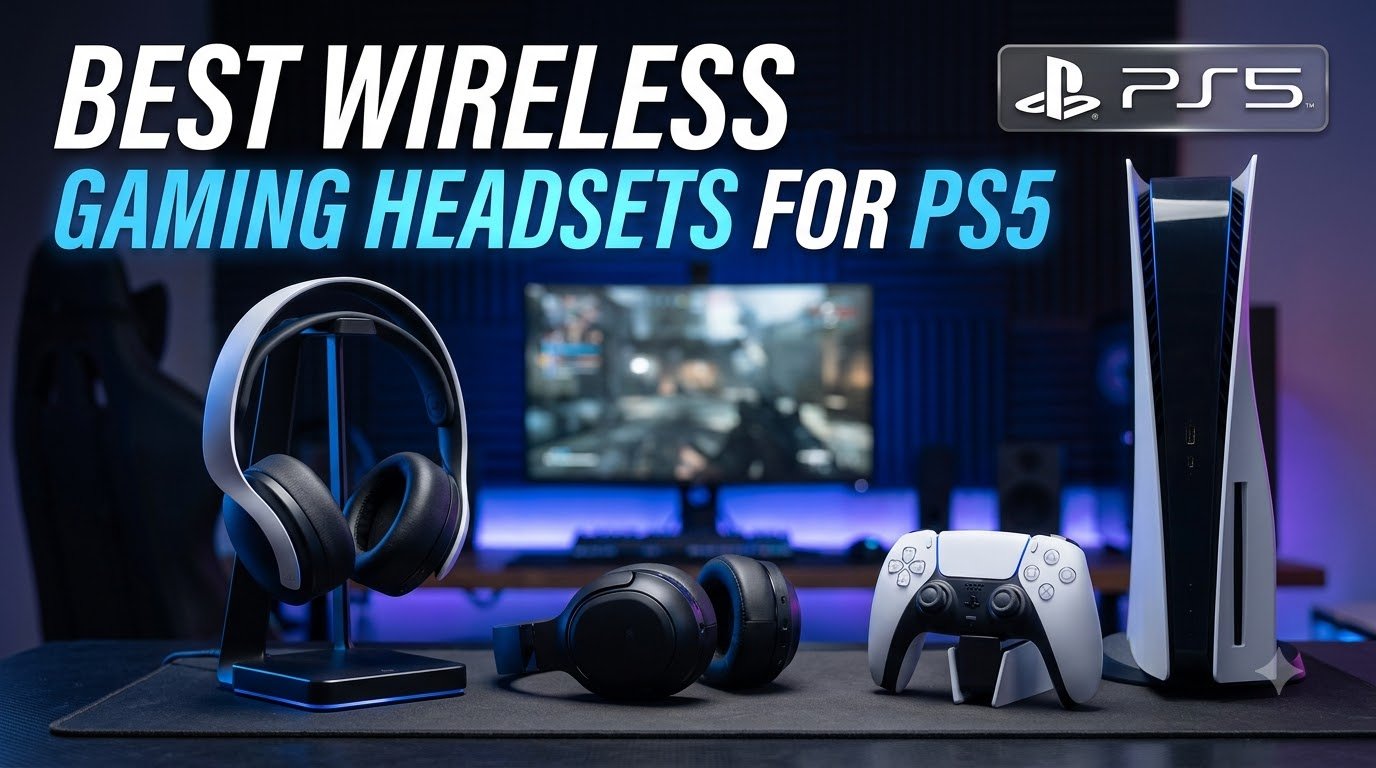
If you want one answer before you read anything else: the PlayStation Pulse Elite is the best wireless gaming headset for PS5 in 2026. It is the only headset in this group that transmits a lossless signal to the console over PlayStation Link, and its planar magnetic drivers pull more detail out of Tempest 3D Audio than any other set we looked at. If you game across platforms or want active noise cancellation, the SteelSeries Arctis Nova Pro Wireless earns its place at the top of the premium tier. If you want to forget about charging, the HyperX Cloud III S runs for 120 hours on its 2.4GHz link.
I spent weeks reading owner reviews across the PlayStation and gaming-headset communities, cross-checking every specification against the manufacturer data, and comparing the ten headsets below side by side. What surfaced was a market split down the middle: half of these products compete on driver quality and spatial processing, and the other half compete on battery life, weight and price. Almost nobody competes on all three at once.
That split explains why the search results give you two different answers for the same query. Lab-led coverage tends to crown the flagship with the biggest drivers, while forum consensus tends to crown the flagship with the most comfortable fit. Both are right for their buyer. The trick is knowing which one you are, and this guide is built to make that call easy.
These are our three headline recommendations, and the reasoning behind each is simple. The Pulse Elite wins on pure sound and first-party PS5 integration. The Nova Pro wins on doing everything at once, with a hot-swap battery, four-mic active noise cancelling and a base station. The Cloud III S wins on endurance and build quality.
Shortlist the Nova 5P if your priorities do not require the base station or the active noise cancelling, and shortlist the INZONE H5 if low weight outranks everything else. The remaining five cover the value, cross-platform and streaming angles below.
Two columns in that data deserve attention before anything else. First, the weight spread runs from 259 g on the INZONE H5 to a listed 3 pounds on the Nova Pro, which is a real comfort difference over a four-hour session. Second, the battery spread runs from 24 hours on the Astro A50 to 120 hours on the Cloud III S.

The Pulse Elite is the headset Sony tunes the console for, and that shows up in the one place it matters most on a PS5: detail inside Tempest 3D Audio. Across owner reviews, the recurring phrase is not “loud” or “punchy” but “subtle”, with people specifically calling out the reproduction of quiet in-game effects. That is exactly the register you want for a horror corridor or a distant footstep in a shooter.
Sound quality is only half the reason. The headset transmits over PlayStation Link, a lossless wireless path to the PS5, PS5 Pro, PC, Mac and PlayStation Portal, and owners describe the connection as effectively lag-free. With 2,440 reviews averaging 4 stars, this is the most heavily reviewed PlayStation-branded headset in this guide.
Comfort is genuinely good. At 370 g it is not the lightest set here, but the clamp is even and several reviewers note it works well for glasses wearers, which is a common failure point with padded headbands. The 30-hour battery is fine for a week of evening sessions but far short of the endurance leaders in this roundup.
The reliability notes are the part you should not skip. Some owners report recurring wireless dropouts, and others report hardware breaking sooner than expected. The firmware process is also awkward: it wants both the headset and the dongle connected, and the dongle occupies a port you may want back. Wired charging means pulling the USB adapter out first, and the included charger holder only works if you mount it to a wall.
The retractable mic is the quiet success of this headset. It pulls into the earcup housing when you do not need it and carries your voice clearly when you do, with AI-enhanced noise reduction handling keyboard clatter and fan noise. It is a flip-and-forget mechanism with nothing to clip, break or remember to stow before a photo mode session.
What it does not do is broadcast. There is no detachable cardioid pattern and no gain control, so for streaming or recording to a separate mic input, a dedicated broadcast boom is still the better tool.
Skip the Pulse Elite if wireless reliability is a non-negotiable for you, because the dropout reports, while not universal, are the most common negative in the review set. It is also the wrong pick for anyone on a tight budget who charges weekly, and it does not include active noise cancelling, so it will not handle a loud living room or late-night play with a partner nearby.
If you want the same driver quality with a sturdier reputation, read on: the Cloud III S uses an aluminum frame precisely because build failure is a documented problem in this category.

With 6,543 owner reviews, the Nova Pro Wireless has the largest review base of anything in this guide, and the 4.1-star average reflects a headset that does nearly everything rather than one thing exceptionally. It is the pick forum consensus lands on, and it is the headset to buy if you refuse to compromise on a single axis.
Audio runs through SteelSeries Almighty Audio with Sonar parametric EQ, which gives you tone control down to individual frequency bands. Paired with 360 spatial audio and full Tempest 3D Audio compatibility, it gives the PS5 a wide, precisely placed soundstage, and the EQ lets you fix any game that mixes badly without touching system settings.
Three features separate it from everything else here. The Infinity Power hot-swap system means you can lift a fresh cell in mid-game and keep playing with the console on, and the OLED base station doubles as a charging dock, a second display for your EQ and ChatMix, and a two-port USB hub. The four-mic hybrid active noise cancelling with a variable transparency mode is the only four-microphone active noise cancelling system listed among these ten headsets.
The ClearCast Gen 2 mic retracts fully into the earcup and uses AI noise cancelling, which handles desk noise and room echo better than the fixed booms on the budget tier. The catch is software: Sonar and SteelSeries GG have to be configured properly to unlock the good behaviour, and the base station is effectively part of the product rather than an accessory.
The listed item weight is 3 pounds, and that figure is why so many reviewers mention bulk before they mention sound. The clamping force is well distributed, so the headset stays comfortable, but a headset plus a base station takes real desk space and a second USB port. If you game on a couch with a laptop on your knees, that arrangement needs a rethink.
Software compatibility also matters more than the packaging implies. The full ClearCast Gen 2 mic feature set needs Windows 8.1 or later, or macOS 10.13 and above, and a console-only user gets a noticeably reduced subset of what reviewers describe.
Skip the Nova Pro if you are on a console only and never touch the PC, because you would be paying for the base station, the parametric EQ depth and the multi-system switching without using them. It is also the wrong choice for anyone who wants a light, minimal setup, and anyone who would rather not install desktop software to get the best result.
If the software overhead is the sticking point but you still want SteelSeries EQ, the Nova 5P below is a much lighter and simpler version of the same idea.

The Nova 5P is the version of the Arctis idea that most people should actually buy. It keeps the parts that make the family good, the retractable ClearCast mic, the quick-switch wireless and the parametric preset library, and drops the base station, the active noise cancelling and the swappable batteries. What you give up is a 4.4-star headset with 684 owner reviews at a tier most people can justify.
Sound is the strongest part for the money. Reviewers describe deep bass, clear highs and solid mids across a 20 Hz to 20,000 Hz range, with neodymium magnetic drivers doing the work. On a PS5 that translates into Tempest 3D Audio that holds up in single-player games and stays readable in competitive ones, which is more than most sets in this guide manage.
Battery life is a 60-hour figure, and the fast charge turns 15 minutes of USB-C into about 6 hours of play. In practice that means you charge roughly once a month, and quick-switch between 2.4GHz and Bluetooth 5.3 is a single tap on the earcup.
The 100+ game audio presets in the companion app cover most of the library, so a badly mixed title is usually a one-tap fix. Setup has one genuine annoyance: the phone must already be connected to the headset before the app will see it, which is the kind of small friction that makes a good headset feel fiddly on day one.
The fully retractable ClearCast Gen 2.X mic supports 32KHz and 16-bit capture, which is strong on paper. In practice, owners report inconsistent sensitivity, with quiet moments landing mid-sentence in party chat. If you run a squad where people mute you the second you go quiet, spend five minutes in the app setting input levels before your first ranked match.
Fit is the quiet headline. Reviewers call the soft breathable earcups comfortable across long sessions, and the tight, secure fit stays put during movement, which matters for anything with quick camera turns.
Skip the Nova 5P if you need active noise cancelling, because it has none listed, and if you need Xbox support you will want to confirm the platform matrix before buying. It is also not the pick for pure endurance: 60 hours is excellent, but it is not the multi-day figure the Cloud III S delivers.
Choose it over the Nova Pro when you want the Arctis sound and mic with none of the dock, the batteries or the software learning curve.

Every other headset here asks you to charge on a schedule. The Cloud III S asks you to charge when you remember. The listed figures are up to 120 hours on the 2.4GHz connection and up to 200 hours in Bluetooth mode, and with 2,407 owner reviews at 4.3 stars, the experience matches the claim more often than not.
That longevity changes how you use a wireless headset. Reviewers describe owning several days of playtime between charges, which means the headset never sits on a charger and never interrupts a session to tell you it needs power. For anyone who plays in short bursts, that convenience is worth more than any single audio upgrade.
The 53mm angled drivers tuned by HyperX engineers give a broad, roomy soundstage that suits cinematic single-player sessions and Tempest 3D Audio on the PS5. A small number of owners find the signature thin out of the box and lean on the 10-band EQ profiles stored onboard, which is why the onboard memory matters here: your settings follow the headset to the PS5, the Switch or a laptop, no app required.
Build is the second argument. The aluminum frame is the reason this headset shows up in durability conversations, and the two-year manufacturer warranty is longer than most rivals in this guide offer. The detachable 10mm boom mic carries an LED mute indicator and a mesh filter, and the earcup seal delivers strong passive isolation even without electronics.
Two practical things to know before you commit. The included charging cable is very short, so plan on keeping a longer USB-C cable near your setup or your sofa. And the NGENUITY companion app is barebones, with firmware updates requiring a wired connection, so treat the onboard EQ as the primary control surface rather than waiting on software.
The 10mm boom mic is short and stiff, which means mic monitoring through it is quiet, and a number of owners note that detaching the mic does not mute the input. Physically unplug it, and check your input level after the first session.
Skip the Cloud III S if you need active noise cancelling, since it relies on passive isolation from the earcup seal, or if you want a first-party PS5 integration path. Leatherette earpads can also run warm in summer, which is a fair warning for anyone gaming in a hot room during long sessions.
Buy it if battery life is your number one purchase criterion, or if a headset that survives a year of commuting is worth more to you than a marginally wider soundstage.

Weight is the loudest complaint in the PlayStation headset community, and the INZONE H5 is the direct answer to it. At 259 g it is the lightest headset in this guide by a clear margin, and users who switched from heavier aluminium-framed sets report the difference immediately in long sessions. The suspension-style headband spreads the load instead of pressing on the top of the head.
It is also a Sony headset, so the 360 Spatial Sound implementation is the one tuned with the console in mind. The personalization step takes a photo of your ear, builds a profile from it, and returns a spatial field that several owners describe as noticeably better at picking out rival positions. The bidirectional boom mic uses AI-assisted noise cancelling, which is a genuine upgrade over a fixed inline mic at the same price tier.
PS5 integration is handled for you. Connect over 2.4GHz and the console raises an on-screen card for the headset, including a game and chat balance slider, so you are not digging through menus to fix the mix. The INZONE Hub app handles EQ, spatial sound, volume and mic adjustments on PC, and the wired 3.5mm option is a safety net if the wireless link ever gives you trouble.
The 4.4-star average across 374 owner reviews is strong, and the white finish is a genuine plus for anyone who wants a headset that looks like it belongs next to a PS5 rather than on top of it.
Twenty-eight hours sits well below the 60 to 120 hour figures the rest of this guide delivers, and it has a real consequence: you are charging roughly once a week rather than once a month. For a player who sits down for a few hours most nights, that is manageable. For someone who travels with the headset or plays marathon sessions, it is a compromise you will feel.
There is no Bluetooth on this headset, which is the more interesting limitation. Pairing it to a phone means reaching for the 3.5mm jack or carrying the USB transceiver, so it does not do simultaneous game audio and phone audio. If your headset also has to handle work calls, the Cloud III S, the Nova Pro or the Barracuda X fit the brief better.
Skip the INZONE H5 if battery life outranks everything, if you need Bluetooth for calls and music alongside gaming, or if you want maximum driver detail from Tempest 3D Audio, where 40mm is modest against 50 mm and 53mm rivals.
Buy it if you play late into the night, wear glasses, or simply refuse to accept a heavy headset as a permanent trade-off.

The Cloud Jet sits at the entry point of this list and brings something the tier rarely offers: dual wireless. At 298 g it is lighter than most of the sets above it. With 1,308 owner reviews at 4.2 stars, the low price has not cost it the build quality buyers usually sacrifice. The magnesium alloy and ABS frame is a real step up from the all-plastic shells at this tier, and the two-year warranty is longer than most rivals offer.
Dual wireless is the feature that makes it interesting. The 2.4GHz dongle handles the PS5 at low latency, and Bluetooth 5.3 handles your phone, with a physical switch on the earcup for moving between them. That combination of magnesium frame, 298 g weight and dual connectivity is rarely seen at this tier.
The swivel-to-mute boom mic is a small design choice with a real payoff: the mic position is the mute indicator, so you cannot leave yourself live in a Discord channel by forgetting a button. Always-on sidetone lets you hear your own voice, which is what keeps players from shouting during a tense fight and straining their voice over a long session.
Range is reported as good and the 2.4GHz link is stable. The 40mm drivers sit in a closed-cup design, so passive isolation is a bonus rather than a promise, and the breathable mesh earpads keep the ear cooler than leatherette at this price.
Three compromises show up repeatedly in owner reviews. Battery life falls short of the advertised 25 hours for some users, so treat the figure as a ceiling rather than a promise. Maximum volume is lower than expected even with the wheel at maximum, which matters in a loud room rather than a quiet one.
The earcups are not replaceable and can wear down with sweat, and the charging cable is short, with some users reporting finicky contact. If you play hard and often, budget for a replacement headset sooner than the warranty period suggests.
Skip the Cloud Jet if you game on Xbox, if you need the highest possible volume in a noisy space, or if you want the best mic on the market. It is also the wrong choice for anyone planning to keep a headset for many years without replacing the pads.
Buy it if you are buying your first wireless headset, if the PS5 is your only console, and if dual wireless at a light weight matters more than audio finesse.
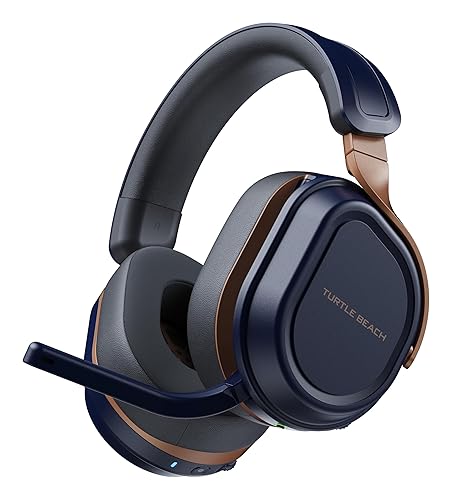
Ask for a single wireless headset that covers PS5 and Xbox and you will usually be told it does not exist. The Stealth 700 is the answer to that. The CrossPlay dual transmitter system ships with the hardware for both ecosystems, so one headset covers an Xbox Series X and a PS5 without a dongle swap, and with 3,784 owner reviews at 4 stars it has been proven over a large sample rather than a handful of early adopters.
It also runs 2.4GHz and Bluetooth 5.2 at the same time, so a call can come in on your phone while the console keeps its low-latency game link. That is the single most-requested feature in the PlayStation headset community, and having it here removes an entire category of compromise.
The 60mm Eclipse dual drivers are larger than the drivers listed for any other set in this guide, and the listed 80-hour battery is a genuinely different planning horizon from a 24-hour headset. The flip-to-mute mic with AI noise reduction is a clean mechanism, and the lay-flat, steel-reinforced frame means the headset rests on its side on a desk without taking damage, which is a real convenience during a long multiplayer session.
Memory foam cushions with glasses-friendly design round out an otherwise well-built package, and the mappable wheel and mode button let you rebind controls to suit your games.
A large share of the Stealth 700 feature list is software-dependent. Superhuman Hearing, the built-in EQ modes and the 10-band audio and mic EQ all live in the Swarm II app, and owners consistently flag the initial setup as friction. Budget fifteen minutes with the app before your first match, because the tuning is where the value sits.
Materials are the other honest caveat. The earcups feel plasticky for a headset at this tier, and a listed weight of 14.4 ounces sits above the lightweight picks in this guide, so expect noticeable head pressure in the longest sessions. The steel-reinforced frame, at least, is reassuringly solid.
Skip the Stealth 700 if you only own a PS5, because the dual-transmitter system is wasted capability and the premium tier is not necessary, and if you refuse to install an app. It is also a poor match for anyone prioritising the lightest possible headset.
Buy it if your household has both an Xbox and a PlayStation, or if you take calls on the same headset you game on.

The Barracuda X Chroma is the headset to buy if the PS5 setup is part of the room’s look. Six-zone earcup lighting with 16.8 million colours and broad game and device support is a genuine feature, not a novelty, and it is adjustable from the phone or PC app. At 285 g it is the second-lightest option here, and reviewers single out the soft memory foam cushions as the reason it disappears during long sessions.
Razer Smartswitch handles dual wireless properly, pairing 2.4GHz HyperSpeed and Bluetooth simultaneously so your phone can sit alongside the console. The 70-hour battery is a strong figure for this weight class, and owners report several days per charge in practice.
The detachable HyperClear cardioid mic is the practical win. Cardioid pickup rejects audio from behind the mic, which is exactly what you want in a party with a TV on behind you, and detachable means you can unplug it for single-player sessions instead of leaving it hanging. The USB-C dongle with the USB-A adapter is included, and it works with the PS5 and PS5 Slim without a separate adapter.
Dual reinforced hinges are a deliberate answer to the headband failures documented in this category, and the two-year manufacturer warranty backs that up.
The same lightness that makes the Barracuda X comfortable is what makes it fragile. Owners flag durability concerns from the light plastic shell, and reviews of the RGB lighting note it is only configurable through the phone or PC app rather than onboard controls, so a factory reset means rebuilding your lighting profile.
Sound is fine out of the box but improves noticeably once Synapse EQ tuning is applied, particularly on PC. A minority of reviewers find the surround and EQ presets muddy by default, so treat the app as part of the purchase rather than an optional extra.
Skip the Barracuda X Chroma if you need Xbox support, if you want a broadcast-quality mic, or if you want a wired option for zero-latency play. If you take the headset apart or travel hard, expect to treat it more carefully than the Cloud III S aluminum frame allows you to.
Buy it if lighting matters to your setup, if you game on a PS5 and PC but not Xbox, and if low weight on your head is a priority.

The Stealth 600 is the community favourite at the value tier, and the owner-review base backs that up with 2,735 reviews at 4.3 stars. Forum consensus names it as the one to buy when you want the most from a headset without stepping up a tier, and the reasons are unglamorous and solid: battery life, driver size and a mic that works.
The 50mm Nanoclear drivers sit above most rivals in this price range, and reviewers describe the result as vibrant spatial audio, which translates well into Tempest 3D Audio positioning on a PS5. There is also a listed audio latency of 20 milliseconds, which is a concrete figure for competitive players reading footstep audio.
The 80-hour battery with quick charge means you charge roughly once a month, and the simultaneous 2.4GHz plus Bluetooth 5.2 connection has a dedicated QuickSwitch button on the earcup, so moving between the console and your phone is a press rather than a menu dive. The flip-to-mute mic with AI noise reduction uses the same clean mechanism as the Stealth 700.
PS4 compatibility is the reason this one matters for a specific buyer. It is listed for PS5, PS4, PC and mobile, so if you still play on a PS4 or you inherited one, this headset covers both consoles without a second purchase.
Two honest limits. The 80 ohm impedance is high for a wireless headset and can need an external amplifier to reach full volume, which is relevant if you game in a room with a lot of background noise. And the memory foam cushions run warm over long sessions, so this is a less comfortable choice for summer marathons than the mesh-pad Cloud Jet or the light INZONE H5.
As with the Stealth 700, the Swarm II app carries the 10-band audio and mic EQ plus Superhuman Hearing, so the configuration overhead is real. Budget time for it before you judge the sound.
Skip the Stealth 600 if you game on Xbox, if you play in a hot room, or if you need a lightweight headset. Pick it if you still own a PS4, if you want the longest battery in the value tier, or if you want solid driver size without stepping up to a premium tier.

The Astro A50 is the pick if your microphone matters as much as your headphones, and the 48 kHz full-bandwidth boom mic is the reason. That is a broadcast-oriented spec, and it is the one here that will not need replacing when you start streaming or recording. With 1,504 owner reviews at 4.2 stars, it is a well-proven platform rather than a specialist experiment.
PLAYSYNC 3-system switching is a genuine advantage for a multi-console household. Xbox, PS5, PC or Mac, and Switch or Switch 2 stay connected at once, so the headset moves between systems without re-pairing, and the 7-Core DSP stores your audio shaping per system, which means your PS5 profile and your PC profile stay separate instead of fighting each other.
Audio runs on Pro-G Graphene 40mm drivers with live edge technology for precise separation between layers, carried over 24-bit LIGHTSPEED uncompressed wireless. The Bluetooth dual-device mixing feature lets you pull Discord comms or music into your game audio rather than swapping sources entirely, and G HUB with the G app provides 10-band parametric EQ, mic settings, a noise gate and stream mixing.
The magnetic base station charges the headset and keeps it ready, which removes charging from your routine entirely for a headset that lives on one dock.
Twenty-four hours at 78 dB is the shortest battery figure listed in this guide, and owners cite it repeatedly as the dominant drawback. It is the price of the dock-first design: the headset is built to sit on a base station rather than travel for a week. If you game on the sofa away from the desk every night, factor that in.
Fit is also inconsistent across users. The spec data lists an over-ear frame with on-ear placement, and that inconsistency shows up in owner feedback, so if fit is critical, try it in a store or buy through a return-friendly route.
Skip the Astro A50 if you need a week of battery away from the dock, if you game somewhere other than a desk, or if you want the lightest headset on the market. It is overkill if you never stream, record or run party chat beyond the console.
Buy it if your mic has to be as good as your audio, if you split time across multiple consoles, or if you want uncompressed 24-bit wireless rather than a compressed 2.4GHz stream.
Most PS5 headset guides stop at driver size and battery hours. Those matter, but the decision on this console is really about three things: how the headset connects, what happens when the connection fails, and how long you can wear it. Here is how to think through each.
Any wireless headset works with a PS5, but not all of them work the same way, and the difference determines latency and reliability.
A USB-C or USB-A 2.4GHz transmitter is the standard route. The dongle plugs into the PS5 or into a hub and creates a dedicated wireless link, which is what you want for gaming. The HyperX Cloud Jet, the Nova 5P, the Barracuda X and the Turtle Beach headsets all use this method, and the Barracuda X includes a USB-A adapter for older ports.
A proprietary console link is the premium version of the same idea. PlayStation Link on the Pulse Elite transmits losslessly to the PS5, PS5 Pro, PC, Mac and PlayStation Portal, and owners consistently describe it as lag-free. That extra bandwidth is why the Pulse Elite resolves so much more fine detail in Tempest 3D Audio than a standard 2.4GHz link delivers.
Bluetooth only is the option to avoid for gaming. Bluetooth is fine for a phone call and poor for competitive audio, where latency matters. The INZONE H5 deliberately has no Bluetooth at all for that reason, offering 2.4GHz wireless plus a wired 3.5mm fallback instead.
One real risk worth knowing: some headsets are detected by the PS5 by name and then repeatedly drop their connection. If a model has a reputation for that, check the switch modes on the transmitter rather than assuming the headset is faulty.
Every headset in this guide works with Tempest 3D Audio on the PS5, because the processing happens in the console. What differs is the fidelity of the signal arriving at the drivers, which is why a lossless first-party link and a standard 2.4GHz link can sound meaningfully different in the same game. Larger drivers add headroom and bass weight; planar magnetic drivers, as on the Pulse Elite, add resolution in the mid and high frequencies where positional cues live.
This is the number most roundups leave vague, and it is the most common source of long-session complaints in the community. In this group, the INZONE H5 is 259 g, the Barracuda X is 285 g, the Cloud Jet is 298 g, the Stealth 600 is 320 g, the Cloud III S is 356 g, the Astro A50 is 363 g and the Pulse Elite is 370 g. The Nova Pro and the Stealth 700 are listed at 3 pounds and 14.4 ounces respectively. Anything in the sub-300 g range tends to stay comfortable across a long evening, while the sets at 350 g and above rely on the headband to distribute the load well.
These three pull against each other, which is why no headset wins all of them. Big cells and active noise cancelling add bulk. Light builds usually mean smaller batteries. The Cloud III S buys you 120 hours on 2.4GHz at 356 g; the INZONE H5 buys you 259 g at 28 hours. Decide which one you refuse to compromise on before you read a single spec table.
Party chat needs clarity and a reliable mute. Streaming and recording need a wide, flat capture response, which is a different specification entirely. Retractable and flip-to-mute mechanisms on the Pulse Elite, Nova Pro, Nova 5P, Stealth 700 and Stealth 600 all solve the “am I live” problem elegantly. The Astro A50’s 48 kHz boom mic is the one to choose if your voice goes to an audience rather than a squad.
Headband and hinge failure is the most repeated durability complaint in PlayStation headset communities, and it is worth buying against deliberately. An aluminum frame, as on the Cloud III S, is the most common fix; reinforced hinges, as on the Barracuda X, help too. Warranty length is a decent proxy: the Cloud III S, the Cloud Jet and the Barracuda X carry two years, while several rivals in the same price band offer one. A 3.5mm jack is also useful insurance, because it gives you a wired path that no wireless fault can break.
PS4 remains a live question for a lot of PS5 households. The Nova Pro lists PS4 among its compatible devices, the Stealth 600 is listed for PS5 and PS4, and the Cloud III S lists PS4 in its platform range. If you still have a PS4 in the house, check the platform list before you buy rather than assuming every PS5 headset covers it.
Taking a call while gaming is a normal part of life, and it is the most requested capability in this category. A headset that runs 2.4GHz and Bluetooth at the same time lets console audio continue while your phone audio arrives in one ear. The Nova Pro, the Stealth 700, the Stealth 600, the Barracuda X and the Cloud III S all do this. The INZONE H5 cannot, because it has no Bluetooth radio at all.
It is a real buying factor and an entire thread topic in the PlayStation community. The white Sony headsets, the Pulse Elite and the INZONE H5, are the ones that visually match a PS5, and the INZONE H5 was developed in collaboration with the FNATIC esports organization for anyone who wants a headset that reads as equipment rather than decoration.
Three of the most common questions about PS5 wireless headsets are about 3D Audio rather than about the headsets themselves. Here is the process, and the fix for the setting that will not enable.
First, connect the headset before you open the settings. If the headset is not powered on, the 3D Audio option can appear greyed out simply because the console does not know an output device exists.
Then, on the PS5, go to Settings > Sound > Output Device and select the active output. For a 2.4GHz headset, choose the USB headset or the dongle entry rather than HDMI.
Under Audio Format Priority, select the option that enables 3D Audio processing. This is the setting most people miss, and it is the setting behind most greyed-out complaints.
Back out to the main Settings screen and open Accessibility, then find 3D Audio and switch it on. At this point the spatial effect applies to supported games and streaming apps.
Finally, check the game. Not every title supports Tempest 3D Audio, and a game without support will not show the audio options in its own settings menu even when everything is configured correctly on the console.
The most common cause is the order of operations. If you open the Accessibility menu before connecting and powering on the headset, the toggle stays disabled. Connect first, then configure.
The second cause is audio format priority. If it is set to a plain stereo option, the console bypasses the Tempest engine and the 3D Audio control is effectively inactive. A fix that circulates in the Battlefield community for Sony headsets is to close the game, keep the headset powered on, go to the PS5 audio settings and set the audio out priority to Dolby Atmos, then reopen the game. That one change resolves a lot of “my 3D Audio is broken” reports.
The third cause is a mic that stops being detected once 3D Audio is engaged on some setups. Toggle the input device in the output device menu, and confirm the chat mic is selected as the input rather than the default. If a headset is detected by name but repeatedly disconnects, test it over the wired 3.5mm path to isolate whether the fault is wireless or the headset itself.
All ten headsets in this guide are usable with Tempest 3D Audio on a PS5, because the processing runs in the console. The practical differences are these: the Pulse Elite delivers the signal over lossless PlayStation Link, which is the only lossless path in this group; the Nova Pro and Nova 5P apply their own 360 spatial audio on top for a widened stage; the INZONE H5 personalises its spatial field from an ear photo; and the Stealth 600 and Stealth 700 add Superhuman Hearing and EQ modes that flatten or boost competing sounds in competitive shooters.
The headsets that lean hardest on software for their spatial processing, the two Turtle Beach models in particular, also need the most app configuration before that processing sounds right. Plan for the setup time.
The most repeated structural complaint in headset communities is that no single wireless headset covers PS5 and Xbox Series X cleanly. That is no longer quite true.
The Turtle Beach Stealth 700 Wireless solves it outright with its CrossPlay dual transmitter system, which covers Xbox and PlayStation from one headset, and adds simultaneous 2.4GHz and Bluetooth 5.2. The Logitech G Astro A50 does the same job through PLAYSYNC 3-system switching across Xbox, PS5, PC or Mac, and Switch or Switch 2, plus Bluetooth dual-device mixing so Discord comms or music can sit alongside game audio. Both add a base station, which is the cost of that convenience.
For PS5 and PC only, the SteelSeries Nova Pro Wireless and the Nova 5P both cover consoles, PC, Switch and mobile through a single USB-C dongle, and the HyperX Cloud III S lists PC, PS5, PS4, Switch, Mac and mobile. One caveat applies to several sets here: the HyperX Cloud Jet, the Razer Barracuda X and the Turtle Beach Stealth 600 are not compatible with Xbox consoles, so check that before you buy for a shared household.
Our guide to the best wireless gaming headsets overall covers the rest of the multi-platform field, including options outside the PS5 ecosystem entirely.
The PlayStation Pulse Elite is the best wireless gaming headset for PS5 overall, because its planar magnetic drivers and lossless PlayStation Link connection pull more detail out of Tempest 3D Audio than any other set in this guide. The SteelSeries Arctis Nova Pro Wireless takes the premium all-rounder slot with hot-swappable batteries, active noise cancelling and an OLED base station, and the HyperX Cloud III S wins on endurance with up to 120 hours of battery life.
For pure sound quality on a PS5, the Pulse Elite leads. Its planar magnetic drivers and lossless PlayStation Link path deliver the most resolution on the console, and owner reviews consistently praise the reproduction of subtle in-game effects rather than only loudness. The SteelSeries Arctis Nova Pro Wireless is the closest alternative if you want the same detail with active noise cancelling and multi-platform switching added.
Connect and power on the headset first, then go to Settings, Sound, Output Device, and select the active USB or dongle output. Under Audio Format Priority, choose the option that enables 3D Audio processing. Then open Settings, Accessibility, and switch 3D Audio on. Not every game supports Tempest 3D Audio, so a game without support will show no options even when the console is configured correctly.
The most common reason is order of operations: the 3D Audio toggle stays disabled if you open the Accessibility menu before the headset is connected and powered on. The second cause is Audio Format Priority being set to a plain stereo option, which bypasses the Tempest engine entirely. A known fix for Sony headsets is to close the game, keep the headset on, set the audio out priority to Dolby Atmos in PS5 audio settings, then reopen the game.
Yes. The SteelSeries Arctis Nova Pro Wireless lists PS4 among its compatible devices, the Turtle Beach Stealth 600 Wireless is listed for PS5, PS4, PC and mobile, and the HyperX Cloud III S includes PS4 in its platform range. Check the platform list before buying, because not every PS5 headset pairs with a PS4, and a few sets in this guide carry no Xbox support at all.
After working through all ten, the PlayStation Pulse Elite is our pick for the best wireless gaming headsets for PS5 in 2026. It is the only set in this group that transmits a lossless signal to the console, and that advantage shows up in exactly the audio detail that Tempest 3D Audio is built to deliver. Its 4-star average across 2,440 owner reviews reflects a headset with a few known rough edges, and you should know about them before you buy.
Choose differently if your priorities do. Take the SteelSeries Arctis Nova Pro Wireless for the premium all-round feature set, the HyperX Cloud III S if you want a month between charges and an aluminum frame that survives travel, the Sony INZONE H5 if weight is the thing you refuse to compromise on, the Turtle Beach Stealth 600 for the value tier, the HyperX Cloud Jet for a low-weight dual-wireless entry, and the Logitech Astro A50 if your voice goes to an audience.
Whichever you choose, connect the headset before you touch the settings, set the audio format priority correctly, and turn on 3D Audio in the right order. That is the difference between a headset that sounds ordinary and one that sounds like the console is doing what it was built to do.