
How to Get Jimothy Sidekick in Fortnite for Free (October 2026) Complete Guide
Jimothy the raccoon is a free Sidekick in Fortnite right now, and you can’t buy him with V-Bucks. I’ll show…

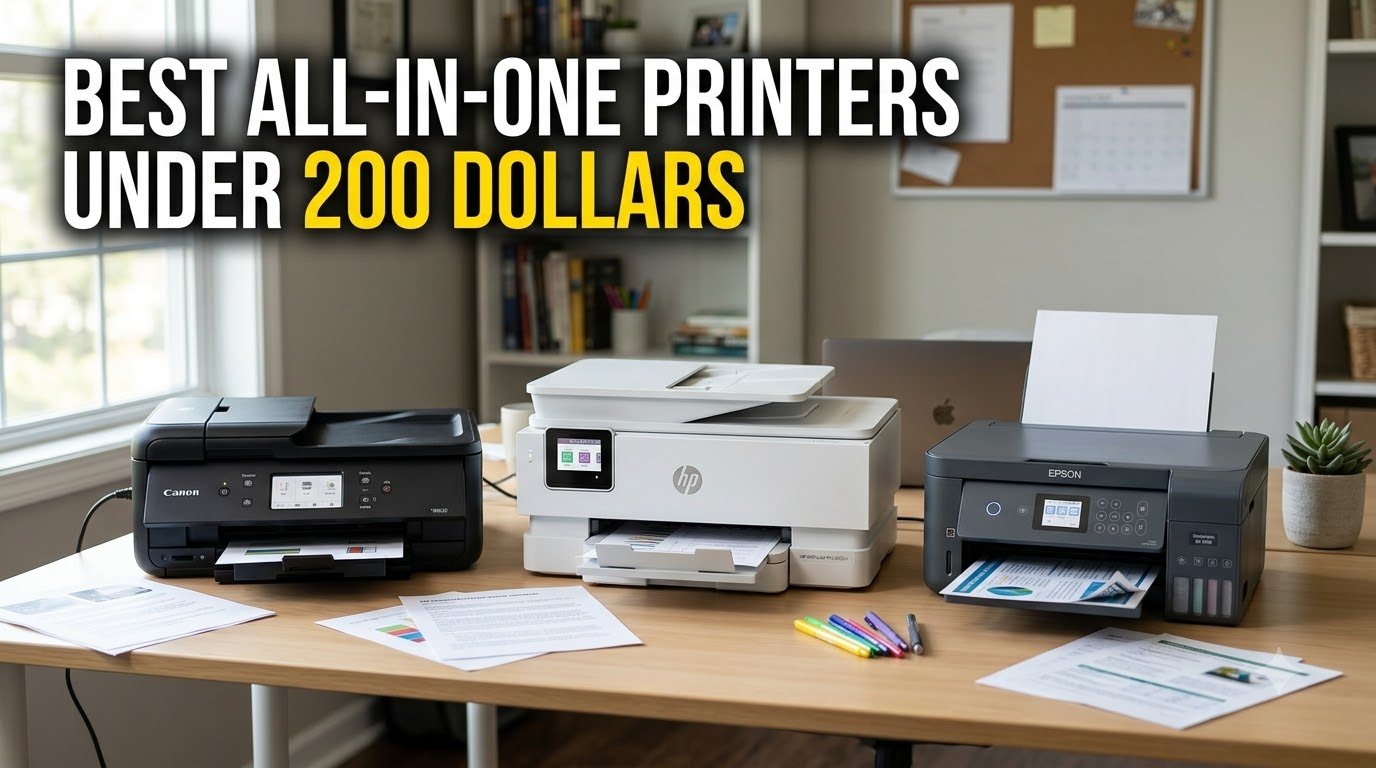
The Canon MegaTank G3270 is the best all-in-one printer at this budget for most homes in 2026. It prints, copies and scans, connects over Wi-Fi, and refills from ink bottles that cost a fraction of what cartridges do. If you need automatic two-sided printing and a document feeder, the Canon PIXMA TR8620a fills that role. If your priority is the highest print resolution and the lightest body in this group, the Epson EcoTank ET-2400 is the pick.
That is the short version. The longer version is that the printer is the smallest part of what you pay for. A cheap all-in-one printer for home use can look like a bargain on the shelf and then cost several times its own price in ink inside three years, which is why we ranked all ten models here on running cost and function set rather than on sticker price alone.
Every pick below targets that ceiling, and we held the line deliberately. Most roundups labelled budget quietly include machines that land well past our ceiling once you add a second ink set. Ours does not. The single exception is the Epson WorkForce Pro WF-4830, a genuinely capable office machine that regularly trades above the ceiling; we include it and flag it rather than pretend it fits.
We checked all ten for the same things: which functions you actually get, what paper they accept, the duplex and document feeder situation, connectivity, warranty, and what owners report after living with the machine. We did not measure ink yield in a lab, so per-page figures here are derived from published yield ratings and are best read as comparisons between models rather than as invoices.
Three models carry this roundup. The MegaTank G3270 wins on ownership economics, the TR8620a wins on features per dollar, and the EcoTank ET-2400 wins on print resolution and physical size. Everything else is a specialist pick that suits a narrower household.
We earn a commission, at no additional cost to you.
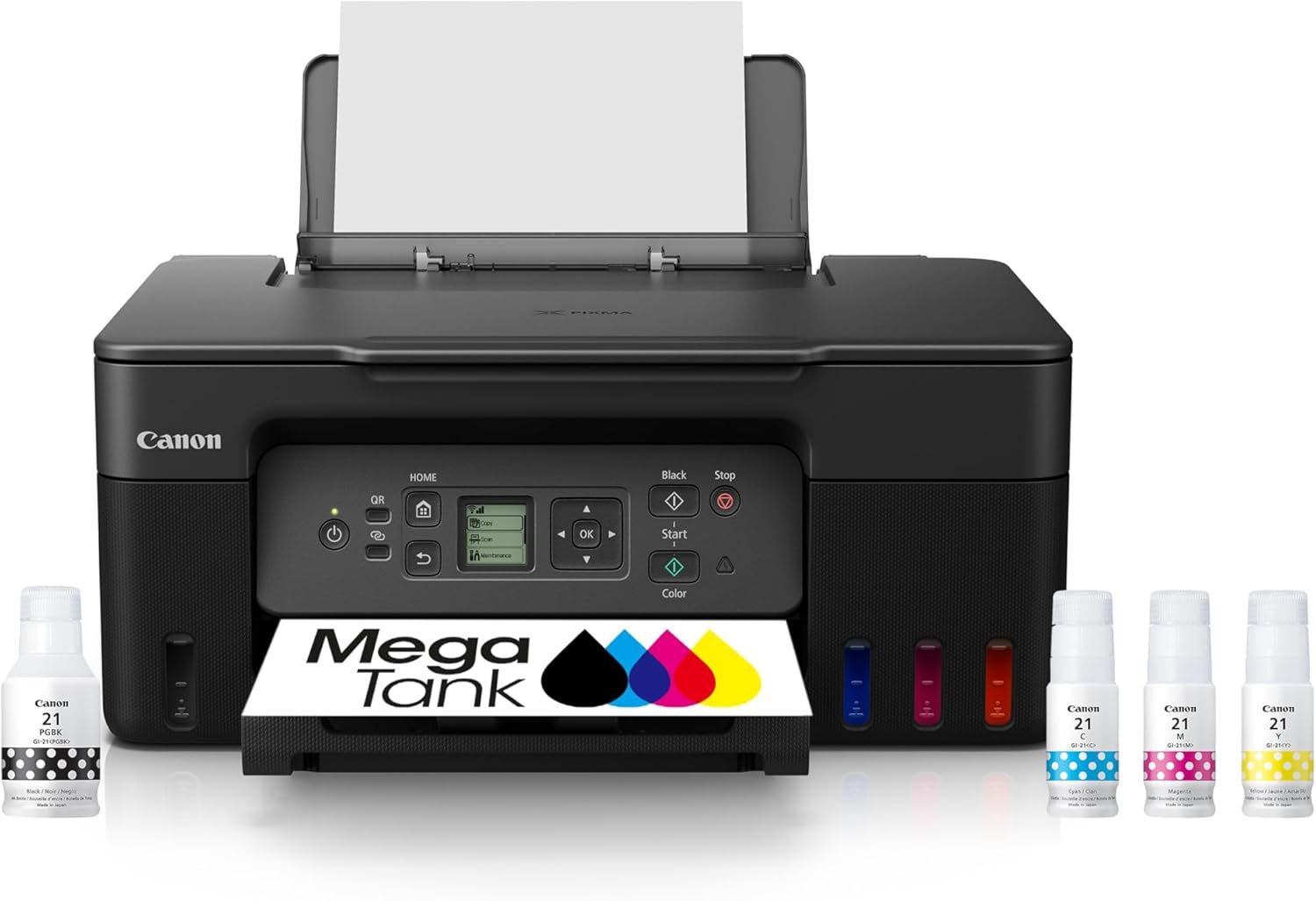
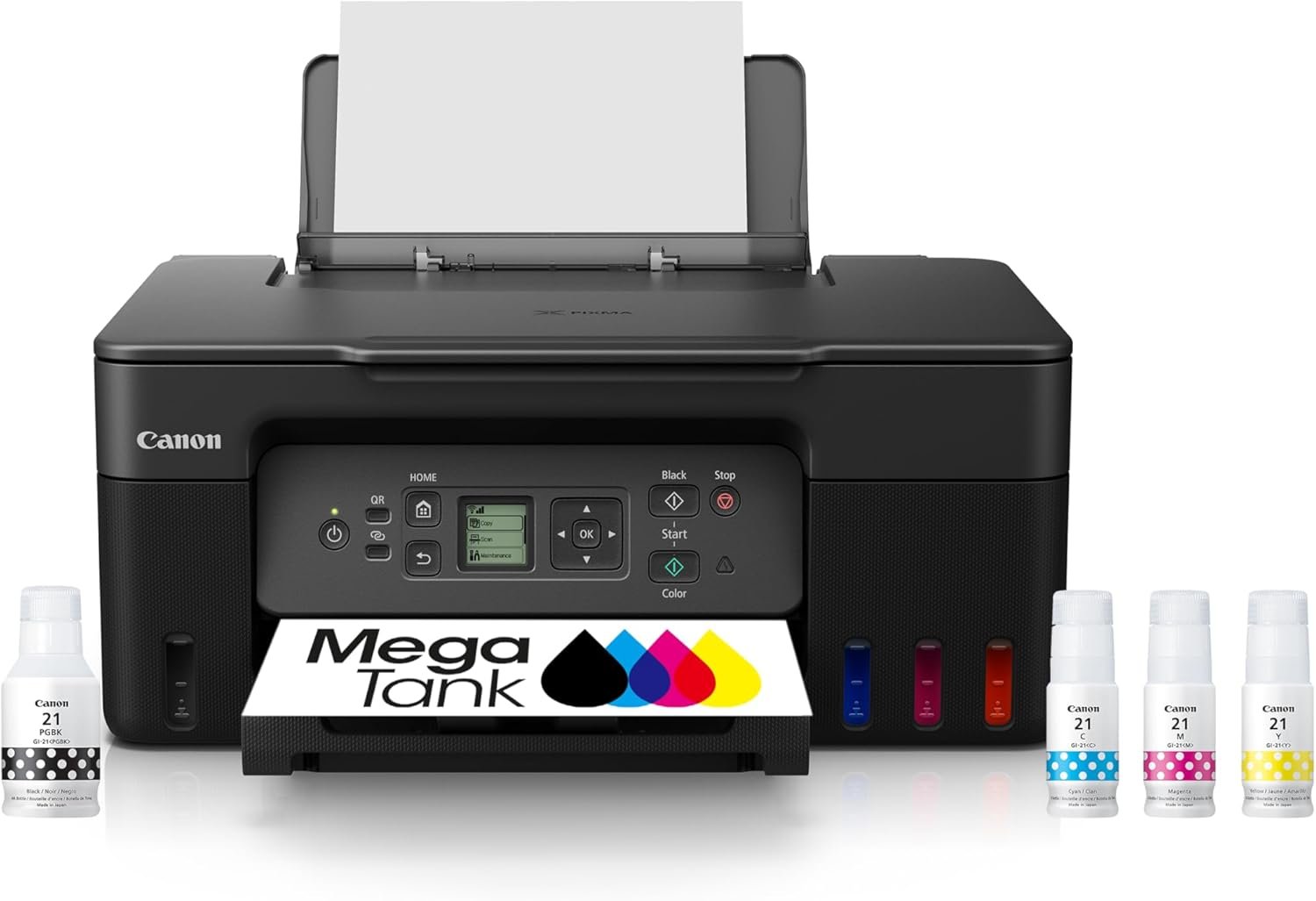
This is the printer I would put in the hands of a family that prints most weeks. The MegaTank system ships with up to two years of ink in the box and a rated yield of 6000 black-and-white or 7700 colour pages per full set, which is the kind of number that changes how you think about a printer.
Print and scan quality are both solid for the money. Resolution tops out at 4800 x 1200 dpi in black and colour, and the flatbed scanner handles documents cleanly. Output speed is 11 pages per minute in black and 6 in colour, quick enough for homework and shipping labels but not for a stack of fifty invoices.
What you give up is paper handling convenience. This is single-sided only, with no automatic document feeder, so duplex work means flipping sheets by hand and multi-page copying means moving the lid for every page. The 1.35 inch square LCD shows you ink status and little more, and there is a single 100-sheet tray with no rear feed.
Owners consistently single out the economics rather than the hardware. Across 5138 reviews averaging 4.1 stars, praise lands on ink cost and output quality for the price, while complaints cluster on setup friction and the absence of duplex.
Buy it if your household prints regularly in colour or near-black every week, if anyone prints craft projects or photo drafts, or if you are simply tired of buying cartridges. The yield figures mean a typical family can go a long time between refills, and refill bottles cost far less per millilitre than sealed cartridges.
It also suits anyone whose main frustration with a printer is cost rather than capability. At 13.2 pounds and roughly 21.9 inches deep, it is a full-size machine, so give it shelf space rather than a corner of a desk.
Skip it if two-sided printing is non-negotiable, or if you routinely scan multi-page documents. The Brother Work Smart 1360 and the Brother INKvestment 1365 both add automatic duplex and a document feeder, and the Canon PIXMA TR8620a adds fax on top of both.
It is also the wrong choice for someone who prints mostly black-and-white text at volume. A monochrome laser will be faster, cleaner and cheaper per page, though it will not produce colour at all.
We earn a commission, at no additional cost to you.
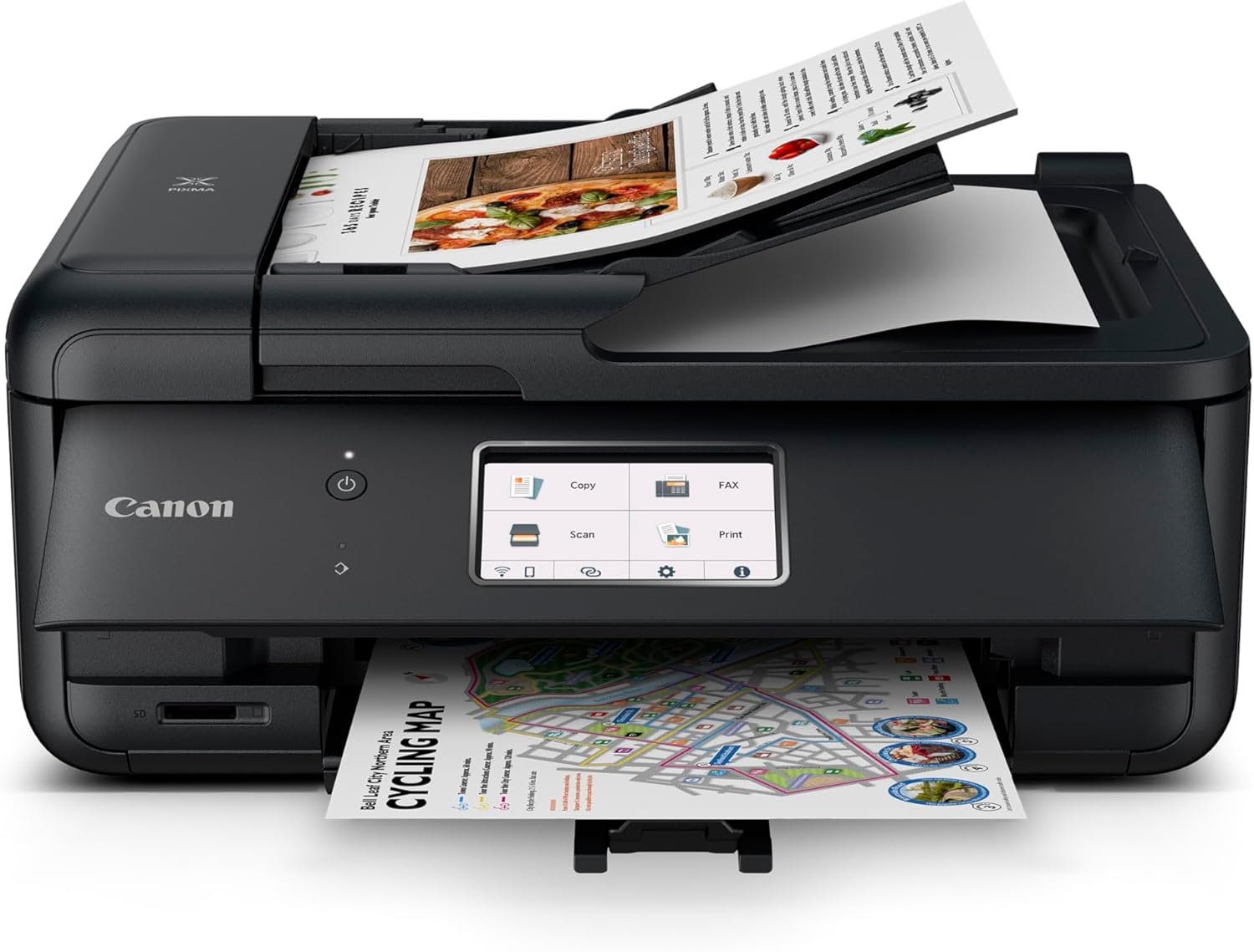
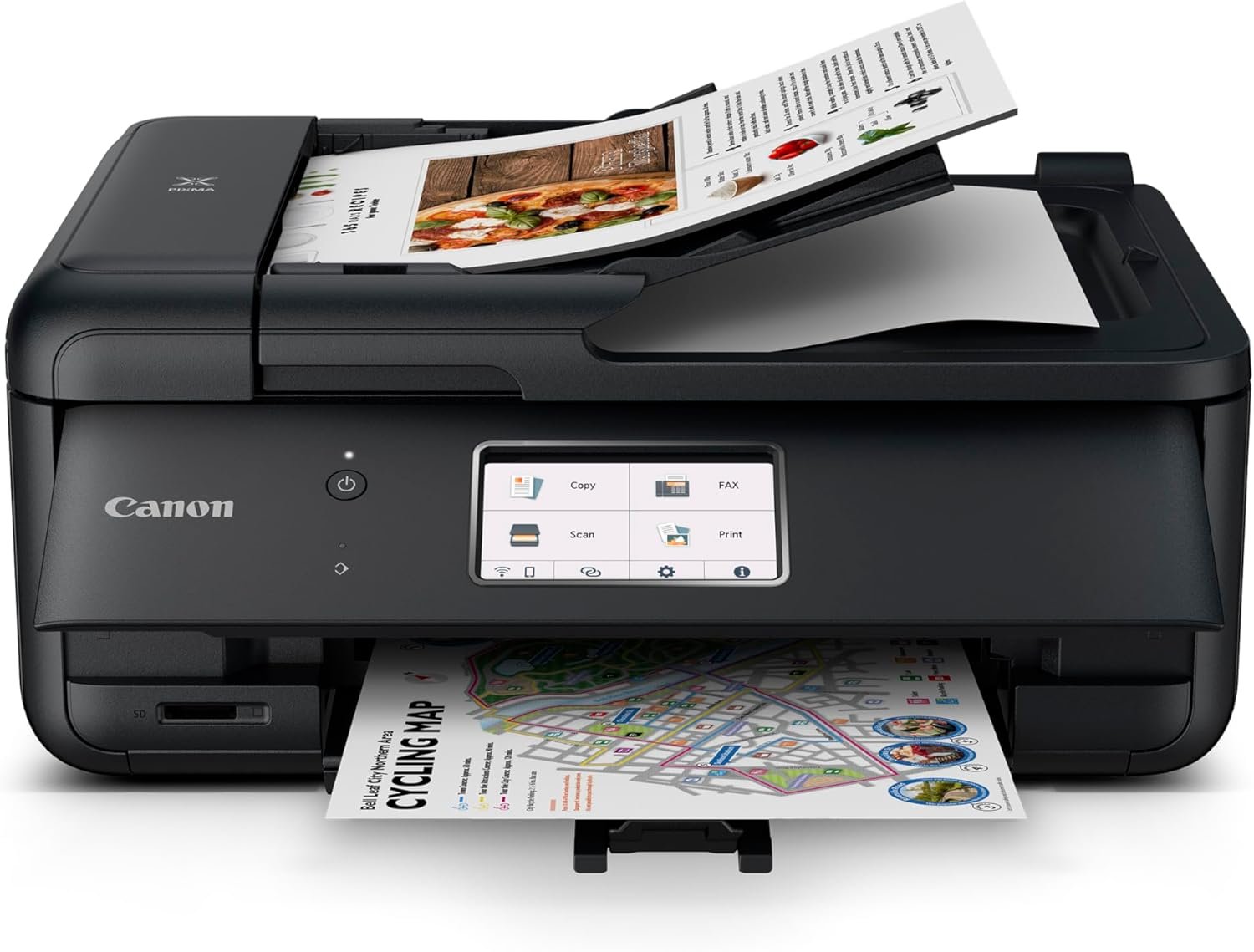
The TR8620a is the most complete machine in this group and the one I recommend for anyone working from home. It is a true 4-in-1: print, copy, scan and standalone fax, which no other printer here can claim, and it adds automatic two-sided printing plus a 20-sheet document feeder.
Paper handling is unusually good for the budget. A 100-sheet front cassette plus a 100-sheet rear feed takes the total to 200 sheets, and the rear tray accepts media up to 8.5 x 14 inches. A 1000 page monthly duty cycle puts it well above the rest of this list in terms of designed workload.
Speed is 15 pages per minute in black and 10 in colour, with a tilting LCD touchscreen for job selection. It also carries a micro SD card slot, ENERGY STAR and EPEAT Silver certification, and Alexa voice printing, which is a novelty but a working one.
Long-term owners across 6350 reviews averaging 4.0 stars describe it as a dependable home-office workhorse with good clarity and better-than-HP ink consumption. The recurring gripes are software rather than hardware: app connection problems, slow wake-up, and an ADF that only feeds one side at a time.
Buy it if your week involves forms, signed documents, shipping labels and scanned receipts, because the ADF and duplex together handle that stack unattended. Fax support matters if you deal with a supplier, a landlord or an office that still sends paper.
It is also the one to choose if you want legal-size media and a two-tray setup without leaving the sub-200 bracket. At 17.4 pounds it is a substantial machine, so plan the shelf accordingly.
Skip it if you do not need fax and you would rather spend the difference on ink economics. The Canon PIXMA TS3720 covers the basic print-copy-scan job for a fraction of the outlay, and the MegaTank G3270 costs far less to run over three years.
Buyers who dislike vendor software should note that the 14 percent of reviews that are one-star concentrate on Canon app and Wi-Fi behaviour rather than on output quality. If the touchscreen is not a selling point for you, the same core function set appears in cheaper models without one.
We earn a commission, at no additional cost to you.
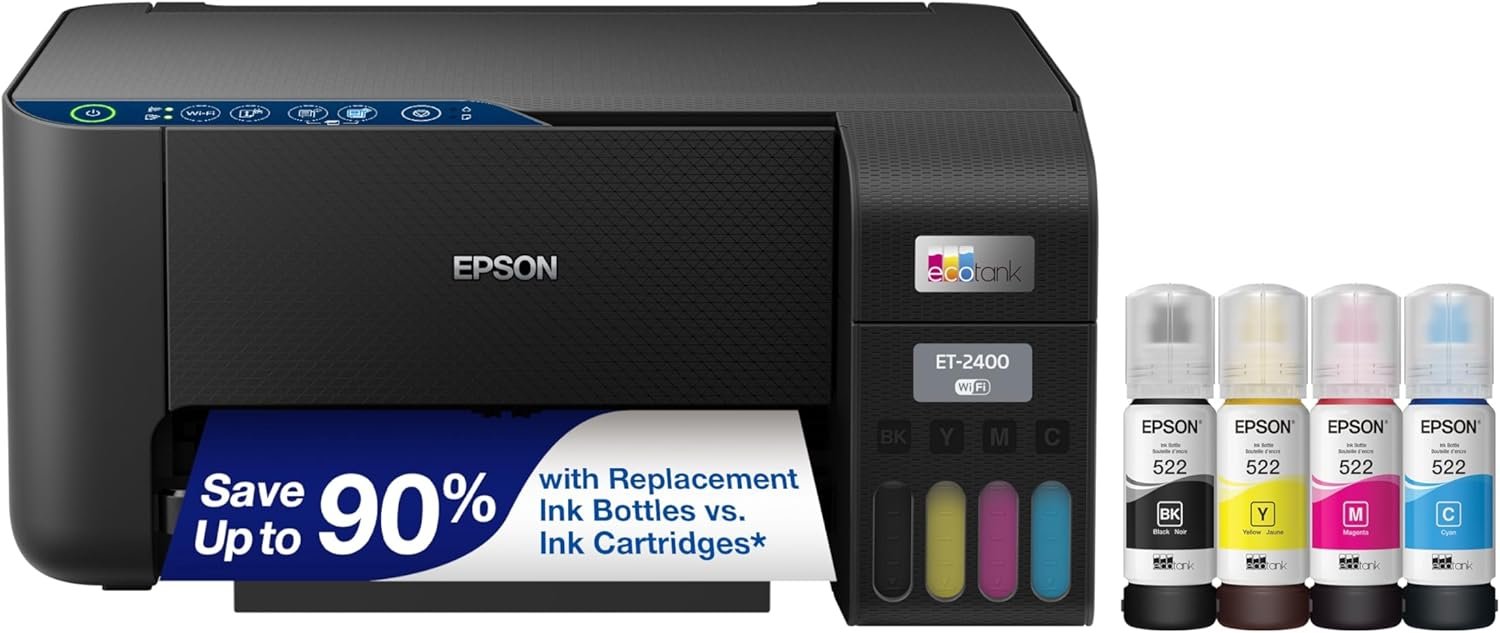
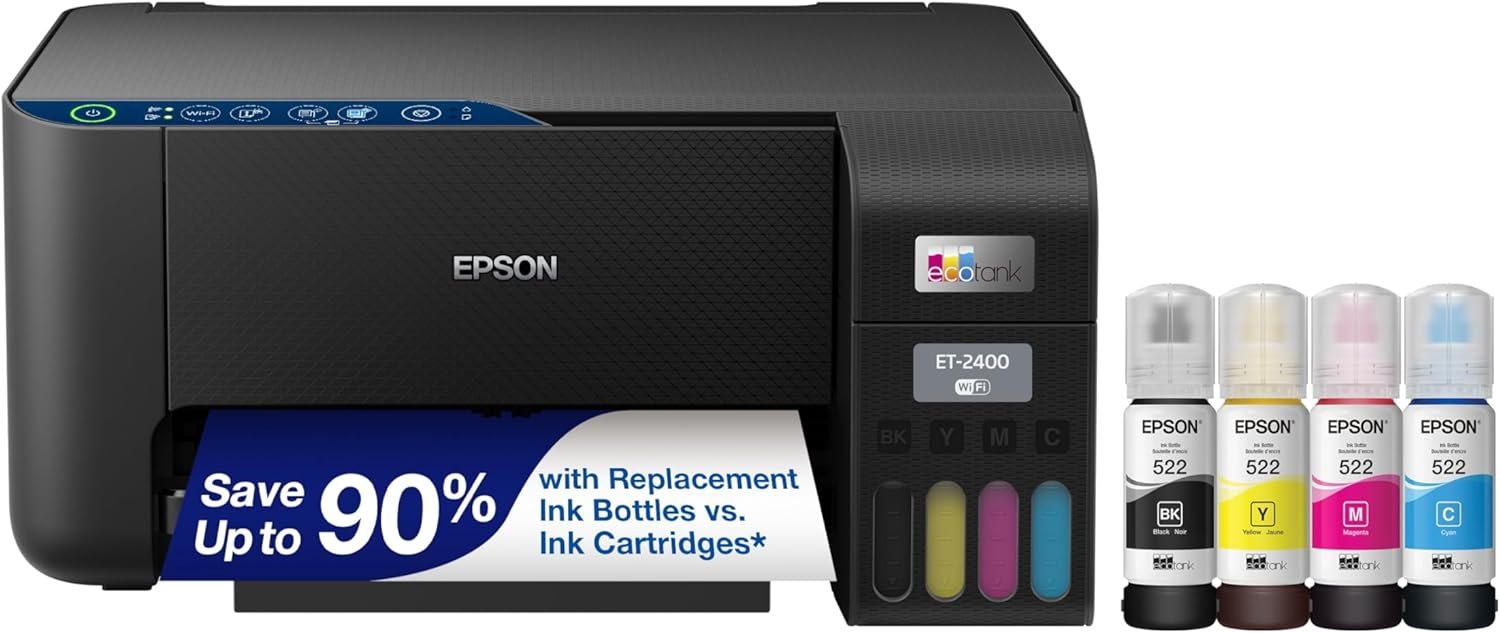
The ET-2400 is the answer for a student or a family that fills a binder with notes and colour diagrams. It runs the 522 ink bottle system with no cartridges at all, and Epson rates a full set at 4500 black-and-white or 7200 colour pages, with up to two years of ink in the box.
Resolution of 5760 x 1440 dpi is the highest in this roundup, and owners consistently note bright colours with deep blacks and crisp image output. The flatbed scans are sharp and detailed, which matters more than it sounds when you are digitising worksheets.
It is also the smallest and lightest machine we tested at 8.6 pounds and about 10 inches tall, so it fits a dorm shelf or a small desk where the other tanks will not. First page out is 7 seconds, which is quick for a tank printer.
Across 4659 reviews averaging 4.0 stars, reviewers endorse it as a low-cost, high-volume printer for students and budget households with the ink-bottle system as the standout feature. Critiques cluster around manual duplex, paper jams, weak behaviour on dual-band networks, and the total absence of a display.
Buy it if you print high-resolution colour graphics, revision sheets or images and you want the ink maths to stay quiet. The bottle system keeps refill cost down once the initial set runs down, and topping up the built-in tanks is simple.
It suits small spaces better than any other pick here, and its output is sharp enough for craft projects and photo drafts without chasing professional results.
Skip it if you print two-sided documents regularly, because flipping every sheet by hand is a real tax on everyday use. The Canon PIXMA TS3720 is the other low-cost Canon option and it at least has a small screen, though it shares the single-sided limitation.
Reviewers also flag occasional paper jams compared with cartridge-fed Canon models, and note that a dual-band home router can require disabling the 5 GHz band during setup. If your network is set up that way and you would rather not troubleshoot it, pick a machine with dual-band radio.
We earn a commission, at no additional cost to you.
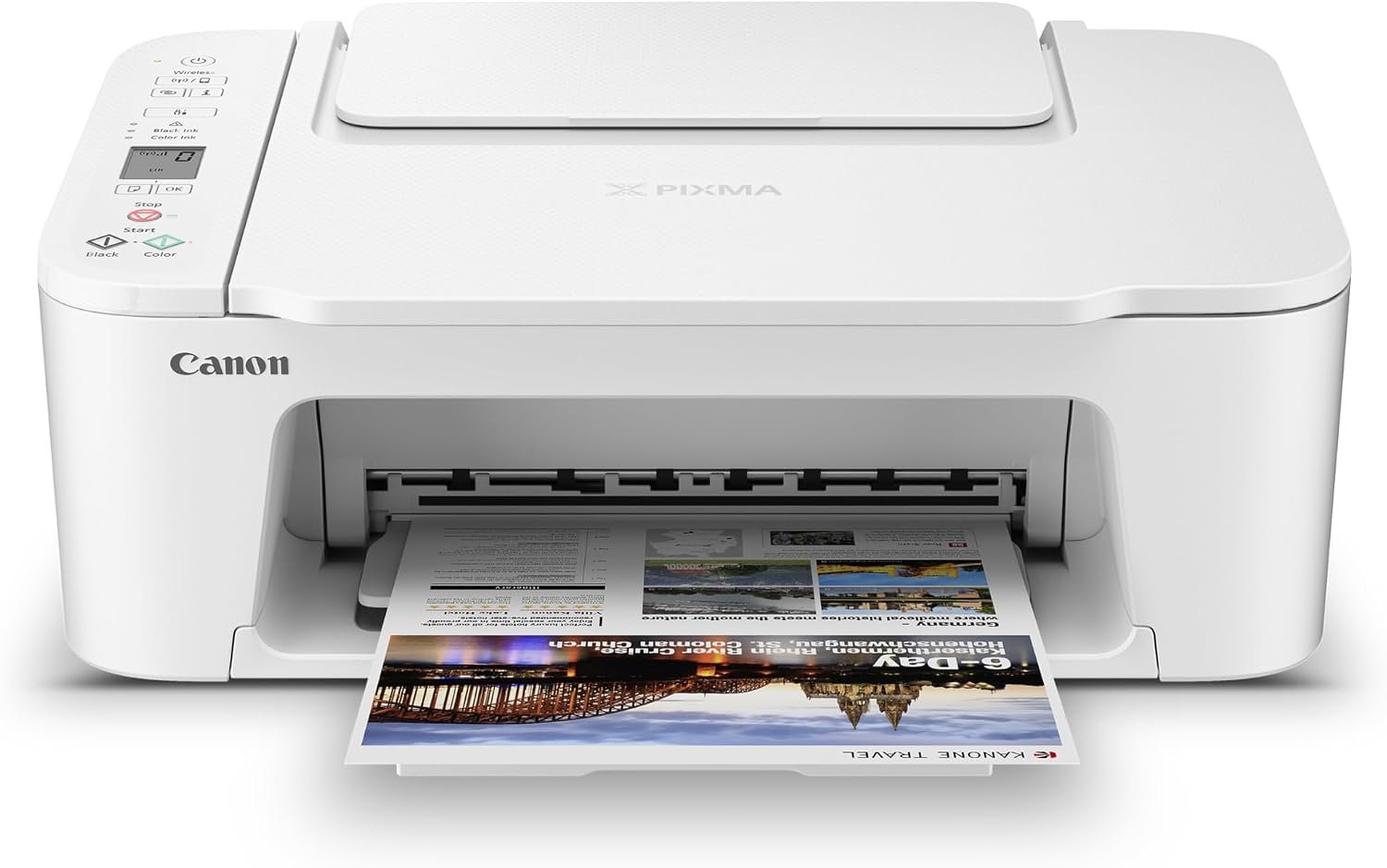
The TS3720 is the machine to buy when the goal is a wireless all-in-one on the desk this week and nothing more elaborate. Print, copy and scan, dual-band Wi-Fi, and a body small enough at 8.7 pounds and 5.8 inches tall that it disappears against a wall.
It is the one model here that people buy without agonising, and 3484 reviews averaging four stars reflect that. Setup is straightforward, Chromebooks are supported, and the Canon PRINT app handles AirPrint and Mopria for phone printing without fuss.
The trade-offs are real and worth stating plainly. There is no duplex printing, the tray holds 60 sheets which means more frequent refills, and speed is a modest 7.7 pages per minute in black and 4 in colour. The combined tri-color cartridge is the biggest long-term trap: when the cyan runs out you replace magenta and yellow too.
Borderless photos up to 5 x 7 inches and square formats are supported, and 16-bit colour depth keeps gradients smooth. Owners accept the trade-offs in exchange for a low entry cost and stable wireless behaviour, with 63 percent of reviews at five stars.
Buy it if you print a few pages a week, mostly forms, lists and occasional photos, and you want to spend as little as possible without giving up wireless printing. The 60-sheet tray is genuinely fine at that volume.
Its dual-band radio is a quiet advantage over many cheap competitors, and its small footprint works in an apartment, a dorm or a home office that doubles as a study.
Skip it if you print in colour regularly, because the tri-color cartridge makes colour use the expensive part of ownership. The Canon MegaTank G3270 uses separate refillable tanks and costs less per colour page by a wide margin.
Skip it if you need two-sided printing or scan a stack of documents, since it has neither. The one-star share of reviews concentrates on slow speed and the missing duplex, not on reliability or build quality.
We earn a commission, at no additional cost to you.
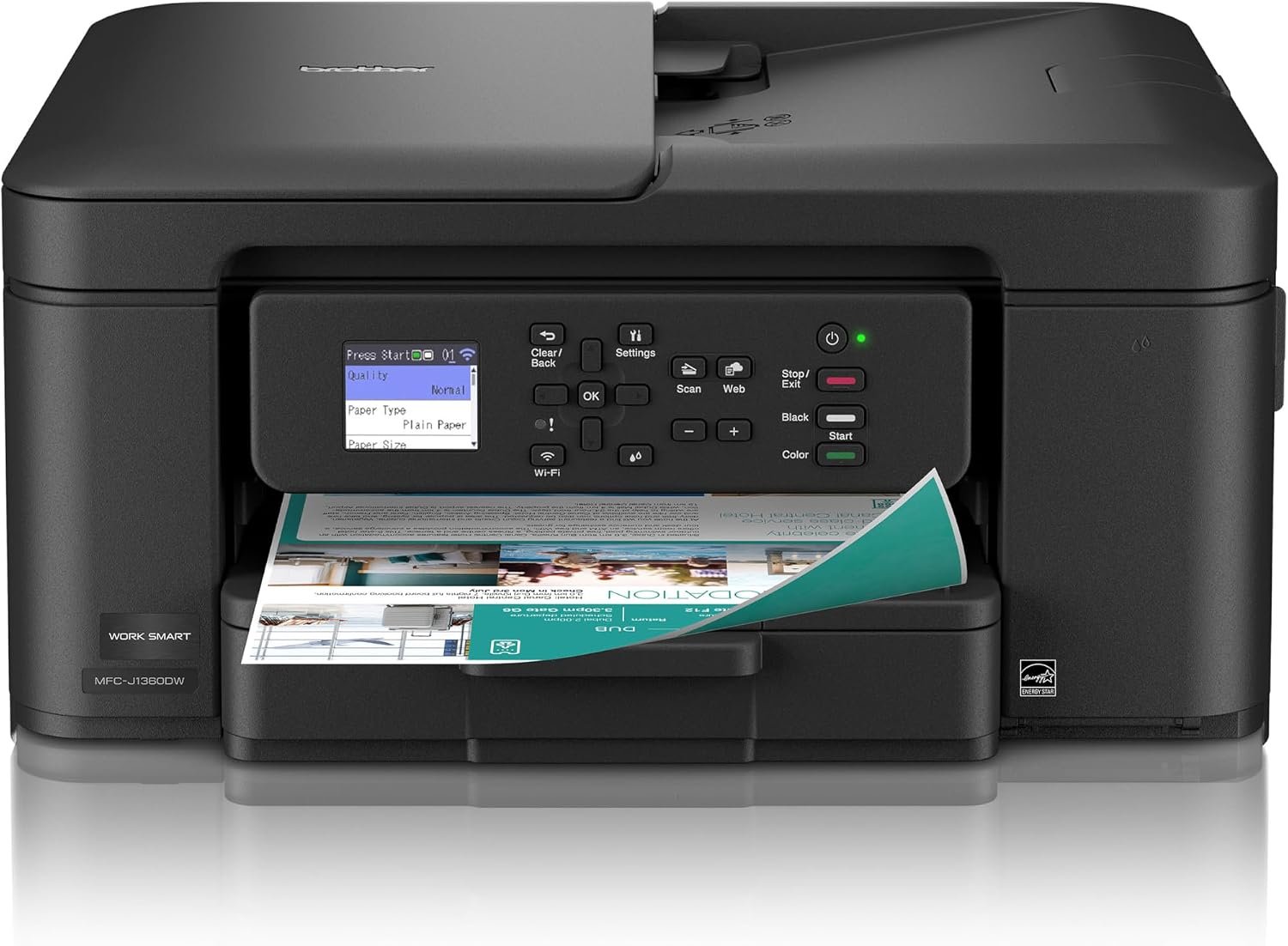
The Work Smart 1360 is the feature-per-dollar answer here. Getting automatic duplex and a document feeder on a wireless colour all-in-one usually pushes you well past this ceiling, and Brother fits both into a 150-sheet tray at 16 pages per minute in black.
The 1.8 inch colour LCD is larger than anything else in this roundup except the HP OfficeJet Pro 8125, and the Brother Mobile Connect app adds Page Gauge ink monitoring plus cloud destinations for scans. Media up to 8.5 x 14 inches is accepted, and first page out is about 6.2 seconds in black.
What you trade away is ink economics and fax. It uses standard Brother cartridges that reviewers describe as relatively costly per page, the ADF is single-sided, and there is no fax function at all. At 16.8 pounds it is also one of the heavier machines here.
Across 2550 reviews averaging 3.9 stars, satisfaction centres on feature value for the money while complaints focus on cartridge running cost and the single-sided ADF. Nineteen percent of reviews are one-star, the second-highest share in this set.
Buy it if duplex printing and a feeder matter more than ink price. If you print maybe 20 to 40 pages a month, the cartridge cost is manageable and the convenience of not flipping paper or lifting the scanner lid pays for itself quickly.
It suits a home office or micro-office that does not need fax, and the cloud scanning targets cover the common case of filing receipts and signed paperwork straight to storage.
Skip it if you print more than a few pages a week in colour. Over three years, cartridge cost overtakes the saving entirely, and the Canon MegaTank G3270 or Epson EcoTank ET-2400 will cost less to keep running.
Skip it if fax is part of your workflow, or if you scan two-sided documents regularly, because the ADF will not turn the page for you. The Brother INKvestment 1365 shares this body but adds a two-year warranty and a lower-cost tank system.
We earn a commission, at no additional cost to you.
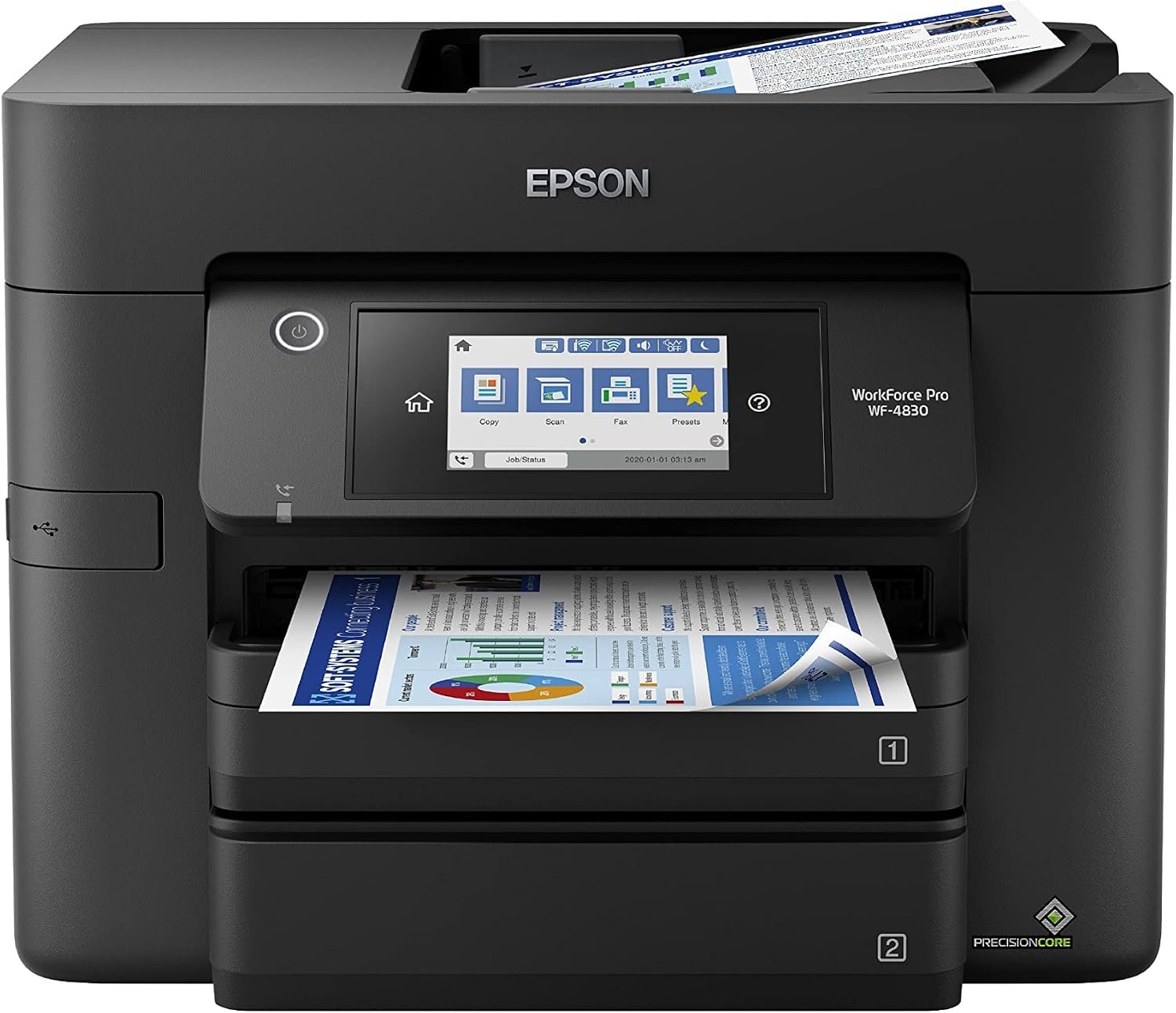
The WF-4830 is the fastest colour inkjet in this roundup and the only one built for genuine office volume, which is exactly why it sits at number six. It is also the pick that regularly trades above our 200 dollar ceiling, so check where it sits today before you commit.
Speed is 25 pages per minute in black and 12 in colour, with automatic duplex for printing, copying and scanning. The 250-sheet dual tray and a stated 33,000 page monthly duty cycle are numbers no home printer here approaches, and it adds fax, Ethernet, Wi-Fi and Bluetooth LE.
It is also the lowest-rated pick in the group at 3.8 stars across 1680 reviews, and the reasons are consistent. Owners flag cartridge consumption that is heavy next to tank-style rivals, and Epson DURABrite Ultra cartridges use chipped OEM units with no refilling option, so the ink cost is fixed and high.
At 24 pounds and 19.8 inches wide it needs real desk space, and reviewers report the scanning software opening several windows and occasionally waking the machine overnight.
Buy it if you run a small business, a classroom or a busy home office that prints many pages a day, needs fax, and cares about duplex throughput far more than ink price. At that workload, cost per page stops being the deciding factor.
Ethernet alongside Wi-Fi makes it a sensible pick for a shared office network, and the duty cycle means it will not be pushed past its design.
Skip it for ordinary household use. You will be spending more than the ceiling, using the most expensive ink in the roundup, and giving up desk space to a machine most families will never load.
Skip it if you print in colour at all regularly, because the chipped cartridge system is the expensive part. The Canon PIXMA TR8620a gives you the same 4-in-1 function set, two-sided printing and a 20-sheet ADF for substantially less, even if it is slower.
We earn a commission, at no additional cost to you.
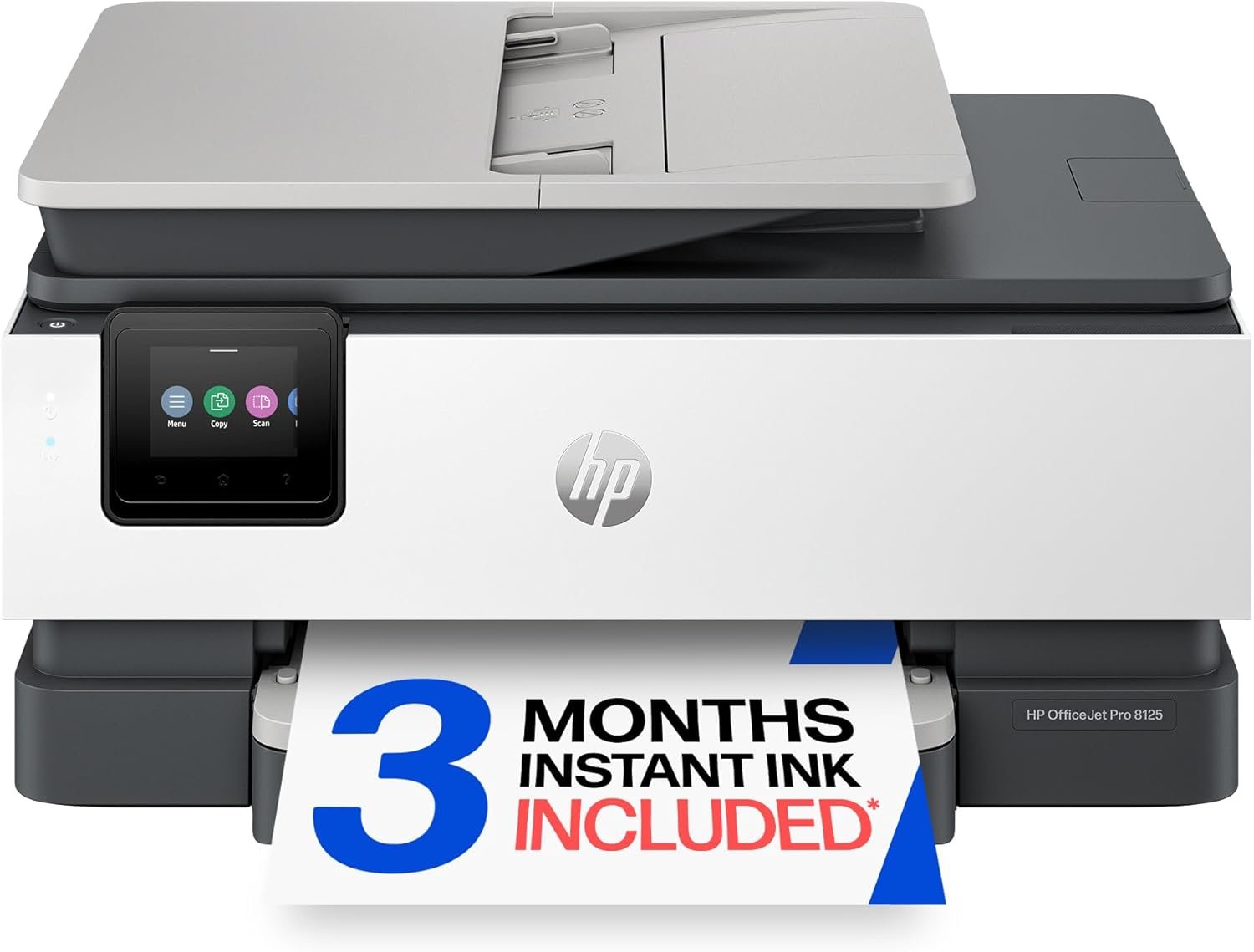
If you want HP, this is the model to buy at this budget. The OfficeJet Pro 8125 combines automatic duplex, a one-sided ADF and a 2.7 inch colour touchscreen, a feature combination that usually costs more, and the 225-sheet tray is the second largest here.
It runs at 20 pages per minute in black and 10 in colour, first page out in 18 seconds, with 1200 x 1200 rendered dpi text resolution and up to 4800 x 1200 optimised colour. The HP AI print formatting strips web and email clutter before printing, and dual-band Wi-Fi includes automatic connection issue detection.
The HP caveats are the ones you have probably heard. It uses HP 923 cartridges with chips that block third-party and aftermarket ink, and setup pushes a three-month Instant Ink trial that becomes a monthly fee unless cancelled. Owners also report the printer dropping off Wi-Fi when idle, which makes the Ethernet port the more reliable connection.
With 446 reviews averaging 3.9 stars, this is the thinnest review sample in the roundup, so treat the rating as provisional. The hardware itself draws consistent praise; the negatives concentrate on cartridge cost, the subscription prompt and an ADF that struggles with folded or damaged pages.
Buy it if you are already in the HP ecosystem, or if you want a touchscreen and a large tray for a home office that mostly prints documents. The duplex and ADF combination handles a normal week of forms and reports without much fuss.
The dual-band radio with self-resolving connections is a genuine advantage over single-band budget machines, and the Ethernet option makes it dependable on a wired network.
Skip it if you print a lot of colour. Chipped HP 923 cartridges with no aftermarket route make this one of the more expensive machines here to keep supplied, and the Brother INKvestment 1365 gives you a cheaper refill path with the same duplex and ADF layout.
Skip it if you do not want a subscription prompt during setup, or if you scan two-sided documents, since the ADF is one-sided. Canon PIXMA and Brother models in this list avoid the subscription pressure entirely.
We earn a commission, at no additional cost to you.
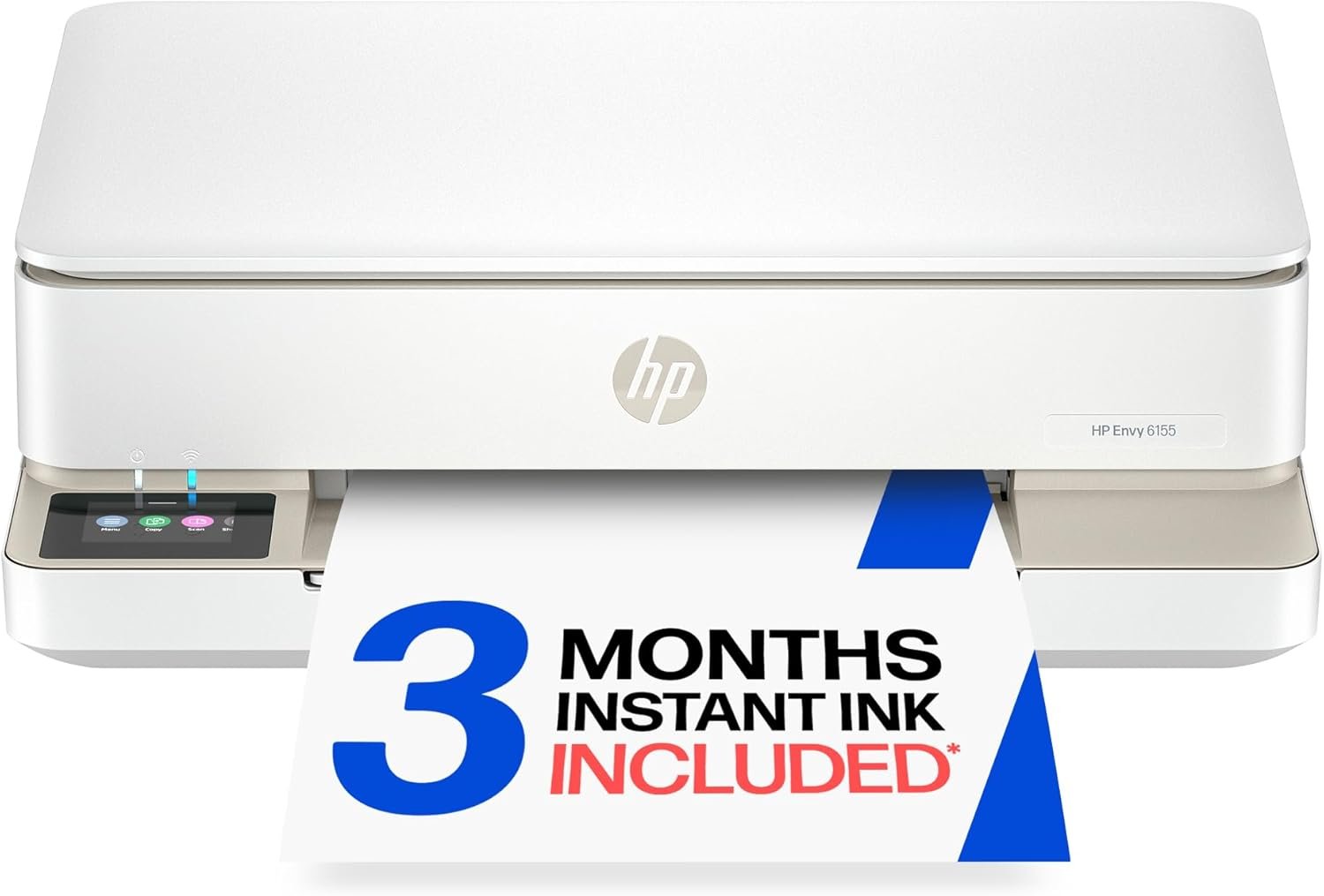
The Envy 6155 is the least complicated machine in this roundup, and at 4.2 stars across 415 reviews it holds the strongest rating here, with 69 percent of reviews at five stars.
Wireless setup is handled by dual-band Wi-Fi with automatic connection issue detection, so it behaves well on modern routers. It prints, copies and scans, adds automatic two-sided printing, and puts a 2.4 inch colour touchscreen on the front. HP P3 true-to-screen colour keeps output reasonably faithful to what you see, and it handles borderless photos at up to 4800 x 1200 dpi.
Speed is 10 pages per minute in black and 7 in colour, and the tray holds 100 sheets of letter media.
The limits are clear. There is no document feeder, so multi-page copies and scans are a lid-and-glass affair. HP 68 cartridges are physically small, which works out expensive per page, and the printer will only accept cartridges with HP original chips. A three-month Instant Ink trial is included and converts to a monthly fee unless you cancel it.
Buy it if you want automatic two-sided printing and a touchscreen with almost no learning curve, and you print light. Documents, homework and an occasional photo are exactly the workload this machine handles without complaint.
It is also the pick for anyone who finds printer setup stressful, since the wireless connection largely handles itself.
Skip it if you scan or copy anything longer than a single page, because there is no feeder. The HP OfficeJet Pro 8125 adds one and a bigger tray for a modest step up.
Skip it if you print in colour regularly. The small HP 68 cartridges and the chip lock make this the wrong long-term economics, and the Canon PIXMA TS3720 is cheaper to buy but shares a similar cartridge problem, so a tank model is the better answer if colour use is the plan.
We earn a commission, at no additional cost to you.
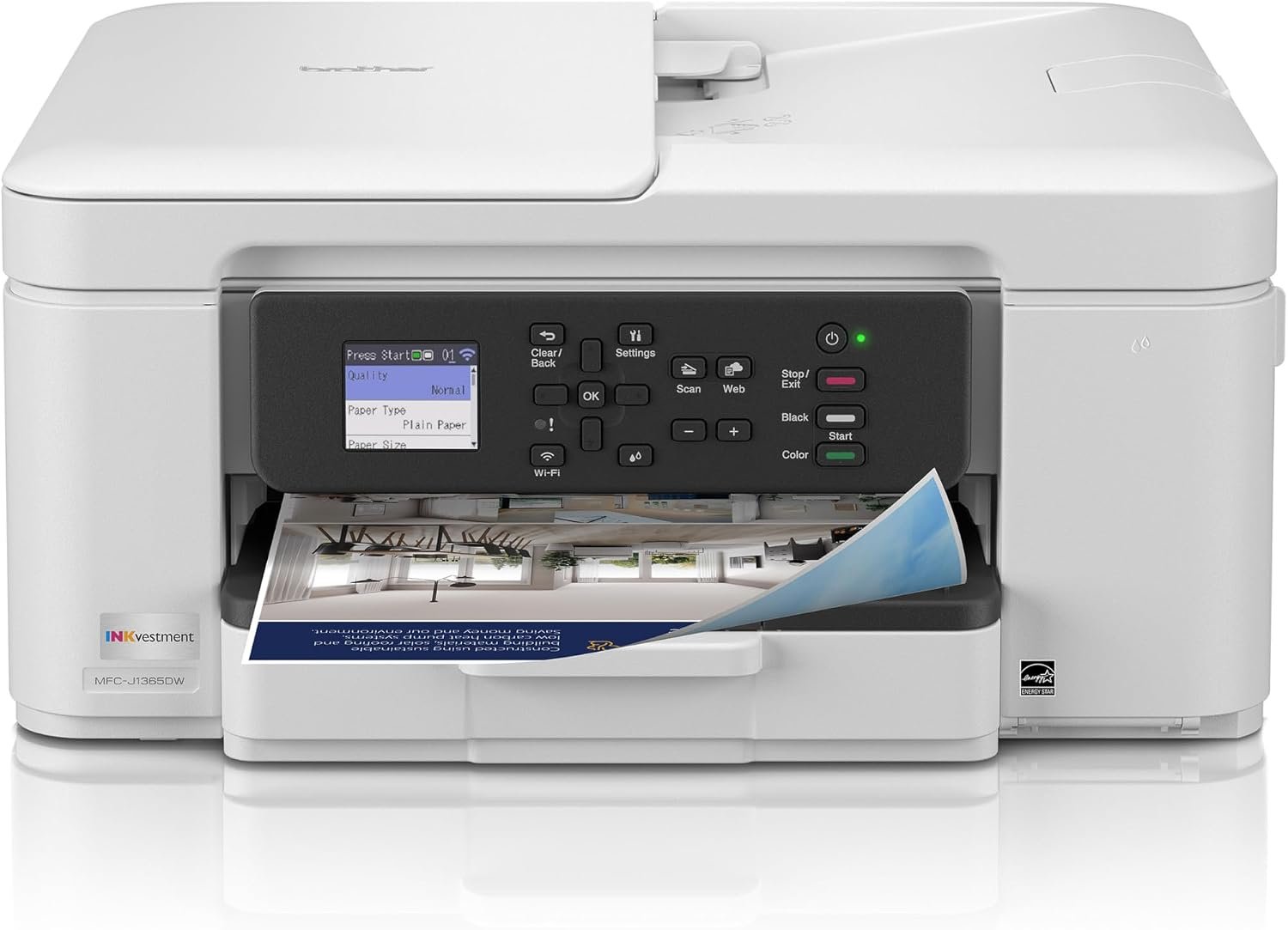
The INKvestment 1365 is the Brother to buy instead of the Work Smart 1360 if you plan to keep it. It shares the same body, the same 16 pages per minute black speed, the same automatic duplex and the same 20-page ADF, and it adds the INKvestment tank system and a two-year limited warranty.
That warranty is the longest in this roundup by a year, and it matters on a machine you expect to sit on a shelf for years. Cartridge yields are 1200 pages for black and 500 for each colour, which beats the standard cartridges used by the Work Smart 1360 on both counts.
Output is described as sharp and laser-like thanks to a wide fixed print head, and the cartridges load from the front so refilling is quick. Cloud printing and scanning to Google Drive, Dropbox, Box and OneDrive are supported, and Wi-Fi Direct prints without a router. Reviewers also note it works well with Linux alongside Mac and Windows.
Across 274 reviews averaging 3.9 stars, with 59 percent at five stars, the negatives concentrate on setup rather than output: a web-based setup that can be slow or hang, occasional network dropouts between jobs, a heavy subscription prompt during setup, and a small number of cartridge recognition problems.
Buy it if you want automatic duplex and a document feeder without HP cartridge pricing, and you print a moderate amount. The INKvestment cartridges strike a middle ground between tank bottles and standard cartridges, and the two-year warranty reduces the risk of an early failure.
It suits Linux users and mixed-OS households, and the Wi-Fi Direct function is useful when you need to print somewhere without a network.
Skip it if setup frustration is your main worry, because the web-based configuration is the most-cited drawback and you may need to run it twice. The HP Envy 6155 and the Canon PIXMA TS3720 are both simpler to get onto a network.
Skip it if colour fidelity is the priority. Reviewers note the colour intensity is lighter than some competitors, and the Canon PIXMA TR8620a or Epson EcoTank ET-2400 will produce punchier output on graphics and photos.
We earn a commission, at no additional cost to you.
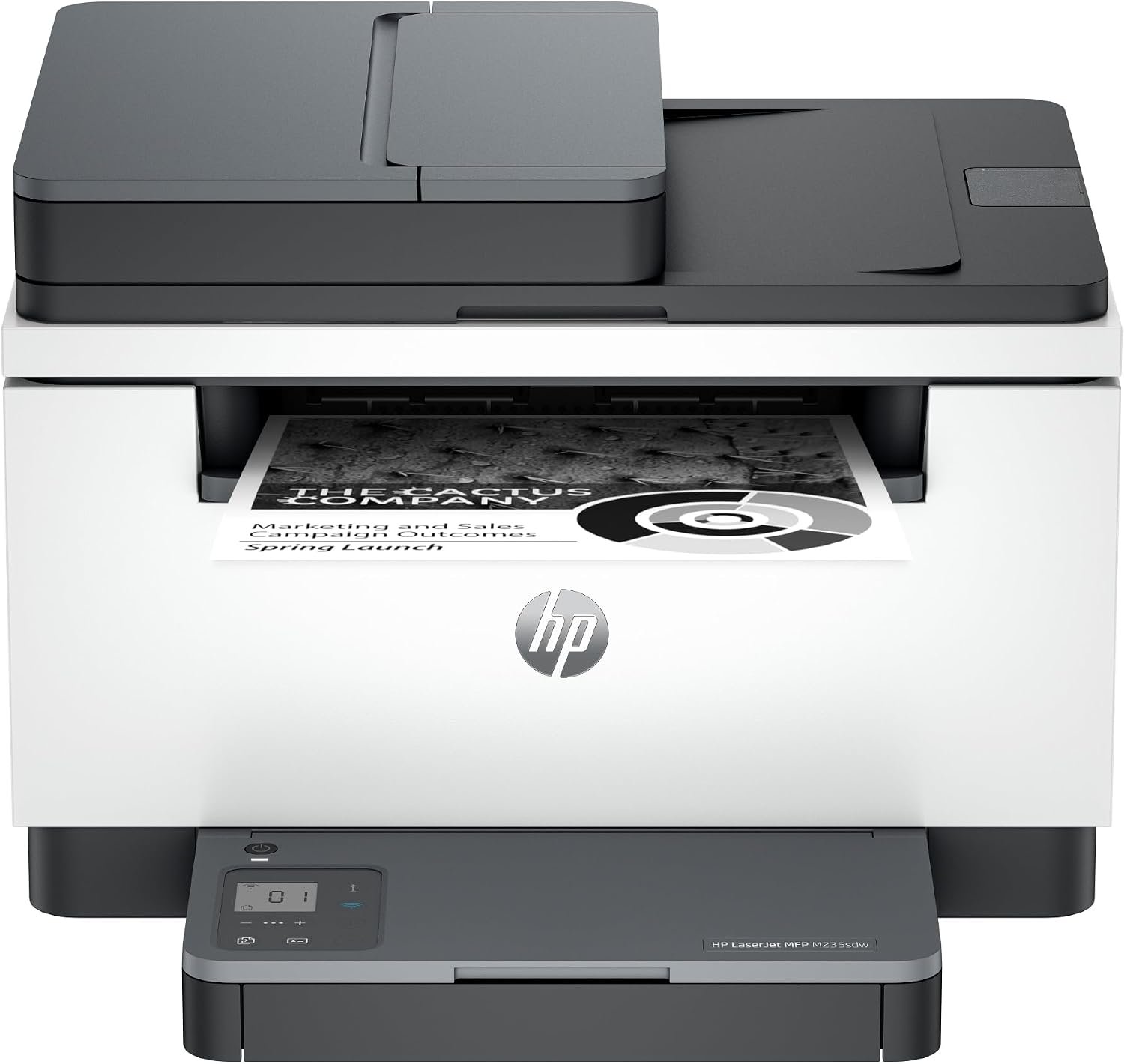
This is the printer to buy if you do not need colour and you print a lot. The LaserJet MFP M235sdw runs at up to 30 black pages per minute with a first page in 7 seconds, roughly three times the speed of any inkjet in this roundup, and toner works out cheaper per page than ink.
The practical benefit is that it does not behave like an inkjet. There are no nozzles to clog, no head cleaning cycles, no ink sitting in tubes drying out if the printer sits unused for a month. That single fact removes the most common complaint people have about budget inkjets.
Automatic duplex printing is standard, the 150-sheet tray is generous for the size, and media up to 8.5 x 14 inches is accepted. Scan to email and scan to PDF are both built in, and dual-band Wi-Fi includes a self-reset function. An original HP toner cartridge is preinstalled, so it prints out of the box.
The compromises are real. It is monochrome only, so any colour project is out. Scanning and copying are single-sided even though printing is duplex, so a two-sided document still needs manual handling. Reviewers also describe HP setup and network configuration software as awkward, and at 21 pounds with a 110 watt power draw it is a serious box.
Buy it if you are a student, a legal or medical professional, or anyone printing contracts, forms, lesson plans and reports in black and white. Anything above roughly 200 pages a month makes laser the correct answer on running cost alone.
It also suits anyone whose previous inkjet died from disuse. A laser that sits untouched for two months will still print when you switch it on, which no inkjet in this roundup can promise.
Skip it if you print anything in colour. There is no colour path at all, and for a household that prints school projects, craft sheets or photos the colour inkjets here are the only viable options.
Skip it if you mostly print under 100 pages a month. At low volume the toner cost is not amortised and a tank inkjet is the cheaper answer, which is why this sits at number ten rather than higher.
The gap between a good buy and a bad one at this budget is rarely about print quality. It is about how the machine is supplied with ink and how much paper work it can do without you in the loop. Six things decide the outcome.
First, know what an all-in-one actually is. At minimum you are buying print, scan and copy in one box. Fax is the fourth function, and only the Canon PIXMA TR8620a and the Epson WorkForce Pro WF-4830 include it here. Anything marketed as an all-in-one that cannot scan is really a single-function printer with a bad label.
Second, ink tank versus cartridge is the biggest decision you will make, and the reason is arithmetic. Cartridge printers use sealed units that must be replaced whole, and at this budget those units are small, so cost per colour page works out several times higher than bottled ink. A tank printer, whether Canon MegaTank, Epson EcoTank or Brother INKvestment, spends more money up front and far less per page afterwards.
The break-even point is fairly low. If you print more than about 100 colour pages a month, a tank model pays for its price difference within the first year. Below that, a cartridge machine is fine and the lower entry price is justified. That is why the Canon PIXMA TS3720 earns a place for light users, and why the MegaTank G3270 and EcoTank ET-2400 earn theirs for everyone else.
Third, work out cost per page rather than trusting any single figure. The method is simple: divide the price of a full set of ink or toner by the rated page yield. The 6000-page black and 7700-page colour sets in the MegaTank G3270, and the 4500 black and 7200 colour sets in the EcoTank ET-2400, produce per-page costs in the low single-digit cents. Sealed cartridge yields of a few hundred pages produce costs several times higher.
Fourth, prioritise automatic duplex. This is the feature we would pay extra for, because two-sided documents are ordinary documents and flipping every sheet by hand is a daily tax. Most picks here have it: the Canon PIXMA TR8620a, both Brother models, the Epson WF-4830, both HP inkjets and the HP LaserJet. The two tank printers without it are cheaper to run but slower in practice.
Fifth, a document feeder earns its place in a home office, and note the catch. Every ADF in this roundup is single-sided, including the one on the TR8620a, so two-sided documents still need manual handling. Check the sheets it holds: 20 is standard here, which covers a signed form or a short contract but not a hundred-page report.
Sixth, connectivity. Dual-band Wi-Fi, which the Canon PIXMA TS3720 and both HP models have, is worth having on a modern home network. The EcoTank ET-2400 has owner reports of dual-band routers needing the 5 GHz band disabled during setup. All ten print over Wi-Fi, and the Epson WF-4830 and HP LaserJet MFP add Ethernet for a wired office.
On reliability, long-term owner reports matter more than spec sheets. Reports at this budget favour Brother machines and monochrome lasers for lasting years without trouble, while HP consumer models draw the most complaints about cartridge pricing and subscription prompts. Tank printers have their own failure mode, since ink left sitting in the print head can dry, so a tank machine that sits unused for months is not the safest choice for occasional users.
The Canon MegaTank G3270 is the strongest all-in-one printer at this budget for most homes in 2026. It prints, copies and scans over Wi-Fi, and its refillable MegaTank system is rated for 6000 black-and-white or 7700 colour pages per ink set, which makes it the cheapest to own per page here. It has no automatic duplex and no document feeder, so a home office should look at the Canon PIXMA TR8620a instead.
Reliability reports at this budget favour Brother machines and monochrome lasers. The Brother INKvestment 1365 carries a two-year limited warranty, the longest in this roundup. The HP LaserJet MFP M235sdw avoids the failure mode that sinks budget inkjets, because toner does not clog or dry out when the machine sits unused. Tank inkjets like the MegaTank G3270 carry a different risk, since ink sitting unused in the print head can dry.
The Canon MegaTank G3270 and the Epson EcoTank ET-2400 are the two tank picks worth comparing. The G3270 offers more rated yield at 6000 black and 7700 colour pages per set, while the ET-2400 has higher maximum resolution at 5760 x 1440 dpi and is far lighter at 8.6 pounds. Neither has automatic duplex, so if duplex matters more than ink cost, the Brother INKvestment 1365 is the compromise.
A tank printer is better if you print more than roughly 100 colour pages a month, because bottled ink costs a fraction of sealed cartridges and you replace one colour at a time rather than discarding a tri-color unit. Below that volume, the lower entry price of a cartridge machine is the better deal. The Canon PIXMA TS3720 is the cartridge pick here and holds a combined tri-color cartridge, so colour cost is the thing to watch.
Buy a laser if you print mostly black-and-white text above about 200 pages a month, or if you have had inkjets fail from disuse. The HP LaserJet MFP M235sdw runs up to 30 pages per minute and has no clog risk. Buy an inkjet if you need colour at all, because the laser in this roundup is monochrome only. For light mixed use, a colour inkjet with an ink tank is the balanced answer.
Cost per page equals the price of a full ink or toner set divided by its rated yield. The Canon MegaTank G3270 and Epson EcoTank ET-2400 land in the low single-digit cents per colour page thanks to 6000-page and 4500-page black yields respectively. Sealed cartridge machines such as the HP Envy 6155 and Canon PIXMA TS3720 work out several times higher, because their cartridges yield far fewer pages and the tri-color design wastes what remains.
The Canon MegaTank G3270 is the best all-in-one printer at this budget in 2026 because it costs the least to run and prints cleanly enough for documents, homework and photo drafts, even though it lacks duplex and a document feeder. If you need those two features, the Canon PIXMA TR8620a gives you fax, automatic two-sided printing, a 20-sheet feeder and 200 sheets of paper capacity for the same bracket. If colour output quality and a small footprint matter most, the Epson EcoTank ET-2400 wins on resolution and weight.
The rest split cleanly by use. Light users who want the lowest way in should take the Canon PIXMA TS3720. Home offices that need duplex and a feeder without HP ink pricing should take the Brother INKvestment 1365 or the Work Smart 1360, and small businesses that need real speed and fax should look at the Epson WorkForce Pro WF-4830, accepting that it trades above the ceiling. Black-and-white volume printers should take the HP LaserJet MFP M235sdw and stop thinking about ink entirely.
Before you buy, check the current price of your pick against the alternatives above, and decide honestly how many colour pages you will print in a year. That single number settles the tank-versus-cartridge question faster than any other consideration. If you want a starting point with the best ownership economics in the category, the MegaTank G3270 is where we would begin.