12 Best Ultrawide Monitors for Gaming Under $500 (November 2026) Buyer’s Guide
A wide screen that stutters, smears in dark scenes or stretches a console image turns every evening into a reminder…

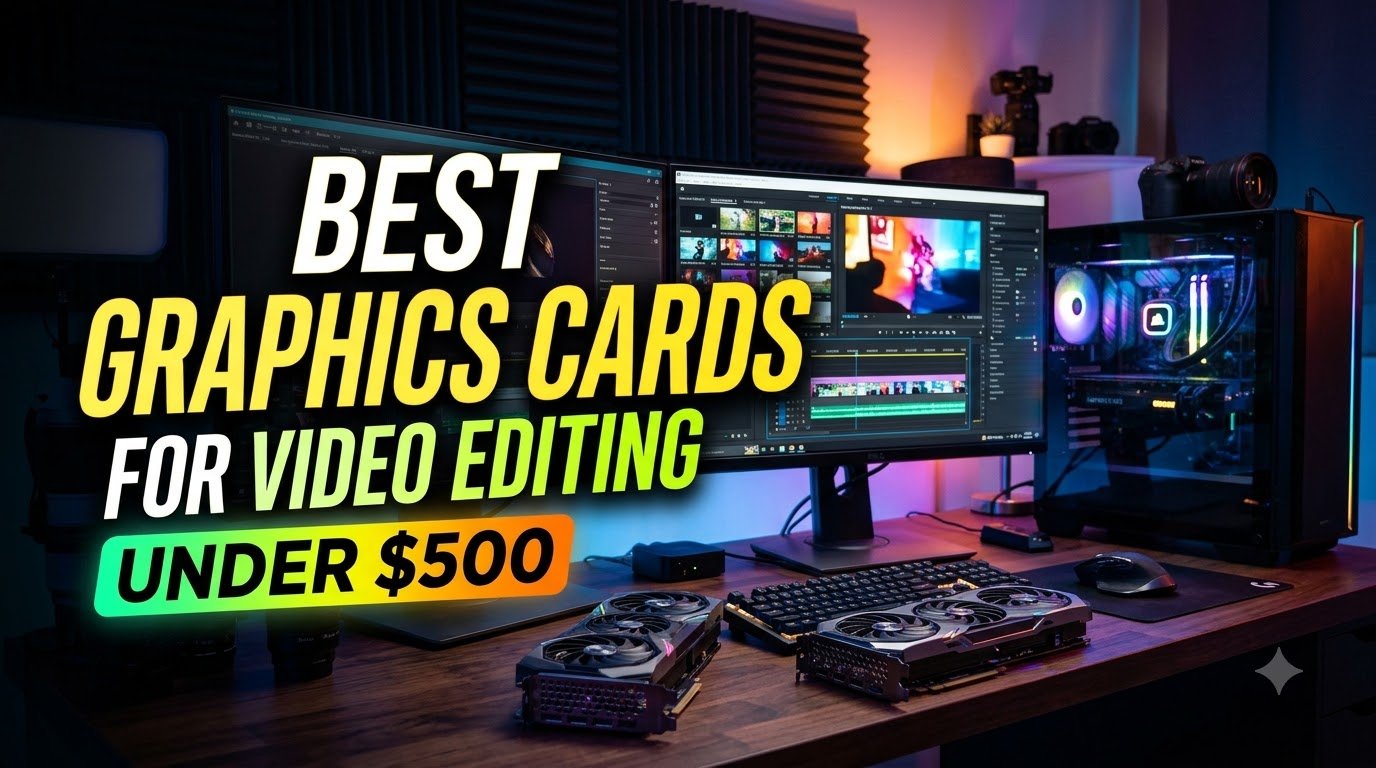
A slow card stalls a deadline when a timeline stutters and an export that should take minutes drags into the evening. The best graphics cards for video editing under $500 provide 8–10 GB GDDR6 memory for timeline work. Your choice hinges on VRAM capacity, a hardware encoder for your export codec, and whether the software relies on CUDA or OpenCL. Gaming‑oriented models push frames to a monitor rather than hold layered timelines, so this guide focuses on editing performance.
I compared each card on memory size, encoder support, and power draw, and the Sparkle Intel Arc B570 Guardian OC leads with 10 GB GDDR6. For AV1 export in Premiere or DaVinci the MSI GeForce RTX 4060 is a strong match.
The moment you know a card was the wrong one comes when a second 4K track lands on the timeline and the preview drops to a slideshow. So the picks for the best graphics cards for video editing under $500 were weighed on the memory pool and how fast it moves, since that is what holds your frames while you cut. A hardware encoder for the codec you export came next, because it takes the compression work off the processor.
The acceleration path your software uses got a hard look too, since CUDA and OpenCL are not interchangeable. Power draw and the space a card takes in the case rounded out the list, because a card that will not fit or will not run on your supply helps nobody. Length, slot width and the connectors on your power supply decide whether a card goes in at all.

The Sparkle Intel Arc B570 Guardian OC is the card I would point to first for long, layered edits, because its 10 GB of GDDR6 is the largest memory pool on this list. That headroom matters when a timeline stacks several 4K tracks, color nodes and effects: the card holds more of the working data instead of shuffling it back and forth. A 2660 MHz boost clock keeps previews and renders moving, and the 19 GHz memory clock feeds that pool quickly.
The slot and the space around it are what this card asks of a desktop. This card runs on a PCI-Express x8 interface, so your desktop needs a free x8 slot, and its two fans and metal backplate take up more room than the low-profile cards here. Squeeze it into a cramped case and airflow suffers, which shows up as louder fans and slower sustained renders. Sparkle says the two axial fans push air through a fin stack while the metal plate stiffens the board so it does not sag in the slot.
Against the XFX RX 6600 Gaming, the gap is memory: 10 GB here against 8 GB there. If your edits stay simple, the smaller card does the job.
One thing to plan for is the power and slot layout inside the case. A card this size sits close to the front intake, so leave clearance there and keep the intake filter clean, since dust build-up on two fans is the usual cause of rising temperatures months in.
I would recommend this card to an editor who cuts long, multi-layer projects on a roomy desktop and wants the memory to match. The 10 GB pool and the 2660 MHz boost clock are what earn that spot.
The one real cost is the x8 slot requirement and the board space it takes. On a desktop with a free x8 slot and a wide case, neither is a problem. In a tight build, a low-profile card leaves you more room to work.
This is the pick for an editor cutting long, multi-layer projects on a desktop with space to spare. The 10 GB of GDDR6 is the largest memory pool in this group, and that is what keeps a heavy timeline from spilling over. The XFX RX 6600 Gaming carries 8 GB, so a project that outgrows that pool is where this card earns its place. For a roomy desktop and demanding timelines, the Sparkle Intel Arc B570 Guardian OC is the one I would build around.

The XFX RX 6600 Gaming is the value pick for anyone upgrading an older desktop without swapping the power supply. XFX lists a 550 W minimum power supply requirement, a figure most modest builds already meet, so the card drops in without a new unit. The 8 GB of GDDR6 handles ordinary editing timelines, and the dual SWFT210 fans keep it steady through a render.
Day to day, this is a card you fit and forget. It measures 9.49 x 5.16 in, so it clears most mid-size cases, and it runs on a PCI-Express x8 interface. XFX says the two SWFT210 fans spin over a heatsink sized to hold clocks near 2491 MHz without the card throttling mid-export. The driver CD in the box gets you started, though downloading the current driver is the better habit.
Memory is where it trails the Sparkle Intel Arc B570 Guardian OC: 8 GB against 10 GB. On a single-layer 4K cut you will not notice, but a project with several stacked tracks can push past 8 GB, and that is when the larger pool pays off.
The x8 interface is the spec to keep in mind over the years. It limits bandwidth against x16 cards, so a future upgrade to a heavier workflow will feel the ceiling sooner. Keep the fans and heatsink free of dust, and the 3 year manufacturer warranty covers you if a fan fails.
The x8 interface caps bandwidth against x16 cards, which shows up on very heavy timelines. For basic cuts and single-layer 4K work, that ceiling rarely bites. Editors pushing multi-cam projects should look at a card with more memory.
This card is for an editor upgrading a modest desktop who would rather not change the power supply. The 550 W minimum requirement fits most existing builds, and 8 GB of GDDR6 covers everyday timelines. The Sparkle Intel Arc B570 Guardian OC carries 10 GB, so a project that outgrows 8 GB is where the extra memory matters. For a simple upgrade that keeps your current supply, the XFX RX 6600 Gaming is the sensible pick.

The MSI GeForce RTX 4060 is the card to get if your work runs through AV1 footage in Premiere or DaVinci. Its dedicated AV1 hardware encode and decode means the card compresses and plays back that codec itself. MSI says the encode hardware compresses AV1 in the card instead of the CPU, so exports finish faster and the processor stays free for everything else.
Memory is where it gives ground to the Sparkle Intel Arc B570 Guardian OC: 8 GB against 10 GB. For AV1 export work that is usually enough, since the encode block does the heavy lifting. A timeline that stacks many layers can exceed 8 GB, and that is the case where the larger pool wins.
In daily use the card stays out of the way. It measures 7.83 x 4.72 in, so it fits most mid-tower cases, and the 2505 MHz clock keeps previews responsive. MSI lists three DisplayPort outputs and one HDMI, which makes a two- or three-monitor desk easy to wire. The quick setup guide in the box covers the basics.
The 128-bit memory interface is the spec to watch as projects grow, because it limits memory bandwidth. A DisplayPort cable of poor quality can cause signal trouble on first boot, so use a cable you trust. The 3 year warranty covers the card if a fan or output ever fails.
For an editor exporting AV1 footage in Premiere or DaVinci, this is the card I would choose. The hardware encode block is the reason, and it takes that load off the processor.
The 128-bit memory interface limits bandwidth, which can slow very heavy multi-layer timelines. For AV1 export work the encode block carries most of the load, so the ceiling rarely shows. Editors with deep layer stacks should weigh more memory.
This is the pick for an editor exporting AV1 footage in Premiere or DaVinci. The dedicated AV1 hardware encode and decode handles that codec in the card, and the 8 GB of GDDR6 covers typical projects. For AV1-heavy work, the MSI GeForce RTX 4060 is the one to take.

The MSI GeForce RTX 4060 2X is the card I would point to when the desk is small and the room is quiet. Its 7.83 x 4.72 in footprint leaves room for drives and cable runs in a compact build, and the 8 GB of GDDR6 memory carries a 4K timeline without strain. MSI says the fans stop completely when temperatures are relatively low, so an idle editing session makes no noise at all. I like that most about it: the card disappears from your ears until the render starts.
Two fans and a large heatsink handle the heat, and a reinforcing backplate with a flow-through design adds ventilation behind the board. Day to day that means a card that stays cool through a long cut and spins up only when the work gets heavy. The 8 GB of memory is the figure to keep in mind, because it sets how ambitious your timelines can get.
The Sparkle Intel Arc B570 Guardian OC carries 10 GB of graphics memory against the 8 GB here, and that extra room matters once a project stacks several 4K layers or pushes toward 8K. For a compact desk where the case is the tight constraint, the smaller card still does the job.
Fit the card into a PCI-Express x16 slot and leave the space around the fans open, since the flow-through backplate needs somewhere for warm air to go. A crowded bay traps that heat and the fans run longer than they need to.
The 8 GB of memory is the one place this card asks you to plan around. Demanding 8K projects can run past what it holds, so footage at that scale may need proxies or a lighter timeline. For 4K cutting on a compact desktop, that ceiling rarely comes into play.
This one belongs on a compact, quiet desktop where 4K footage is the daily work. The short 7.83 in length and the fans that stop at low temperatures keep a small build cool and silent. For a tight case and a quiet room, the MSI GeForce RTX 4060 2X earns its place.

The GIGABYTE Radeon RX 6600 Card is built for the editor who leaves exports running for hours in a full-size tower. GIGABYTE’s WINDFORCE 3X cooling uses three alternately spinning fans, and the maker says the opposite directions keep airflow from fighting itself. Screen Cooling vents then push heat out through the card instead of letting it pool inside the case. That combination is what makes long sessions comfortable rather than tense.
Length is the number to settle first. At 11.1 in, the card needs a case with clear room in front of the slot, and a short tower will not take it. A card that does not seat is no use at all, so the bay depth matters as much as the cooling.
Against the Sparkle Intel Arc B570 Guardian OC, the memory gap is the one that changes a purchase. The Sparkle card holds 10 GB of graphics memory, and the 8 GB here fills faster on heavy multicam timelines. For long exports of ordinary 4K projects, the three-fan cooling does more for you than the extra memory would.
The card lists desktop as its compatible device and runs over a PCI Express interface, with DisplayPort and HDMI outputs for your monitors. Keep the intake side of the case clear so the three fans get cool air, and the cooling design does the rest.
The 11.1 in length is the real obstacle, and many mid-size cases cannot take it. If your tower is short, this card is the wrong pick no matter how good the cooling is. In a full-size case with open bay space, the length costs you nothing.
An editor with a full-size case and a habit of running long export sessions gets the most from this card. The three-fan WINDFORCE cooling and the Screen Cooling vents are made for sustained work. In a roomy tower, the GIGABYTE Radeon RX 6600 Card is a steady companion for the hours an export takes.

The ASUS Dual NVIDIA GeForce is notable for the memory it carries: 8 GB of GDDR6X, a faster type than plain GDDR6. ASUS pairs it with an OC boost of 1710 MHz, so renders finish sooner and scrubbing stays smooth. I would recommend it to anyone who wants quicker memory in a two-slot build and does not want a taller heatsink crowding the case.
ASUS credits its Axial-tech fans with a smaller hub and a barrier ring that push air down harder, which is how the card cools without a taller heatsink. The maker also fits dual ball fan bearings that it says can last up to twice as long as sleeve bearing designs. In daily cutting, that means less worry about fan wear over the years you keep the card.
The two-slot design is what this card asks of a case. It needs clearance in a compact case, and a bay that is already tight will not close around it. Slide the card in and check that the fans have open air in front of them before you button the panel.
The MSI GeForce RTX 4060 2X weighs 546 g against 635 g here, and that lighter build is easier on a small board. For a two-slot build where memory speed is the goal, the GDDR6X here is the reason to pick it.
The box holds the card, a collection card and a Speedsetup manual, and the card carries a 3 year warranty. Keep the manual with your build notes, since the setup steps are worth having on hand if you move the card to another machine.
The two-slot design needs room, and a compact case with a crowded lower bay can leave the fans starved of air. That is a real problem for a small-form-factor build. In a standard mid-tower with open slots below, the thickness is easy to live with.
Faster memory in a two-slot build is what this card delivers, and the GDDR6X is the part that speeds up editing work. A lighter card on a small board is the other path, and the MSI GeForce RTX 4060 2X at 546 g meets that need better. For an editor who wants quicker memory and has the slot room, the ASUS Dual NVIDIA GeForce is the one to take.

The Intel Adapter is the card to reach for when your desktop has a standard x16 slot and your monitors connect over DisplayPort. Its 8 GB of GDDR6 memory gives editing software room to hold timeline data, and the x16 link carries that data at full lane width. Intel credits the Arc A750 design for the 8 GB pool, and the 16 GHz memory clock keeps transfers moving briskly.
Your case needs clearance for a card that weighs 907 g and takes a full-length slot, so look at the bay depth and the power leads before the card goes in. A card that long can foul a drive cage or a front fan, and then the slot sits empty until you rearrange the interior.
Keep the intake side of the card clear of cables and drive trays once it is mounted. A card fed clean air holds its clocks through a long export, and dust that packs the fins over months is the usual reason a working card starts to throttle.
The DisplayPort output is the one thing to plan around. An HDMI monitor needs an adapter or a different cable, and without one you get no picture at all. For a DisplayPort setup that cost never comes up.
The DisplayPort-only output is the weak spot, and it bites anyone whose monitor takes HDMI. You need an adapter or a swap cable before the card shows a picture, and a cheap adapter can drop the signal at high resolution. On a DisplayPort monitor the card plugs in and works.
This card belongs in a desktop with a free x16 slot and DisplayPort monitors, where its 8 GB of memory and full-width link carry editing work without fuss. An editor who wants faster memory in a two-slot build gets a quicker memory type from the ASUS Dual NVIDIA GeForce, which runs GDDR6X. The Intel Adapter stays the straightforward pick for a standard slot and a DisplayPort screen.

The MSI Gaming GeForce GTX 1660 is built for an older desktop with a modest power supply, and its 120 W draw sits comfortably on the 450 W unit MSI recommends. That leaves headroom for the rest of the system, so a basic editing machine can gain a graphics card without a new power supply.
Its 6 GB of GDDR6 runs on a 192-bit interface, and MSI notes that the wider bus moves data in bigger chunks than a 128-bit card, which helps when you scrub a timeline. The 1830 MHz boost clock keeps previews and renders moving on simple cuts.
Fit the card into an 8.1-inch space and give it a standard PCIe power lead on first install. A card that long can press against a front fan or a drive cage in a small case, and the fit is worth settling before the side panel goes back on.
Keep the two fans and the fins clear of dust, because a card this size relies on steady airflow through a short body. Blow the fins out every few months and the cooler keeps its headroom through long sessions.
The 6 GB pool is the point where this card and the ASUS GeForce GTX 1660 part ways, since both carry 6 GB. The ASUS card brings 1408 CUDA cores to CUDA-accelerated work, and that matters when your software leans on CUDA for effects and exports.
There is no hardware encode or decode for newer codecs such as AV1, so those files lean on the processor and exports take longer. For basic cuts in older codecs that gap rarely shows. An editor working mostly in AV1 will feel it on every export.
Yes, if your desktop has a 450 W supply and you cut simple projects, this card adds graphics power without a power supply swap. An editor on a micro-ATX board who needs CUDA support gets 1408 CUDA cores from the ASUS GeForce GTX 1660. The MSI card keeps its place in an older low-wattage machine doing basic cuts.

The ASUS GeForce GTX 1660 is the CUDA pick, with 1408 CUDA cores and 6 GB of GDDR6 for software that leans on CUDA acceleration. On a micro-ATX board the card fits, though its 2.7-slot footprint covers a third PCIe slot in a compact build. The 9.5-inch length is the number to hold against your bay, because a card that long crowds a small case and can block a drive cage.
ASUS credits the dual-fan cooler with doubled airflow, and the two fans can spin slower for the same cooling, which keeps the card quiet at idle. The 6 GB of GDDR6 memory helps timeline scrubbing and export in editing work.
Let the Nvidia driver install itself if the ASUS installer stalls on driver setup, since the auto-install path gets the card recognized. Then open GPU Tweak II to watch clocks and temperatures during a render.
Watch temperatures when you push the card with a manual overclock, because it runs warm even with the fan curve adjusted. A steady fan curve and clean fins keep it in range for long sessions.
The 6 GB of memory is the shared ground with the MSI Gaming GeForce GTX 1660, and the two differ on the CUDA count. The MSI card draws 120 W on a 450 W supply, which matters when your power supply is the tight part of the build.
The 2.7-slot footprint and 9.5-inch length are the real costs, and they crowd a compact case by covering a third PCIe slot and pressing near the front bay. In a micro-ATX build with room to spare that is a minor annoyance. In a slim case it can rule the card out entirely.
This card is for an editor on a micro-ATX board who needs CUDA support, where 1408 CUDA cores carry accelerated effects and exports. An editor on an older low-wattage desktop gets a 120 W draw from the MSI Gaming GeForce GTX 1660, which eases the load on a small supply. The ASUS GeForce GTX 1660 keeps its ground wherever CUDA work and a roomy bay come together.

The ASRock Intel Arc A310 Low Profile is the card for a slim or small-form-factor desktop where a full-height board simply will not go. Its 6.65-inch length and low-profile shape are the whole reason it exists, and the 2.72-inch width keeps it inside narrow chassis walls. A standard-height card in that space either blocks the side panel or crowds the airflow, so the low-profile build is what makes the machine usable at all.
Two fans cool the card in a tight bay, and ASRock says the 0dB Silent Cooling stops them during light work, which keeps a small case quiet on simple cuts. The card draws little enough that ASRock states it needs no additional power connector in most systems, so an older small power supply can usually carry it. DisplayPort 2.0 with DSC and HDMI 2.0b let you run more than one monitor from the single slot.
Fit the low-profile bracket before the card goes in, because a slim chassis needs the short bracket and the full-height one will not clear the panel. ASRock asks buyers to confirm the bracket is included and that the case has room, and doing that first saves a return. Keep the intake side of the case clear so the two small fans can pull air through the confined space.
The 4 GB of GDDR6 on a 64-bit bus is the real ceiling here, and it shows on 4K footage, multicam timelines and heavy effects stacks. For basic cuts, proxy workflows and a second monitor in a small office machine, that memory is not a problem. If your projects stay light and the case is the hard constraint, this card does its job.
The 4 GB of memory on a 64-bit bus is where this card runs out of room. Long 4K timelines, multicam edits and layered effects ask for more than that pool can hold, and the card slows or stutters as a result. For simple cuts and everyday desktop work in a slim case, the limit rarely shows. The 90-day warranty is also short cover for a working machine, so plan on replacing it sooner than a three-year card.
This is the pick for an editor whose case leaves no room for a full-height card and whose footage stays modest. The low-profile 6.65-inch body and the no-extra-connector design let it drop into a small desktop without a power supply swap. In a tight bay, though, the ASRock is the card that actually goes in.

The EVGA GeForce GTX 1080 stands out in this list for one reason: it shows you its own heat. EVGA fits 9 additional temperature sensors that watch the memory and VRM, and indicator LEDs report GPU, memory and PWM status at a glance. On an older desktop where you want to see trouble coming before a long export throttles, that visibility is the point.
Length is the number to settle first. This is a full-size card, and a short case or a crowded bay will not take it without forcing cables against the fans. The 1.36 kg weight also asks the slot and the case to hold a heavy board steady, so a sagging mount is worth avoiding.
The 8 GB of GDDR5X at 10000 MHz gives you a memory pool that handles 1080p and 1440p timelines well, and the 1847 MHz boost clock keeps scrubbing responsive. EVGA credits its vented heatsink fin design and pin fins with better airflow, which pairs with the sensor readout. Keep the intake side clear and the fans free of dust so the sensors report normal heat rather than a clogged cooler.
The maximum resolution is 3840×2160, so a 4K monitor is the top of what this card drives. For an older desktop doing 1080p or 1440p editing, that is plenty. I feel for anyone nursing an aging machine along, and a card that tells you when it is running hot makes that job less of a guess.
The maximum resolution of 3840×2160 caps what this card can drive, so a 5K or 8K display is out of reach. For 1080p and 1440p editing on an older desktop, that ceiling never comes into play. The 1.36 kg weight also asks a lot of the slot and case, which matters in a thin or lightly built chassis.
This card is for an editor on an older desktop who wants to watch temperatures rather than guess at them. The 9 thermal sensors and status LEDs make a struggling card visible before it throttles, and the 8 GB of GDDR5X carries 1080p and 1440p timelines comfortably. An editor who needs to drive a display beyond 4K gets more from the MSI GeForce RTX 4060, whose maximum resolution is 7680 x 4320. For heat watching on a 4K-or-below desk, the EVGA is the one to take.
Editing speed shows up in export times and timeline scrubbing, not in frame rates from games. A card that wins a game benchmark can lose an export test, because the two workloads stress different parts of the chip. Look for tests that run your own software on your own footage type, and treat a gaming frame rate as background noise.
Memory bandwidth and memory bus width move large frames through the card, and a wide bus with fast memory keeps a long render from stalling. A listing that promotes capacity without the bus width hides half the story, so read both numbers together. The Sparkle Intel Arc B570 Guardian OC pairs its 10 GB of GDDR6 with a 19 GHz memory clock, which is the kind of pairing that matters on a layered timeline.
Display resolution claims are the other trap. An 8K or 7680 x 4320 output figure describes what the card can drive to a monitor, not how large a timeline it can cut. Judge a card on editing tests with real footage, and let the display spec stay a display spec.
VRAM holds the frames your software is working on, so a thin pool forces the card to shuffle data to system memory mid-edit. Aim for at least 8 GB for 1080p editing and 12 GB for 4K timelines as a working rule. The span here runs from 4 GB on the ASRock Intel Arc A310 Low Profile to 10 GB on the Sparkle Intel Arc B570 Guardian OC, and the low end leaves little room for stacked tracks. For more help, see this related guide.
You can estimate the frame-buffer share yourself. A 4K 10-bit 4-layer timeline needs roughly 4 GB just for frame buffers, before effects and color nodes take their share. That sum shows why a 4 GB card struggles once a second track appears. For more help, see this related guide.
Bandwidth matters as much as capacity. Buying the smallest pool to save money is the mistake to avoid; the timeline decides, not the price tag.
A hardware encoder compresses video on the card instead of the processor, and each generation handles a different set of codecs. H.264 and HEVC are widely supported, AV1 is newer, and a card without an AV1 block falls back to software encoding for that format. Assume nothing about which formats an encoder covers; read the codec support for the card you are considering.
The MSI GeForce RTX 4060 carries AV1 hardware encode and decode, which shortens AV1 exports in Premiere and DaVinci. The MSI Gaming GeForce GTX 1660 has no hardware encode or decode for newer codecs like AV1, so modern workflows lean on the processor there. Test hardware encoding with a short sample clip before a long project, and compare the export time against a software encode.
Software settings decide whether the encoder is used at all. Turn on hardware acceleration in the export dialog and confirm the card is selected as the encoder. A fast encoder left switched off changes nothing about your export times.
CUDA and OpenCL are the two acceleration paths, and your editing software decides which one you live with. Premiere Pro leans on CUDA for Nvidia cards, and DaVinci Resolve runs well on OpenCL with AMD cards. Check the vendor’s recommended path for your application before you commit, because a card on the wrong path can run slower than its hardware suggests.
Nvidia cards with NVENC suit Premiere Pro CUDA workflows, and AMD cards with a media engine suit DaVinci Resolve users on OpenCL. The ASUS GeForce GTX 1660 carries 1408 CUDA cores for software that leans on CUDA acceleration. The GIGABYTE Radeon RX 6600 Card is the AMD side of that choice, with 8 GB of GDDR6 and a 128-bit interface.
Uncertainty about AMD cards in Premiere Pro and high-resolution formats is worth settling with a test project before a deadline. Install the current driver, open a short sequence in your own software, and watch whether acceleration is active. A card that accelerates your application beats a faster card that does not.
The clear space in front of the slot, held against the card length, tells you whether a card seats. Slot width matters too, since a tall cooler can cover the next slot on a compact board. The GIGABYTE Radeon RX 6600 Card runs 11.1 in long, and the ASRock Intel Arc A310 Low Profile runs 6.65 in for a slim chassis.
Power is the second gate. Leave 15 percent headroom between the card’s draw and the supply’s rated wattage, and make sure the supply has the required PCIe connectors without adapters. The MSI Gaming GeForce GTX 1660 draws 120 W and recommends a 450 W supply, which fits an older desktop. Cards with dual 8-pin or 12vhpwr connectors ask more of the supply and reward a stable unit.
Keep the exhaust path clear of cables and other components once the card is seated. Discharge static before handling the card by touching bare case metal. A DisplayPort cable of poor quality can leave you with no signal on first boot, so try a known cable before blaming the card.
Measure case clearance in front of the slot to the nearest millimeter
Power supply wattage and PCIe connector count decide whether a card runs.
Match VRAM to your timeline resolution and layer count
The hardware encoder decides whether your export codec runs on the card or the processor.
Install the current driver before the first editing session
Watch VRAM usage in Task Manager during a real project
For 4K editing you want at least 8 GB, though 10 GB or more gives breathing room for effects and color grades. The top pick in this guide, the Sparkle Intel Arc B570 Guardian OC, carries 10 GB. Eight-gigabyte cards handle lighter 4K timelines if you close other apps. Watch VRAM usage in Task Manager during a real project to see where you land.
It fits only when the measured clearance and the supply both clear the card’s needs. Measure the space in front of the slot to the nearest millimeter, then compare it with the card length. Leave 15 percent headroom between the card’s draw and the supply’s rated wattage, and confirm the PCIe connectors are present without adapters. A short tower will not take a long card, and a weak supply will throttle or shut down.
Install the current driver from the chip maker before your first editing session, and avoid mixing vendor utilities. A clean install removes leftovers from an older card. If an app crashes, roll back one driver version and retest with a short project. The ASUS GeForce GTX 1660 notes that the Nvidia driver auto-install works when the ASUS installer fails on driver setup. Confirm GPU acceleration is switched on in the app’s preferences.
No, CUDA is not strictly necessary, but Premiere Pro leans on it for Nvidia cards and that path is the best tested. AMD cards run through OpenCL and work, though some high-resolution formats behave differently. Test your own footage in your own software before a deadline.
It depends on the card’s generation, so read the codec support for the model you are considering. H.264 and HEVC are widely handled, AV1 is newer, and a card without an AV1 block falls back to software for that format. The MSI GeForce RTX 4060 carries AV1 hardware encode and decode. Test hardware encoding with a short sample clip and compare the export time.
They ask for dust clearing, steady airflow and a driver check now and then. Blow dust out of the fans and heatsink on a schedule, because a clogged cooler raises temperatures during long exports. Keep the exhaust path clear of cables and other components. Fan noise and heat climb under sustained heavy loads, so watch temperatures during a long render and act when they drift upward.
For long, multi-layer projects on a desktop with room to spare, get the Sparkle Intel Arc B570 Guardian OC, whose 10 GB of GDDR6 keeps a heavy timeline from spilling over.
Editors upgrading modest desktops avoid a power supply swap with the XFX RX 6600 Gaming.
An editor exporting AV1 footage in Premiere or DaVinci should take the MSI GeForce RTX 4060, because its hardware encode block handles that codec in the card.
Most editors here need one card that holds a layered timeline and keeps previews responsive through a long day, and the Sparkle Intel Arc B570 Guardian OC meets that need with the largest memory pool in this group. The 10 GB of GDDR6 is the reason it settles the question for a roomy desktop, since that pool is what keeps a heavy project from spilling into system memory. If your work runs through AV1 footage in Premiere or DaVinci, the MSI GeForce RTX 4060 is the better buy instead, because its hardware encode block takes that compression off the processor. Plan for the Sparkle card’s x8 slot and the board space its two fans and backplate take, and leave clearance at the front intake so the cooler keeps its headroom.