12 Best Leggings (November 2026) Reviews & Top Picks
When your waistband rolls during squats or fabric turns sheer in bright light, finding the best leggings can feel frustrating.…

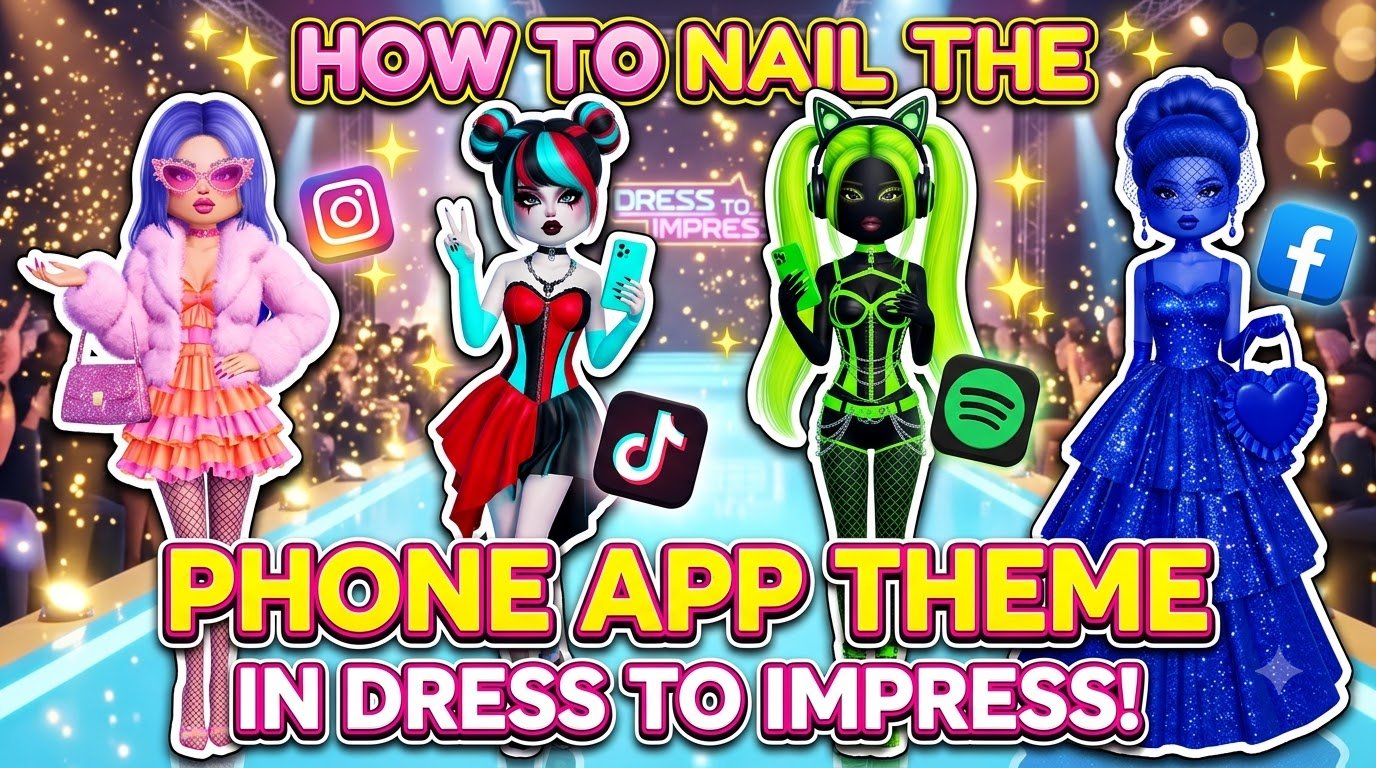
The Phone App theme in Dress To Impress (DTI) turns you into a living app icon, and it freezes most players the second the banner appears — what does “phone app” even mean with no picture to copy? I built and photographed two complete looks in Freeplay Mode: a black-and-teal music app outfit and a hot-pink-and-yellow photo-sharing app outfit. Every piece and color works on a fresh account, so both looks cost 0 Robux and need no VIP. Below you get the exact Default-palette positions, step-by-step instructions, a color cheat sheet for every other app type, and the voting strategy that pushes simple Phone App looks onto the podium in 2026.
| Look | App you’re dressing as | Main colors | Cost / VIP |
|---|---|---|---|
| Look 1 | Music app (dark screen, one accent) | Black + teal | Free, no VIP |
| Look 2 | Photo-sharing app (warm gradient) | Hot pink + yellow | Free, no VIP |
Phone App is one of the round themes in Dress To Impress — tracker sites list it alongside the game’s 500-plus themes, filed under pop culture. The round gives you 6 minutes (360 seconds) to dress, an 18-item limit (24 with the Increased Item Limit pass), then everyone walks and the lobby rates each look 1–5 stars; the top three hit the podium. Since theme voting was removed on May 9, 2026, the theme is random unless someone spends a Theme Prop (75 Robux, or earned free from the Baddie Pass) to force it. My advice: rehearse both looks in Freeplay Mode, where the timer and judges disappear — it’s the same mode I used to collect every charm in the DTI KATSEYE scavenger hunt.
Do these once — both outfits wear the same face, hair and boots.
A music app is a dark screen with one loud accent color, so the whole outfit is one recolored dress plus the shared base.
A photo-sharing app reads as a warm gradient — hot pink through orange into yellow, like a social app’s splash screen. Keep the braids, face and boots; swap only the clothes.
Dress as the app kind, never the logo — real logos are off-limits, and judges recognize colors faster anyway. Pick two or three colors from the table, block them across your biggest pieces, then repeat one accent somewhere small (a bow, nails, boots).
| App type | Read as | Color combo |
|---|---|---|
| Music (Spotify-style) | Dark + energetic | Black + green |
| Video (TikTok-style) | Neon scroll | Black + cyan + hot pink |
| Streaming (YouTube-style) | Bold and simple | Red + white |
| Social (Instagram-style) | Sunset gradient | Purple + pink + orange |
| Chat (WhatsApp-style) | Fresh and clean | Green + white |
| Maps | Utility cool | Green + blue |
| Games | Arcade chaos | Neon purple + lime |
It’s a round theme where you dress as a kind of phone app. The game shows only the name, so players wear an app type’s signature colors and vibe — music, photos, video, chat, games — instead of any real logo.
Two proven answers: a black mini dress with a teal corset panel and teal hair bow for a music app, or a hot pink corset top with a yellow ruffle skirt for a photo-sharing app. Both are free and built in minutes.
Yes. I built both looks on a base account with no VIP and 0 stars — every piece came from the standard Dressing Room, salon and shoe shelves, and every color came from the free Default palette.
Open the Wearing panel, click the item’s picture, then the Palette tab. The arrow steps through each color part (like “2/5: Preview”), and you click a heart to set that part’s color.
Yes, with a Theme Prop: buy one for 75 Robux or earn it free from the Baddie Pass, then select Phone App for the next round. Without one, themes are random since the May 9, 2026 voting change.