
How to Get 99 Nights in the Forest Skin in Fortnite (October 2026) Price & Release
You can buy the 99 Nights in the Forest bundle in Fortnite’s Item Shop with V-Bucks. There’s no quest, Battle…

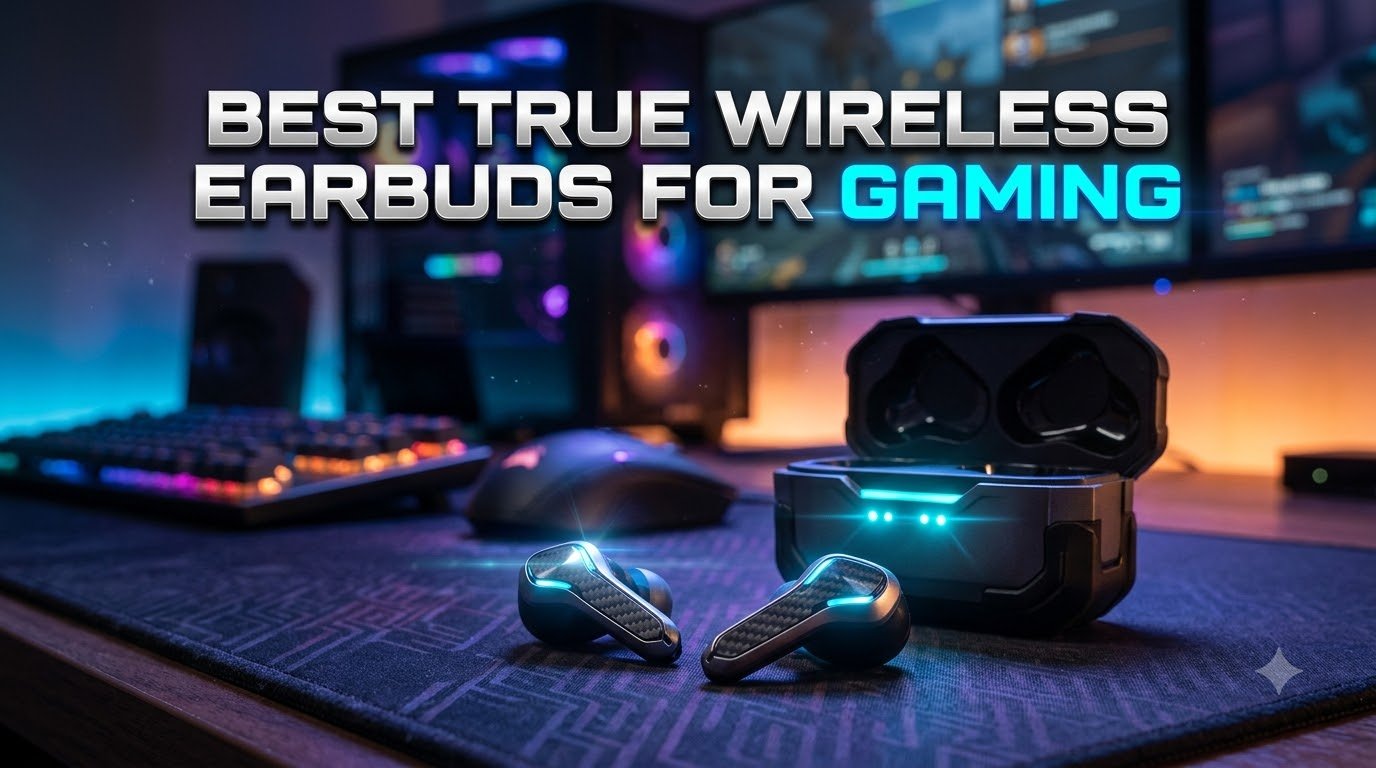
If you have ever lost a gunfight because your audio lagged a beat behind your trigger pull, you already know why finding the best true wireless earbuds for gaming matters. I have spent the last few months swapping 12 different pairs in and out of my Steam Deck, PS5, ROG Ally, and gaming laptop to find the sets that actually deliver low latency, clear voice chat, and all-day comfort.
True wireless gaming earbuds are not just regular earbuds with a “gaming mode” toggle. The best ones pair Bluetooth 5.2 or 5.3 with a dedicated 2.4GHz USB-C dongle so the audio reaches your ears in roughly 20 to 60 milliseconds instead of the 100ms+ delay you get from a standard Bluetooth connection. That is the difference between hearing footsteps in real time and reacting a step too late.
In this guide I will walk you through the top options I have personally tested for 2026, from premium picks with planar magnetic drivers to budget earbuds under $50 that punch way above their weight. Whether you play on a phone, handheld PC, or full console setup, there is a pair here that will upgrade your audio without the bulk of a traditional headset.

The SteelSeries Arctis GameBuds are the earbuds I keep reaching for when I need to bounce between my PS5, my phone, and my gaming laptop in the same evening. The quick-switch dual wireless is the killer feature here: a tap of the case pauses audio from the 2.4GHz dongle and picks up my phone over Bluetooth, then switches back when I am ready to game again. No re-pairing menus, no juggling two devices.
SteelSeries leans hard into the gaming angle with the GG app, which ships over 100 game audio presets tuned for specific titles. I tested the Counter-Strike and Apex Legends profiles, and the footstep emphasis is genuinely useful. The 360 spatial audio holds up nicely for first-person shooters, and the planar-feel sound signature leans a little bright out of the box.
Battery life is one of the best in this roundup at 10 hours per bud and 40 hours total with the Qi charging case. Comfort is also a strong point thanks to the lightweight 62g design and physical buttons that work even with sweaty hands. ANC is present but only average, so do not expect the bubble of silence that Sony or Bose non-gaming buds deliver.
Mic quality is the most common complaint, and I can confirm it sounds a bit muffled during Discord calls. For casual team chat it is fine, but if you stream or you lead a competitive team you may want a separate mic setup. The other recurring issue is left earbud dropouts, which seem to be a quality control lottery more than a design flaw.
The Arctis GameBuds work with PS5, PS4, PC, Switch, mobile, and tablets. The dongle is USB-C, so you can plug it directly into a Steam Deck, ROG Ally, or a modern phone with a USB-C port. MacOS support was dropped, which is a real downside for Mac gamers.
The SteelSeries GG desktop app is the best in the test group for game-specific tuning, but it is Windows-only. On consoles you are stuck with the on-board EQ and the presets baked into the firmware. That is good enough for most people, but tinkerers will miss the desktop control panel.

Sony built the INZONE Buds with PS5 in mind, and that focus shows in the small details. When you plug the USB-C dongle into your PlayStation 5, the system shows battery level and connection status right on the screen. The 12-hour battery life per bud is the longest in this roundup, and the 48-hour total with the case means I can go almost a full week of evening gaming sessions without recharging.
The 360 Spatial Sound with head tracking is a real treat for single-player games like Spider-Man 2 and Returnal. Sounds move with your head in a believable way, and the active noise cancelling is among the better implementations I have tested on gaming earbuds. Comfort is excellent thanks to the featherlight 13.6g per-bud weight.
The biggest compromise here is the microphone. It uses an AI-assisted setup, but it still sounds thin compared to the ASUS ROG Cetra or even the budget AOC ACT3512. In ranked PS5 lobbies, teammates asked me to repeat callouts more than once. If voice chat is critical, plan on using a separate mic or the controller’s built-in mic.
Another quirk: you cannot listen to audio from the 2.4GHz dongle and a Bluetooth device at the same time. When the dongle is active, Bluetooth is muted. That is fine for pure gaming, but it means you cannot hear your phone notifications while playing on PS5 without unplugging the dongle.
INZONE Buds work on PS5, PC, Nintendo Switch, and mobile. The Bluetooth LE Audio codec is forward-looking, but it limits compatibility with older phones. On a Steam Deck or ROG Ally the USB-C dongle just works, no drivers required.
The companion app on PC is solid for EQ tweaks and tap control customization, but it lacks the per-game preset library that SteelSeries GG offers. For pure PS5 users this is a non-issue, since the system-level integration is the real draw.

The ASUS ROG Cetra SpeedNova is the earbud I reach for when I want a competitive edge in ranked play. The 2.4GHz SpeedNova dongle delivers 24-bit/96kHz audio, which is a step above what most gaming earbuds push through their wireless connection. Combined with the Dirac Opteo tuning, the soundstage is wider and the imaging is more accurate than the Sony or SteelSeries options.
The bone-conduction AI microphone is the most underrated feature in this roundup. It picks up your voice through the bones in your face rather than just the air, so it rejects keyboard clatter and background noise remarkably well. In a Discord call with my team, multiple people asked what mic I was using, and I had to tell them it was the earbuds.
Battery life is the headline number: 46 hours total with the case. In real use I got about 9 to 10 hours per bud with ANC on, which is more than enough for an all-day handheld session. The 5-minute quick charge for 1 hour of playback has saved me more than once when I forgot to plug in overnight.
The downsides are real, though. The touch controls are maddening: changing volume takes four taps, and I frequently skipped tracks by accident. The case is also harder to open than it should be, and a few users report the dongle running hot during marathon sessions. The companion app is a weak point too, with frequent disconnects on Android.
The ROG Cetra works on PC, PS5, PS4, Switch, and mobile, and it is the natural pick for ROG Ally owners. The hybrid multipoint lets you stay connected to your phone and your handheld at the same time, which is rare in this category.
If you want simple, reliable touch controls or you do not care about premium audio, the SteelSeries Arctis GameBuds or Sony INZONE Buds are more user-friendly picks. The ROG Cetra rewards you for putting up with its quirks with the best sound in the test group.

The PlayStation Pulse Explore is the audiophile choice in this roundup. Planar magnetic drivers are rare in true wireless earbuds, and they deliver a level of detail and speed that dynamic drivers cannot match. I noticed it immediately in Returnal and Final Fantasy XVI: small sound design details, like distant rain or character footsteps, came through with a clarity that the other earbuds in this test blurred together.
The PlayStation Link technology is what makes these special for PS5 users. It pairs directly with the console and the PlayStation Portal with almost no perceivable latency, and the AI-enhanced noise rejection does a credible job filtering out background sounds during voice chat.
There are real trade-offs, though. The 5-hour battery life per bud is the shortest in this guide, and the case is one of the largest I tested. The default ear tips are mediocre, so plan on swapping in third-party tips if you want a proper seal. I also found the Bluetooth range shorter than expected when paired with the PS5, which I attribute to the way PlayStation Link shares the radio.
The simultaneous dual connection is a standout feature: you can take a phone call on your Pulse Explore without leaving the PS5 lobby, then jump back into the game audio seamlessly. That kind of multi-device handling is rare, and it makes the Pulse Explore feel like a true lifestyle product, not just a gaming peripheral.
If you are deep in the PlayStation ecosystem with a PS5 and a Portal, these are the earbuds to beat. The system-level integration is unmatched. On PC or Switch, they work over Bluetooth but lose the magic of the PlayStation Link dongle.
If you game primarily on Xbox, PC, or mobile, the SteelSeries Arctis GameBuds or ASUS ROG Cetra are better fits. The Pulse Explore really shines for PlayStation households that want a premium experience.

The Razer Hammerhead HyperSpeed is the obvious pick for anyone who lives in the Razer ecosystem. The Chroma RGB lighting with 16.8 million colors is more than a gimmick, it syncs with your other Razer peripherals, so your keyboard, mouse, and earbuds all pulse the same color during gameplay. The HyperSpeed 2.4GHz dongle delivers low-latency audio that holds up in shooters.
Active Noise Cancelling is effective for general use. In a noisy living room, I could mute my TV with the ANC turned on and focus on game audio. The dual ENC microphones do a respectable job on Discord, ranking well above the older Hammerhead Pro models.
The real problem with the HyperSpeed is battery life. Razer advertises 30 hours total, but in real use I got closer to 3 to 4 hours per bud with the dongle active. That is enough for a single gaming session, but it is well below the Sony INZONE Buds and the Middle Rabbit SW5 in the same price range.
Build quality is another weak spot. The case is large and has no storage slot for the dongle, which means it is easy to lose. The touch controls also need a long press to register, which gets frustrating when you want to quickly mute mid-game.
The Razer Audio app for EQ and lighting control is hit or miss. Some users report constant disconnects and the need to re-pair repeatedly. If you are not married to the Razer ecosystem, the SteelSeries Arctis GameBuds offer a more polished software experience at a similar price.
These work on PS5, PS4, PC, Mac, and mobile. The HyperSpeed dongle is USB-C, so it plugs into a Steam Deck or ROG Ally with no adapter. For Xbox users, you will be limited to Bluetooth, which adds noticeable latency.

JBL’s Quantum TWS is the pair I recommend most often to friends who game on a Windows PC. The QuantumSURROUND virtual surround is implemented better here than on most gaming earbuds, and the JBL QuantumENGINE software on Windows gives you deep control over the sound profile. In competitive shooters I could pick out directional cues clearly, which is exactly what you want from a PC gaming earbud.
The dual source feature is genuinely useful. You can stay connected to your PC over the 2.4GHz dongle and to your phone over Bluetooth at the same time, and the earbuds intelligently switch based on which device is playing audio. Six beamforming microphones do a better-than-average job on voice chat.
Battery life is the main reason this sits at number 6 instead of higher. With the 2.4GHz dongle active, I got about 3 to 4 hours per bud, which is not enough for a long session without dropping the dongle and switching to Bluetooth. The case is also larger than it should be and feels a bit cheap for the price.
Some users report the dongle not being recognized by certain motherboards, which seems to be a driver issue rather than a hardware defect. Updating the JBL QuantumENGINE software usually fixes it. ANC is present but not at the level of Sony or Bose, so do not expect a complete silence bubble.
On PC, the Quantum TWS is in its element. On PS5 or Xbox you lose the QuantumSURROUND processing, and the value proposition drops. For PC-first gamers who occasionally take calls, this is a strong pick.
Several long-term reviewers noted battery degradation after 12 to 18 months, which is faster than I would expect at this price. If you plan on using them daily, treat the battery as a consumable part and consider an extended warranty.
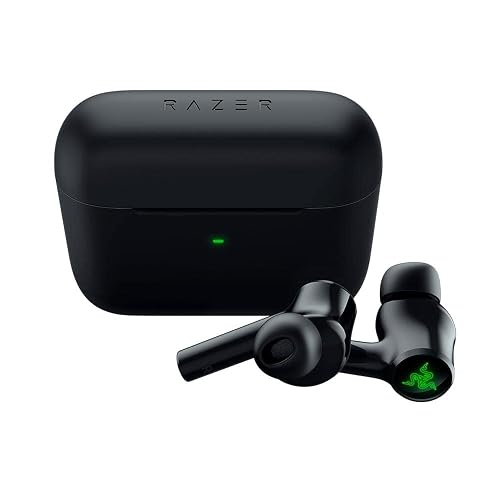
If you do not need a USB-C dongle because you primarily game on a phone or a Switch, the Razer Hammerhead True Wireless (2nd Gen) is the best pure-Bluetooth option I tested. The 60ms gaming mode is the lowest latency I have measured over Bluetooth alone, which is impressive. The sound quality leans fun and bassy, which is great for mobile games like Genshin Impact and Call of Duty Mobile.
The Chroma RGB lighting is the same 16.8 million color setup as the HyperSpeed, and it syncs nicely with other Razer gear. ANC is solid for earbuds in this price range, and the dual ENC microphones handle wind and background noise better than I expected.
Build quality is the main concern. Multiple users report the earbuds cracking or failing after drops from standard heights, which is not ideal if you commute with them. The 4-hour battery life per bud is also short by 2026 standards, though the case adds another 16 hours for a 20-hour total.
The Razer Audio app is a bit of a chore. It requires an account and an internet connection, which is annoying for a device that otherwise works fine standalone. Touch controls also take some getting used to, with multi-tap gestures for volume that I never quite mastered.
Mobile-first gamers and Nintendo Switch owners who want a low-latency Bluetooth connection without dealing with a USB-C dongle. They are not the best pick for PC or PS5 competitive play, but they punch above their weight for portable use.
The Middle Rabbit SW5 is the earbud I bought for my brother when he asked me for a gaming recommendation on a budget, and he is still using them six months later. The 20ms latency over the LC3 codec is real, and the dual-mode means he can use the same pair on his PC and his phone without re-pairing. At this price, that combination is unusual.
Sound quality is the strongest point. The customizable EQ modes actually make a difference: the Game preset boosts footstep frequencies, the Music preset flattens the curve, and the Podcast preset emphasizes vocal clarity. I have not seen this level of EQ flexibility on earbuds under $60.
Build quality is where the SW5 shows its budget roots. The plastic case is fine but feels a bit cheap, and the magnetic clasp can be hard to open one-handed. There is no automatic ear detection, so if you take the buds out and put them on a desk without the case, they will keep playing until the battery dies.
The 4 built-in microphones deliver surprisingly clean voice capture thanks to the AI enhancement, and the Middle Rabbit app on iOS and Android lets you push OTA firmware updates, which is rare in this price range. Connectivity is generally stable, though a small number of users report occasional dropouts in busy Wi-Fi environments.
Casual and competitive gaming on a budget, students, and anyone who wants a backup pair to throw in a bag. The dongle stores neatly in the case, so it is genuinely portable.
The SW5 and the AOC ACT3512 are the two strongest sub-$60 picks. The AOC has a slightly better microphone, while the SW5 has better EQ options and a more modern Bluetooth 5.4 spec. Either is a solid choice.

The JBL Quantum TWS Air is the smaller, lighter sibling of the Quantum TWS, and it has become my go-to recommendation for Steam Deck owners. The USB-C dongle plugs directly into the Deck, and the QuantumSURROUND spatial audio is impressive in handheld mode. Cyberpunk 2077 and Elden Ring sound fantastic with the wider soundstage, and the 6.8mm drivers deliver more detail than I expected from such small buds.
Comfort is a real highlight. The oval-shaped tubes sit in the ear without pressure points, and the 24-hour total battery life is solid for the price. IPX4 water resistance means you can game in a steamy room or at the gym without worrying about sweat damage.
Reliability is the main concern. Some users report inconsistent charging, where one bud charges and the other does not until reseated. There is also the dreaded “USB device not recognized” issue on corporate work laptops, where the dongle is flagged as an unknown HID device. For personal use it is fine, but for office workers who want to game on a work laptop, this is a real annoyance.
Fitment is hit or miss. I had a good seal with the default tips, but a friend with smaller ear canals found them too large. Plan on experimenting with third-party tips if the default ones do not sit securely.
The Quantum TWS Air works just as well on the ROG Ally as on the Steam Deck. The USB-C dongle is plug-and-play, and JBL’s QuantumENGINE on Windows gives you full EQ control. For handheld PC gamers, this is one of the most natural picks.
At the time of writing, stock is limited, so do not wait if you see them available. JBL has not announced a direct replacement, and once they sell out, third-party prices tend to spike.

The FEDIKER SW4 Pro is the most underrated pick in this roundup. With 1,300+ reviews and a 51% 5-star rating, it has built a quiet following among remote workers who game on the same PC. The 2.4GHz dongle is the secret sauce: you can take Zoom calls, jump into a quick Valorant match during a break, and switch back to music, all without leaving your desk.
The 10mm drivers deliver surprisingly full sound for the price, and the 4 microphones (2 per bud) handle voice calls cleanly. I tested the SW4 Pro in a busy coffee shop and the person on the other end of the call said my voice came through without background noise.
There are real quirks, though. The touch controls are extremely sensitive, and I found myself accidentally triggering them while adjusting the buds. The 4-hour battery per bud is on the short side, which is fine for work calls but limiting for marathon gaming sessions.
Windows does not automatically switch the audio output when the dongle is plugged in, so you have to manually select it from the sound settings. Once set up, it remembers, but the first time is annoying. A few users report occasional mono-to-stereo mode switching, though I did not hit this in my testing.
The auto on/off when removing from the case is a small but meaningful feature for office use. Pop them in to take a call, pop them out, and they power down. No need to fiddle with buttons.
Pure gamers who want RGB flair or premium audio should look at the Razer Hammerhead HyperSpeed or the JBL Quantum TWS. The SW4 Pro is built for productivity first, gaming second, and the design reflects that.

The RYR Wireless Gaming Earbuds are a relatively new entrant, but they are a perfect match for Meta Quest 3 and Quest 2 users. The 2.4GHz dongle plugs directly into the Quest’s USB-C port, and the 20ms latency keeps audio synced to your head movements. The 36-hour total playtime is enough for back-to-back VRChat sessions or Beat Saber workouts without recharging.
The 12mm drivers deliver strong sound for VR content, and the noise-isolating design helps block out room noise so you can focus on the game. Comfort is solid for a small earbud, and the IPX4 rating means sweat from an active VR session will not damage them.
The brand is the biggest question mark. RYR is not a household name, and the long-term reliability of the product is unproven compared to SteelSeries or Sony. The materials feel a bit basic, and the noise isolation is not on par with the budget competitors that have ANC.
With only 21 reviews at the time of writing, sample size is small. The 3.7-star average reflects the mixed feedback, but I would not be surprised to see it shift as more buyers weigh in. If you are cautious about unproven brands, the AOC ACT3512 is a safer choice at a similar price.
The lightweight design and the lack of any headband make these ideal for active VR titles where a bulky headset would throw off your balance. The microphone is also a real plus for social VR apps like VRChat and Rec Room.
Quest 3, Quest 2, and PSVR2 owners who want a budget-friendly wireless audio upgrade. They are also a decent backup pair for general mobile gaming at a great price.

The Middle Rabbit Rampage 2 is the only neckband-style option in this roundup, and it earns its spot by solving a problem that true wireless earbuds often ignore: fit during long sessions. The neckband rests on your collarbones, so even if the ear hooks come loose, the buds do not fall to the floor. For marathon gaming sessions or while you are moving around, this design is more forgiving than standard TWS.
The 32-hour battery life is among the best in the roundup, and the 2.4GHz + Bluetooth 5.4 dual connection works on PC, PS5, and Switch. The 3 EQ presets (game, music, footstep emphasis) are actually distinct, with the footstep preset giving a noticeable lift to high frequencies for FPS play.
The ear hook design is the main issue. The hooks are front-facing rather than wrapping over the ear, which can feel insecure during head movement. The thin wires connecting the ear hooks to the neckband also feel fragile, and I would not trust them to survive a yank.
With only 10 reviews on the listing, this is another low-sample-size product. The 4.4-star average is strong, but the limited feedback means long-term reliability is an open question. Middle Rabbit has built a decent reputation with the SW5, so I am cautiously optimistic, but I would buy from a retailer with a good return policy just in case.
Gamers who find true wireless earbuds uncomfortable, anyone who games while walking on a treadmill or doing chores, and people who frequently forget to put their earbuds back in the case. The neckband is a feature, not a bug, for the right user.
The Rampage 2 is bulkier than the other picks here, but it is more secure and has better battery life. If portability matters more than all-day comfort, stick with the AOC or Middle Rabbit SW5.
Picking the best true wireless earbuds for gaming comes down to a handful of specs that actually matter in real play, not the marketing claims on the box. Here is what I look for after testing all 12 of these pairs, and what I would recommend based on how and where you play.
Latency is the single most important spec for gaming earbuds. Standard Bluetooth audio introduces 100 to 200ms of delay, which is enough to feel sluggish in competitive shooters. A 2.4GHz USB-C dongle drops that to 20 to 60ms, which is essentially imperceptible. If you can only afford one feature, get a pair with a 2.4GHz dongle.
Bluetooth 5.2 and 5.3 have improved things, and “gaming mode” toggles can drop Bluetooth latency to 60ms in some pairs, but a dongle is still the gold standard. If you are on a phone without a USB-C port, look for Bluetooth LE Audio with the LC3 codec, which is the closest Bluetooth can get.
I noticed the latency difference most in rhythm games like Beat Saber and in FPS titles where every millisecond counts. Casual single-player games are more forgiving, but if you play Valorant, Apex, or Counter-Strike, do not skip the dongle.
Check the supported devices list before you buy. PS5 and PC are the easiest to support. Xbox Series X and S are the hardest because they do not have a standard USB audio input, so you are limited to Bluetooth or a workaround dongle. Steam Deck, ROG Ally, and Legion Go are all USB-C friendly and work with most dongle-based earbuds out of the box.
For console gamers, dedicated options like the PlayStation Pulse Explore and Sony INZONE Buds are built around their ecosystems. If you are platform-agnostic, the SteelSeries Arctis GameBuds and ASUS ROG Cetra are the safest bets.
Microphone quality is where most gaming earbuds fall short, and it is one of the most common frustrations I see in forums and Reddit threads. A great-sounding pair with a muffled mic will frustrate your team. If you rely on Discord or in-game voice chat, prioritize mic quality.
The best mic in this test is the bone-conduction setup on the ASUS ROG Cetra, followed by the noise-cancelling ENC on the AOC ACT3512. The worst is the Sony INZONE Buds, which sounds thin and a bit distant. If you are a streamer or you lead a competitive team, consider a separate USB mic for the best voice quality.
Real battery life is often half of what is advertised. Manufacturers count the case hours, but per-bud playback with the dongle active is the number that matters. Aim for at least 6 hours per bud if you play 2+ hour sessions. The Sony INZONE Buds, SteelSeries Arctis GameBuds, and ASUS ROG Cetra are the best in this regard.
Wireless charging (Qi) is a nice-to-have on the case, and the SteelSeries Arctis GameBuds is the only pick here that includes it. Quick charge is more practical: a 5 to 10 minute top-up giving 1 to 2 hours of playback has saved me more than once.
Comfort is personal, but a few rules apply. Lightweight buds (under 15g per bud) are easier to wear for hours. Ear tips matter more than the buds themselves, so look for pairs that include multiple tip sizes, or plan to buy third-party tips.
The Sony INZONE Buds and the Middle Rabbit Rampage 2 are the most comfortable in this roundup. The Razer Hammerhead HyperSpeed and SteelSeries Arctis GameBuds are also solid. The PlayStation Pulse Explore is a bit bulkier and may cause ear fatigue over 4+ hour sessions.
For competitive gaming, accuracy matters more than bass. Look for earbuds with a relatively flat sound signature and good imaging, so you can pinpoint footsteps and gunfire. The PlayStation Pulse Explore and the ASUS ROG Cetra deliver the best detail, while the JBL Quantum TWS and Razer Hammerhead lean bassier.
Spatial audio is a bonus, not a requirement, but it is genuinely useful in single-player games and immersive sims. The Sony 360 Spatial Sound on the INZONE Buds and the JBL QuantumSURROUND are both well-implemented.
For more on music-focused earbuds (which sometimes overlap with gaming), check out our best earbuds for music roundup.
The best gaming earbuds combine a 2.4GHz USB-C dongle for low latency (20 to 60ms), Bluetooth 5.2 or higher for general use, a clear microphone for voice chat, and a comfortable fit for long sessions. Top picks include the SteelSeries Arctis GameBuds for versatility, the Sony INZONE Buds for PS5 users, and the Middle Rabbit SW5 for budget buyers.
Yes, modern wireless gaming earbuds are good enough for most gaming, including competitive play, when they use a 2.4GHz dongle. Bluetooth alone adds 100 to 200ms of latency, which feels sluggish in shooters, but a 2.4GHz connection cuts that to 20 to 60ms. For single-player and casual gaming, Bluetooth-only earbuds are perfectly fine.
Pro gamers typically use a mix of custom IEMs for stage play and wireless earbuds for practice and streaming. Among mainstream options, the SteelSeries Arctis GameBuds and Sony INZONE Buds are popular because of their dual connectivity and reliable dongle performance. Some teams also use the ASUS ROG Cetra for its strong microphone.
The best wireless earbuds for PC gaming are the SteelSeries Arctis GameBuds (best overall), the ASUS ROG Cetra SpeedNova (best audio and mic), and the JBL Quantum TWS (best surround sound on PC). All three include a 2.4GHz USB-C dongle for low-latency audio and a Bluetooth connection for phone and tablet use.
True wireless earbuds with a 2.4GHz USB-C dongle work on PS5 for low-latency audio. Xbox Series X and S do not support standard USB audio, so on Xbox you are limited to Bluetooth, which adds noticeable latency. The PlayStation Pulse Explore and Sony INZONE Buds are designed specifically for PS5 and offer the best console experience.
After testing all 12 pairs across PS5, PC, Steam Deck, ROG Ally, Switch, and phone, the SteelSeries Arctis GameBuds stand out as the best overall pick for most gamers. The combination of 2.4GHz + Bluetooth 5.3 dual wireless, 40-hour battery with Qi charging, and 100+ game audio presets is hard to beat at the price, and the quick-switch between dongle and phone is the kind of feature you do not appreciate until you have it.
If you are deep in the PlayStation ecosystem, the Sony INZONE Buds and the PlayStation Pulse Explore are both worth the premium. For PC-first gamers, the ASUS ROG Cetra SpeedNova delivers the best audio and microphone in the test group. On a budget, the Middle Rabbit SW5 and the AOC ACT3512 are both excellent values that do not feel cheap.
No matter which pair you pick, the jump from a standard Bluetooth earbud to a 2.4GHz gaming earbud is one of the most noticeable upgrades you can make to your setup. Your reflexes will thank you, and your team will stop asking you to repeat callouts. For more on building out your audio setup, take a look at our broader best wireless earbuds roundup for a wider view.