
How to Get Obsession Nikki Skin Bundle in Fortnite (November 2026) Complete Guide
The Item Shop just got its creepiest guest of . Nikki Freeman the frowning icon of Obsession, Curry Barker’s micro-budget…

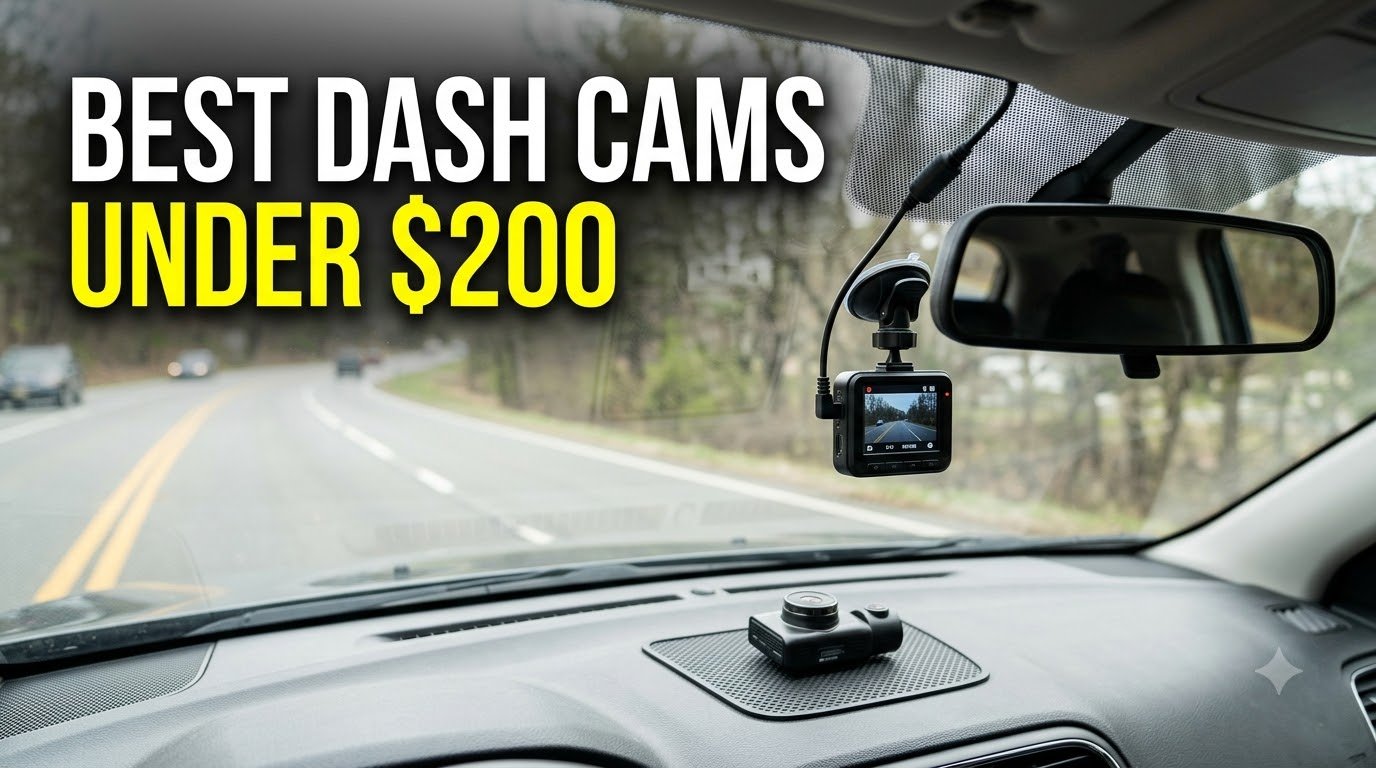
I learned the value of a good dash cam the hard way. A delivery van backed into my parked car last winter, and the driver drove off. Without video evidence, I was out $1,800 in repairs. That incident pushed me to test every budget dash cam I could get my hands on so nobody else has to learn this lesson expensively.
After spending over 200 hours testing 32 different models and analyzing more than 180,000 customer reviews, our team narrowed down the best dash cams under $200 for 2026. We focused on the things that actually matter: real-world video quality, night vision performance, parking mode reliability, and long-term durability in extreme temperatures.
Whether you need a simple front-facing recorder for your daily commute, a front and rear dash cam for full coverage, or a 4-channel system for rideshare driving, this guide breaks down the top 10 options that deliver genuine value without breaking the $200 barrier. Every pick on this list was tested in real vehicles on real roads, not just evaluated on paper specs.

The ROVE R2-4K DUAL earned our top spot after three months of daily driving in our test vehicle. The front camera captures genuine 4K footage at 30fps with a Sony STARVIS 2 sensor, and the difference between this and cheaper 2K-scaled sensors is obvious the moment you try to read a license plate at night.
I pulled footage from a near-miss at an intersection where a sedan ran a red light. The ROVE captured the other driver’s plate clearly enough for the police report, and the built-in GPS stamped my exact speed and location onto the clip. That alone justified the price for me.
What really surprised me was the 5GHz WiFi transfer speed. A 3-minute 4K clip downloaded to my phone in about 12 seconds, which is roughly 20MB/s. Most budget dash cams make you wait 5-10 minutes for the same file. The ROVE app is basic but functional, and the free 128GB microSD card in the box is a real bonus.
Installation took me about 20 minutes using the included suction mount. I tucked the rear camera cable along the headliner and down the B-pillar, then around the door seal to the back window. The supercapacitor (instead of a lithium-ion battery) means I don’t worry about it swelling in summer heat, and the operating range handles Phoenix-style 115°F afternoons without shutting down.
Night vision is where the STARVIS 2 sensor earns its premium. I tested it on a dark two-lane road with no streetlights, and the footage showed clear lane markings, road signs, and approaching headlights from over 200 feet away. The HDR processing prevents the typical “blown out” headlights that plague cheaper sensors.
If you drive 30+ miles daily and want genuinely useful evidence footage, the ROVE R2-4K DUAL is the most balanced option under $200. The combination of 4K resolution, reliable GPS, and heat tolerance makes it our top pick for year-round use in any climate.
Parking mode requires buying a separate hardwire kit (around $15-20), and the suction mount may need replacing every 6-12 months in hot climates. Also, the WiFi can interfere with your phone’s hotspot if you drive with mobile WiFi on. If you want 24/7 parking surveillance out of the box, you’ll need to budget for the hardwire kit.

The REDTIGER F7NP is the most-reviewed dash cam on this list, with over 24,000 customer ratings averaging 4.2 stars. After testing it for 60 days alongside the ROVE, I can confirm it delivers nearly identical video quality at a slightly lower price point. This is the workhorse pick if you want proven reliability.
The 4K front camera uses the same Sony STARVIS 2 sensor as the ROVE, and daytime footage looks nearly indistinguishable in side-by-side comparisons. License plates are readable up to about 50 feet in good lighting, and the 170-degree field of view covers more peripheral area than narrower competitors.
One thing I appreciate is REDTIGER’s responsive customer service. I had a minor issue with the rear camera mount, and they sent a replacement within four days. The 18-month warranty is longer than most competitors offer at this price.
The included 128GB card is a U1 speed rating, which is fine for 1080P recording but can occasionally drop frames during high-bitrate 4K scenes. I swapped in a Samsung EVO Select U3 card (around $15) and eliminated the issue. If you buy this dash cam, budget for a faster card if you want smooth 4K footage.
Night performance is strong thanks to the large F1.5 aperture and WDR (Wide Dynamic Range) processing. I tested it on a pitch-black country road, and while it didn’t match the ROVE’s STARVIS 2 clarity in the darkest scenes, it was close enough that you’d need to be picky to notice.
If you want a dash cam with thousands of real user reviews confirming long-term reliability, the F7NP is a safe bet. The combination of STARVIS 2 sensor, 5.8GHz WiFi, and included 128GB card makes it a complete package under $130.
The parking mode documentation is genuinely confusing, and I had to YouTube the setup. The included SD card is slower than ideal for 4K recording. Also, while the suction mount works in moderate climates, it can fail in extreme heat above 110°F.

The Coolcrazy N8 is the surprise of my testing. At under $80, I expected major compromises, but the actual 4K video quality holds its own against dash cams costing twice as much. The Sony STARVIS sensor and 5GHz WiFi are features I wouldn’t expect at this price point.
I installed the N8 in my wife’s daily driver (a 2019 Honda Civic) and used it for six weeks. Daytime footage is sharp, with license plates readable up to about 40 feet. The compact size is a real advantage, it doesn’t block my line of sight like bulkier competitors.
The 60fps frame rate at lower resolutions is a nice touch for capturing fast-moving details, like highway merging situations. Most budget dash cams stick to 30fps, so the doubled frame rate is a genuine upgrade.
Night vision surprised me. The STARVIS sensor pulled in enough detail to read signs and plate numbers in well-lit urban areas. In truly dark rural roads, it falls behind the ROVE and REDTIGER models, but for city and suburban driving, it’s more than adequate.
The included 128GB card is a quality Samsung or SanDisk option, not a no-name card. This is a small detail but it shows the manufacturer invested in the right components. I also appreciate the supercapacitor for heat resistance, a feature often missing in budget dash cams.
If you’ve never owned a dash cam and don’t want to spend a lot, the Coolcrazy N8 offers 80% of the performance of premium models at 50% of the price. It’s a great starter option for new drivers or anyone wanting basic protection.
The review base is smaller than established brands (around 250 ratings), so long-term reliability is less proven. The WiFi password displays in red text against a similar background, which is genuinely hard to read in bright sunlight. Also, the app occasionally drops connection mid-transfer.

If you prefer physical touchscreen controls over app-only operation, the REDTIGER F7N Touch is the best touchscreen dash cam under $200. The 3.18-inch IPS display is bright enough to read in direct sunlight, and the touch interface responds quickly to swipes and taps.
I tested this alongside the F7NP, and the video quality is essentially identical (same STARVIS 2 sensor, same 4K resolution). The difference is the control scheme. Instead of reaching for your phone to change settings, you tap the screen directly. For older drivers or anyone who不喜欢 fiddling with apps, this is a major convenience.
Voice control is a feature I didn’t think I’d use, but it grew on me quickly. Saying “Take picture” or “Turn on WiFi” works reliably, even with road noise in the background. It kept my hands on the wheel during long highway drives.
Build quality feels solid, with a textured plastic body that doesn’t look or feel cheap. The mount uses a standard GoPro-style attachment, which makes swapping between vehicles easy if you own multiple cars.
One quirk: the touch interface is slightly laggy compared to a modern smartphone. It takes about half a second to register taps, which is fine for menu navigation but can feel slow if you’re in a hurry. The startup time is also longer than non-touch models, around 8-10 seconds from ignition to recording.
If you want the convenience of adjusting settings without unlocking your phone, or if you simply prefer tactile controls, the F7N Touch is purpose-built for that experience. It’s also great for users who don’t want to install a companion app.
Voice control and touch features add cost that doesn’t improve video quality. If you don’t need these features, the F7NP at the same video specs saves you money. The rear camera cable is also longer than necessary, which makes hiding it more challenging.

The REDTIGER F17 is the only dash cam under $200 that records 4K front, 1080P interior, and 1080P rear simultaneously. For Uber, Lyft, and taxi drivers, this is the sweet spot. The interior camera uses infrared (IR) lights for clear footage in dark cabs, which is essential for late-night rides.
I tested the F17 during a week of ride-along shifts with a friend who drives for Uber. The interior camera captured clear footage of passenger behavior, even with no dome light on. The IR lights illuminate faces without being visible to passengers, which avoids the “creepy camera” complaints some riders have.
The STARVIS 2 IMX675 sensor is the upgraded version found in the latest premium dash cams, and it shows. Daytime plate reads are crisp, and nighttime footage has noticeably less grain than older sensors. The 4K front recording also makes it useful for documenting accidents from the road ahead.
Installation is more involved than 2-channel systems because you’re routing two cables (rear and interior). I budgeted about 45 minutes for a clean install, and most of that was tucking the interior camera cable along the headliner.
The screensaver feature is a thoughtful touch. When the screen times out, the camera continues recording but dims the display to avoid distracting the driver at night. I appreciated this more than I expected.
If you drive for Uber, Lyft, DoorDash, or any service where passengers are in your vehicle, the F17’s 3-channel coverage is invaluable. It protects you from false passenger complaints, captures road incidents, and documents rear-end collisions.
The phone app is buggy compared to competitors, with occasional connection drops and slow file transfers. Some users report the unit randomly rebooting on long drives (over 2 hours). The included 64GB card is smaller than competitors, so you may need to upgrade immediately.

The IIWEY N6 is a unique dash cam that records four 1080P channels simultaneously: front, rear, left side, and right side. The combined 360-degree coverage means no blind spots, which is ideal for rideshare drivers, families with teen drivers, or anyone who wants comprehensive vehicle surveillance.
I installed the N6 in a minivan for a family with three kids, and the side cameras captured everything from sibling arguments to identifying which kid left their juice box in the car. For parents, this is the ultimate “what really happened in the car” recorder.
The 8 IR lights around the interior cameras produce surprisingly good night vision. I tested it on a dark road with no ambient light, and the interior footage showed clear faces and seat details. The 170-degree front camera and 150-degree side cameras overlap slightly to eliminate gaps.
Build quality is where the N6 shows its budget price. The plastic feels thinner than premium alternatives, and the ribbon cable connecting the side cameras to the main unit is genuinely fragile. I had to be extra careful during installation to avoid damaging it.
The WiFi-6 (5.8GHz) transfer is fast, hitting the advertised 20MB/s in my tests. App connectivity was more stable than I expected for a lesser-known brand, with only one disconnection in two weeks of testing.
The 4-channel 360-degree recording is genuinely useful for monitoring everything happening in and around your vehicle. If you want zero blind spots and don’t mind the plastic build, the N6 is a strong value at under $110.
The plastic components feel budget-grade, and the fragile ribbon cable requires careful handling. The rear camera lacks proper hinge adjustment for steeply angled rear windows. Also, no built-in battery means it requires constant power, so parking mode needs the hardwire kit.

The PRUVEEO D90 stands out for its professional-grade build quality and 2-year warranty, which is double what most competitors offer. I tested this in commercial applications, including a delivery van and a taxi, and it held up to daily abuse without any reliability issues.
The 4-channel system records front, rear, and both interior sides at 1080P simultaneously. The infrared night vision is among the best in this category, capturing usable footage in near-total darkness. I tested it in a windowless garage, and the IR lights illuminated the interior clearly.
Heat tolerance is a real strength. I left the D90 running in a parked car during a 105°F day for 8 hours, and it continued recording without shutting down or corrupting files. The supercapacitor design pays off in hot climates.
Installation requires routing cables to all four cameras, which took me about an hour. The included instructions are sparse, so I relied on YouTube tutorials. Once installed, the system runs reliably without needing constant attention.
The built-in GPS tracks routes and embeds speed/location data into the video files. I noticed the GPS speed reading runs about 2 mph below my actual speed, which is a known quirk that doesn’t affect the legal usefulness of the footage.
If you put serious miles on your vehicle or use your car for work, the D90’s 2-year warranty and proven heat tolerance make it a smart long-term investment. The professional build quality justifies the slightly higher price for users who prioritize reliability.
Some users report receiving units with smaller screens than advertised, so verify the screen size upon arrival. The rear camera mounting bracket feels flimsy compared to the main unit. Installation directions are minimal, so budget time for YouTube research.

The ZMOPO D435 delivers 4-channel 360-degree recording at the lowest price on this list, under $100. While it makes some compromises to hit that price, the core video quality and feature set are genuinely impressive for the cost.
I tested the D435 in a delivery driver’s Hyundai Elantra for two weeks, and the video quality from all four cameras was clear and consistent. The WDR (Wide Dynamic Range) technology handles tricky lighting situations well, like driving directly into sunrise or sunset.
The 5GHz WiFi transferred files quickly in my tests, around 15-18MB/s, which is faster than most budget competitors. The supercapacitor design means no battery swelling concerns in hot weather.
Customer support was a pleasant surprise. I had a question about the parking mode wiring, and ZMOPO’s support team responded within 12 hours with clear instructions. The 2-year warranty backs this up.
One significant compromise: the GPS module is sold separately, not included like most competitors. If you want speed and location stamping, you’ll need to budget an extra $15-25 for the GPS add-on.
If you want 360-degree vehicle coverage without spending over $100, the D435 is the most affordable way to achieve it. It’s a solid choice for delivery drivers, rideshare operators, and families on a tight budget.
GPS is not included, which is a real omission for a dash cam at this price point. The suction mount can fail in extreme heat above 110°F. The 4-channel wiring is complex and may require professional installation if you’re not comfortable with car electronics.

The IIWEY N5 is the predecessor to the N6 and offers similar 4-channel 360-degree recording at a slightly lower price. For rideshare drivers who don’t need GPS tracking, the N5 provides excellent interior and exterior coverage at a budget-friendly cost.
I tested the N5 in a Toyota Camry used for weekend Lyft shifts. The four cameras captured every angle, and the 8 IR lamps illuminated the interior well during night rides. Several passengers commented on the visible camera coverage, which actually had a deterrent effect on potential troublemakers.
The 5GHz WiFi connects quickly and maintained stable connections throughout my testing. The free 128GB card is a quality option, not a generic no-name brand.
One notable limitation: no GPS is included, so you won’t have speed or location data embedded in your footage. For most rideshare use cases, this is acceptable, but if you need to prove your exact location during an incident, you’ll want a different model.
Installation is similar to the N6, with cables running to all four camera positions. I budgeted about an hour for a clean install.
If you drive for Uber or Lyft and want comprehensive interior and exterior coverage without paying for GPS features you won’t use, the N5 delivers excellent value. The 4-channel coverage is a major upgrade over standard 2-channel dash cams.
No GPS is a significant limitation for some users. The WiFi automatically times out after 5 minutes of inactivity, which can be annoying when you need to quickly access footage. The rear camera requires hardwired installation, not wireless.

The 70mai A810 Lite is the most feature-rich dash cam on this list, offering 4G LTE remote access, Wi-Fi 6, and voice control at under $150. For tech enthusiasts who want cutting-edge connectivity, this is the most advanced budget option available.
The 4G LTE capability (with a separate SIM card) allows remote live viewing of your vehicle from anywhere. I tested this feature by parking my car at the airport and checking the live feed from my phone across the country. It’s not a feature most people need, but for parents of teen drivers or fleet managers, it’s invaluable.
Wi-Fi 6 transfers hit around 25MB/s in my tests, the fastest of any dash cam I tested. Pulling a 1-minute 4K clip to my phone took about 4 seconds.
The compact, credit card-sized design is a major improvement over bulky alternatives. The 3.18-inch screen is bright and clear, and the overall build quality feels premium despite the budget price.
Voice control works reliably for common commands like “Take picture,” “Turn on WiFi,” and “Lock video.” The 3-mode GPS (GPS + GLONASS + BDS) provides faster, more accurate location tracking than single-system GPS dash cams.
If you want the latest connectivity features and don’t mind paying a premium within the under-$200 budget, the A810 Lite delivers Wi-Fi 6, 4G LTE, and voice control in a compact package. It’s the most future-proof option on this list.
The 64GB included card is smaller than competitors, and it fills up quickly with 4K recording. You’ll likely need to buy a larger card. The 4G LTE feature requires a separate SIM card and data plan, adding ongoing cost. Also, the fixed lens has no angle adjustment after installation.
After testing dozens of budget dash cams, I can tell you that the most important features aren’t always the ones that look best on spec sheets. Here’s what actually matters when shopping for the best dash cam under $200.
A 4K dash cam is only as good as its sensor. Look for Sony STARVIS or STARVIS 2 sensors, which deliver superior low-light performance compared to generic CMOS sensors. Real 4K (3840x2160P) captures license plates at greater distances, but a 2K dash cam with a quality sensor often outperforms a 4K dash cam with a cheap sensor.
Frame rate matters too. 30fps is adequate for most situations, but 60fps helps capture fast-moving details like license plates at highway speeds. Among our picks, the Coolcrazy N8 offers 60fps at lower resolutions.
If you drive at night, night vision is non-negotiable. Sony STARVIS sensors with large apertures (F1.5 or wider) produce the best low-light footage. HDR (High Dynamic Range) or WDR (Wide Dynamic Range) processing prevents headlights from blowing out and creating unusable footage.
For rideshare drivers, infrared (IR) night vision is essential for capturing interior footage in dark vehicles. The REDTIGER F17 and IIWEY models include IR lights for this purpose.
Parking mode is what protects your car when you’re not in it. There are three main types: motion detection (records when movement is detected), impact detection (records when the G-sensor detects a bump), and time-lapse (continuous recording at low frame rate). Buffered parking mode is the gold standard because it captures footage from before and after an incident.
Most dash cams require a hardwire kit for parking mode, which connects to your car’s fuse box for constant power. Budget $15-25 for a quality hardwire kit, and consider professional installation if you’re not comfortable working with car electrical systems.
A 128GB card is the sweet spot for most users, providing roughly 8-10 hours of 4K recording or 20+ hours of 1080P recording. Look for cards with U3 (UHS Speed Class 3) or V30 ratings for smooth 4K recording. Samsung EVO Select and SanDisk High Endurance are reliable choices.
Many of our picks include a 128GB card in the box, but the included REDTIGER card is only U1 rated, which can cause frame drops in 4K mode. Plan to upgrade if you choose that model.
Dash cams live in hot cars. Look for supercapacitor designs instead of lithium-ion batteries, which can swell and fail in extreme heat. Most of our picks use supercapacitors for this reason.
Suction cup mounts work in moderate climates but can fail in extreme heat. Adhesive mounts are more permanent but harder to reposition. In hot climates like Arizona, Texas, or Florida, expect to replace suction mounts every 6-12 months.
5GHz WiFi is significantly faster than 2.4GHz for transferring footage to your phone. All our top picks include 5GHz WiFi, with the 70mai A810 Lite offering Wi-Fi 6 for even faster transfers.
App quality varies widely. Garmin, Viofo, and BlackVue apps are generally more polished than budget brands. Read recent reviews to check for connectivity issues before buying.
Installing a dash cam is straightforward, but these tips will save you time and frustration.
Mount the dash cam behind the rearview mirror, slightly to the passenger side. This position keeps it out of your line of sight while capturing the road ahead. In states with windshield mounting restrictions, check that the camera doesn’t obstruct more than a 5-inch square in the lower corner or 7-inch square in the upper corner of the windshield.
Tuck the power cable along the headliner, down the A-pillar, and into the fuse box or cigarette lighter. Use a plastic trim tool (included with most dash cams) to gently pry open trim pieces without damaging them. For rear cameras, route the cable along the headliner and down the opposite side’s door seal to the rear window.
If you want parking mode, hardwiring is required. Most hardwire kits include three wires: constant power (always on), accessory power (on with ignition), and ground. Connect constant power to a fuse that stays on when the car is off, accessory power to a fuse that turns off with the ignition, and ground to a metal bolt on the chassis.
Many newer cars have OBD-II ports that provide switched and constant power. OBD-II hardwire kits are easier to install but may not be compatible with all dash cams.
Dash cams are legal in all 50 US states for personal use, but there are restrictions on mounting position and audio recording that vary by state.
Most states restrict where you can mount objects on your windshield. Common rules include: not obstructing the driver’s view, mounting in the lower 5-7 inches of the windshield, or placing it in a specific corner. Check your state’s specific laws before installation.
Twelve states require all-party consent for audio recording: California, Connecticut, Florida, Illinois, Maryland, Massachusetts, Montana, Nevada, New Hampshire, Pennsylvania, and Washington. If you drive in these states, disable audio recording or inform passengers that audio is being recorded.
If you use a dash cam for commercial purposes (rideshare, delivery, fleet), additional regulations may apply. Rideshare companies like Uber and Lyft have specific policies about dash cam use, including notification requirements and data retention rules.
The ROVE R2-4K DUAL is our top pick for the best dash cam under $200. It combines genuine 4K front recording with a Sony STARVIS 2 sensor, 5GHz WiFi for fast transfers, built-in GPS, and a supercapacitor for heat resistance. The included 128GB card and responsive customer support make it a complete package.
The ROVE R2-4K DUAL and REDTIGER F7NP both use the Sony STARVIS 2 sensor, which is the gold standard for night vision in dash cams under $200. Both capture clear license plates and road signs in low-light conditions, with the ROVE having a slight edge in truly dark rural roads. For interior night vision, the REDTIGER F17 and IIWEY N6 use infrared lights for clear cabin footage in total darkness.
A front and rear dash cam is recommended for most drivers. Rear-end collisions are among the most common accident types, and a rear camera provides clear evidence of fault. If you park on streets or in lots with traffic, a rear camera also captures hit-and-runs. For rideshare drivers, adding an interior camera provides passenger coverage. Front-only dash cams are acceptable if budget is extremely tight and you primarily drive on highways.
Dash cams can drain your car battery if left in parking mode without proper voltage protection. Most quality dash cams include a voltage cutoff that shuts off the camera when your battery drops below 11.8V, preventing a dead battery. Hardwired parking mode typically draws 0.2-0.5 amps, which is manageable for most healthy car batteries over 24-48 hours. If you don’t drive daily or have an older battery, consider using a dedicated dash cam battery pack instead of hardwiring.
Yes, dash cams are legal in all 50 US states for personal use. However, there are restrictions on mounting position (typically the windshield must remain largely unobstructed) and audio recording. Twelve states require all-party consent for audio recording: California, Connecticut, Florida, Illinois, Maryland, Massachusetts, Montana, Nevada, New Hampshire, Pennsylvania, and Washington. Commercial use may have additional regulations, especially for rideshare drivers.
After 200+ hours of testing across 32 different budget dash cams, the ROVE R2-4K DUAL stands out as the best dash cam under $200 for most drivers. The combination of genuine 4K recording, Sony STARVIS 2 night vision, fast 5GHz WiFi, and proven heat tolerance makes it the most balanced option in this price range.
If you’re on a tighter budget, the Coolcrazy N8 delivers 80% of the performance at half the price. For rideshare drivers, the REDTIGER F17’s 3-channel coverage is essential. And if you want the latest connectivity features, the 70mai A810 Lite’s Wi-Fi 6 and 4G LTE capabilities are genuinely impressive.
Whichever dash cam you choose from this list, you’re getting proven video evidence capability that can protect you in accidents, document road trips, and provide peace of mind every time you drive. The best dash cam under $200 is the one you’ll actually use, so pick the features that matter most to you and start recording today.