
How to Get the Day 6 Puzzle Item in The Hollow (November 2026) Complete Guide
The Hollow’s Day 6 drop is live, and it hides behind one of the sneakiest mazes Roblox has thrown at…

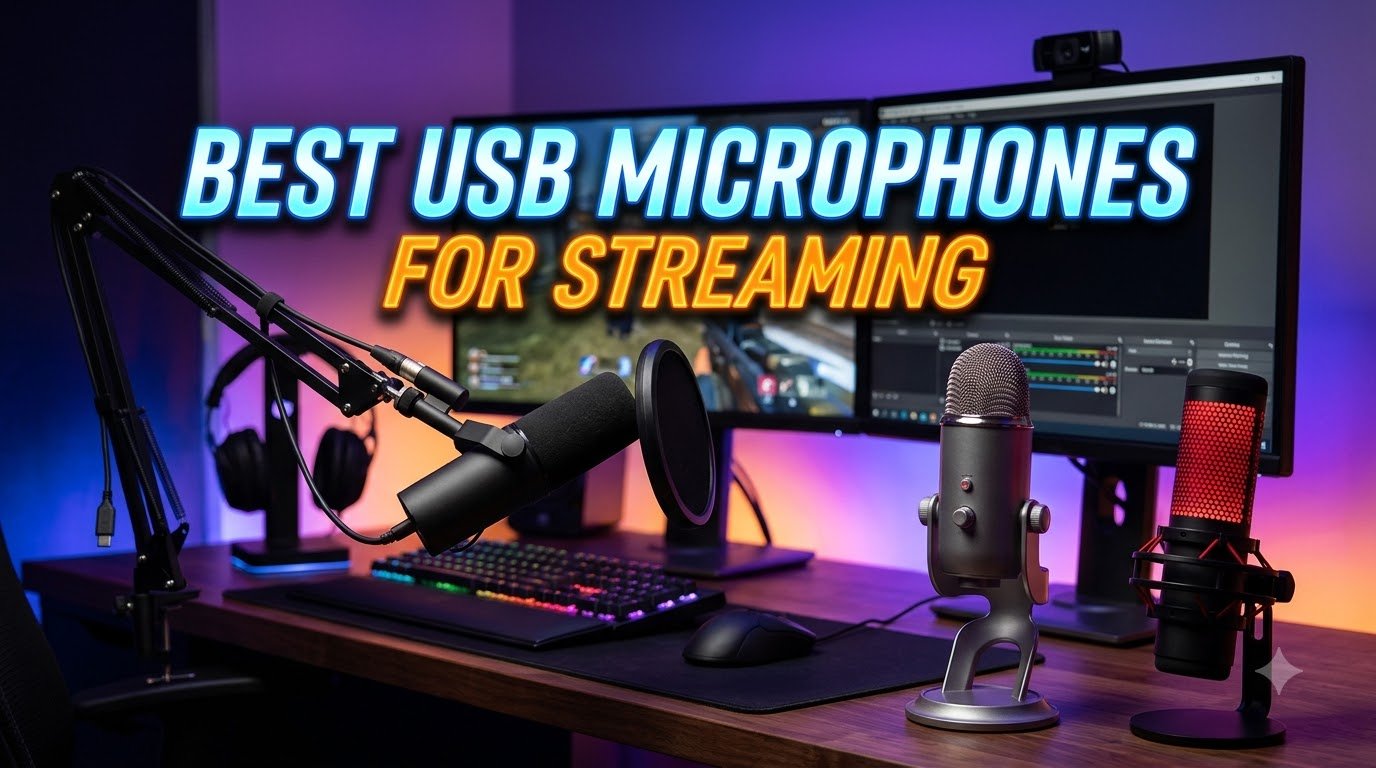
Your viewers will forgive a blurry webcam. They will click away the second your audio sounds tinny, distant, or filled with keyboard clatter. That is the reality of streaming in 2026. Audio quality is the single biggest factor that separates amateur streams from professional ones, and the fastest way to upgrade your sound is with a dedicated USB microphone.
USB microphones have come a long way from the basic desktop mics of a few years ago. Today’s models offer studio-grade condenser and dynamic capsules, built-in DSP processing, zero-latency headphone monitoring, and software suites that rival professional audio interfaces. You get all of this without needing an external mixer or XLR setup. Plug in, open OBS or Streamlabs, and you are broadcasting with clear, focused voice audio.
Our team spent weeks testing 10 of the most popular USB microphones for streaming across real Twitch and YouTube sessions. We evaluated each mic on voice clarity, background noise rejection, ease of setup, build quality, and overall value for streamers at every budget. Whether you are just starting out on Twitch or upgrading from a headset mic to something that makes your voice sound broadcast-ready, this guide has you covered.

The Shure MV7+ is the microphone I keep coming back to when I want my stream to sound professional without spending time tweaking settings. This is the updated version of the already-popular MV7, and it adds a customizable LED touch panel, built-in reverb effects, and improved real-time denoising. The first time I plugged it in and enabled Auto Level Mode, I was genuinely surprised at how well it adjusted my gain automatically. No fiddling with levels. No distortion when I got excited during a game.
The dynamic capsule does an outstanding job of focusing on your voice and ignoring what is happening around you. In my testing, mechanical keyboard clicks, ceiling fan hum, and even my dog barking in the next room were dramatically reduced compared to condenser alternatives. Voice Isolation Technology is not just marketing speak here. It works, and it works well enough that you do not need acoustic treatment on your walls to get clean audio.
What makes the MV7+ special for streamers is the dual USB-C and XLR connectivity. Right now, you plug it into your computer via USB-C and you are ready to go. Later, if you decide to add an audio interface or mixer to your setup, the XLR output is right there. This is a microphone that grows with you. The built-in digital pop filter and real-time denoiser in the ShurePlus MOTIV app give you tools that used to require post-processing software.
The LED touch panel on the front is a genuinely useful feature for live streaming. You can see your gain level at a glance, tap to mute instantly, and even customize the color to match your streaming brand. It sounds minor, but when you are managing a live stream with chat, gameplay, and alerts all at once, having a visual mute indicator you can see in your peripheral vision saves you from those embarrassing “I forgot to unmute” moments.
If you stream regularly on Twitch or YouTube and want broadcast-quality audio without the complexity of an XLR setup, the MV7+ is your best option. It is ideal for streamers who stream from untreated rooms where keyboard noise and ambient sound are problems. The Auto Level Mode alone makes it worth considering for anyone who does not want to become an audio engineer just to sound good on stream.
This mic is also the right pick if you plan to expand your audio setup in the future. The XLR output means you can transition to a professional mixer like the Rodecaster Duo without buying a new microphone. Podcasters who also stream will appreciate the built-in reverb effects and the ability to switch between USB and XLR depending on the situation.
Complete beginners on a tight budget may find the MV7+ hard to justify when there are decent options for a third of the cost. If your streaming setup is in a quiet room and you do not need the XLR flexibility, a good condenser mic like the HyperX QuadCast 2 will give you excellent results for less. Also, the touch-sensitive mute takes a few sessions to get comfortable with. If you prefer a physical button, the tap-to-mute on the Shure MV6 might feel more natural.

The Shure MV6 takes the voice isolation technology that makes the MV7+ so good and packages it in a more affordable, gaming-focused design. When I first tested this mic, I positioned it about 12 inches from my mouth with a mechanical keyboard directly between us. The MV6 rejected those keystrokes so well that my viewers actually asked if I had switched to a membrane keyboard. That level of noise rejection in a USB microphone at this price is remarkable.
One thing that surprised me during testing was how forgiving the MV6 is with positioning. Unlike some dynamic microphones that demand you speak directly into the capsule from two inches away, the MV6 produces clear audio even at distances of 14 to 16 inches. This matters for streamers who lean back in their chair or move around during intense gameplay moments. You are not tied to one rigid position.
The tap-to-mute feature on top is responsive and reliable. A quick tap silences the mic with an LED color change, so you always know your status. The MOTIV Mix app gives you access to EQ presets, noise gate settings, and compressor controls. I found the default settings to be solid for streaming, but the app is there if you want to fine-tune your sound without reaching for OBS filters.
Build quality is what you expect from Shure. The stainless steel body feels substantial without being heavy, and the included desktop stand keeps it stable on your desk. The real-time headphone monitoring with zero latency is essential for hearing your own audio mix during streams, and the volume knob on the front makes adjustments easy mid-broadcast.
Streamers who want the noise rejection benefits of a dynamic microphone without paying MV7+ prices should seriously consider the MV6. It is perfect for gaming setups where mechanical keyboard noise is a constant problem. If you stream from a shared living space or a room without acoustic treatment, the voice isolation on this mic will save you hours of frustration.
The MV6 is also an excellent choice for streamers who want a simple, reliable plug-and-play experience. No XLR complexity, no mixer needed. Connect the USB-C cable, select the mic in OBS, and start streaming with professional-quality audio.
If you need multiple polar patterns for interviews, co-hosted streams, or ASMR content, the single cardioid pattern on the MV6 will feel limiting. The HyperX QuadCast 2 or Blue Yeti offer four selectable patterns for the same or less money. Also, the included USB-C cable is on the short side, so if your PC tower sits far from your desk, you may need to buy a longer cable.

The HyperX QuadCast 2 is one of the most popular streaming microphones on the market for good reason. With over 36,000 reviews and a 4.8-star rating, it has earned the trust of the streaming community through consistent performance and genuine versatility. I tested it across solo streaming, podcast recording, and even a two-person interview, and it handled every scenario well.
The standout feature is the four selectable polar patterns. Cardioid mode is your go-to for solo streaming, focusing on your voice while rejecting sound from behind the mic. Omnidirectional picks up sound from all directions for roundtable discussions. Bidirectional captures front and back simultaneously for face-to-face interviews. Stereo mode creates a wider soundscape. No other mic in this price range offers this level of flexibility.
The built-in anti-vibration shock mount is surprisingly effective. During testing, I bumped my desk several times (as you do during intense gaming sessions), and the shock mount absorbed most of the impact. The removable design means you can swap it for a boom arm if you prefer. The gain knob at the bottom provides smooth control, and the tap-to-mute sensor at the top works instantly with a clear LED indicator.
Sound quality is where the QuadCast 2 really delivers for streamers. The condenser capsule captures vocals with a crisp, detailed clarity that makes your voice sound present and engaging. It is not as warm as the Shure dynamic mics, but the clarity works well for gaming commentary and reaction content where you want every word to cut through the game audio.
Streamers who want a microphone that can handle multiple content types should look no further. If you stream solo on Twitch some nights, record a two-person podcast on weekends, and occasionally do ASMR or music content, the QuadCast 2’s four polar patterns give you the flexibility to do all of it with one mic. It is also a great choice for console streamers since it works with PS4 and PS5 directly.
Content creators who care about aesthetics will appreciate the LED lighting and sleek design. The QuadCast 2 looks as good on camera as it sounds, which matters when your microphone is visible in your stream frame.
If your streaming room has a lot of ambient noise (ceiling fans, open windows, roommates), the condenser capsule will pick up more of that background sound compared to a dynamic mic like the Shure MV6 or MV7+. Streamers in untreated rooms who prioritize noise rejection over versatility may prefer a dynamic microphone instead.

The Blue Yeti has been a streaming staple for years, and the current version with Blue VOICE software proves that this classic still has plenty to offer. With over 34,000 reviews and a consistent 4.6-star rating, it remains one of the best-selling USB microphones in the world. I have used the Yeti on and off for years, and it continues to deliver reliable, clear audio for streaming sessions.
The custom three-capsule array inside the Yeti produces a warm, full-bodied sound that is immediately recognizable. It has a broadcast quality that makes your voice sound rich and professional, even without any software processing. When you add the Blue VOICE software, you gain access to vocal effects, noise reduction, compression, and EQ presets that can transform your raw audio into polished stream-ready sound.
Four pickup patterns give you the same versatility as the QuadCast 2. Cardioid for solo streaming, omnidirectional for group settings, bidirectional for interviews, and stereo for immersive recordings. The onboard controls for headphone volume, pattern selection, mute, and gain are all accessible without reaching for software, which is convenient during live streams.
The main trade-off with the Yeti is its age showing in a few areas. The micro-USB port is outdated when everything else has moved to USB-C. The heavy 3.3-pound body can strain lighter boom arms. And the condenser capsule, while excellent at capturing detail, will pick up every sound in your room if you do not manage your gain carefully.
Streamers and content creators who want proven reliability at a reasonable price will find the Yeti hard to beat. The Blue VOICE software adds significant value, giving you professional audio tools that normally require separate plugins. If you create multiple types of content (streaming, podcasting, voiceover, music recording), the four pickup patterns and software effects make the Yeti a do-everything microphone.
If you stream in a noisy environment, the Yeti’s condenser sensitivity will work against you. The Shure MV6 or FIFINE AM8, both dynamic microphones, will reject background noise much better. Streamers who want USB-C connectivity should also look at newer options, since the Yeti’s micro-USB port is a step behind current standards.

The HyperX SoloCast 2 punches well above its weight class. At under $60, it delivers 24-bit/96kHz audio resolution that matches microphones costing two or three times as much. I was not expecting this level of clarity from a budget condenser, but the SoloCast 2 captured my voice with a clean, natural quality that held up during three-hour streaming sessions without any listener fatigue complaints from chat.
The design is refreshingly simple. There are no extra knobs, no RGB lighting, and no complicated software to install. You plug in the USB-C cable, select the mic in your streaming software, and start talking. The built-in pop filter does a decent job with plosives, and the internal shock mount handles minor desk vibrations. For a beginner who just wants to start streaming without a learning curve, this simplicity is a feature, not a limitation.
The tap-to-mute sensor on top works reliably, with an LED ring that changes color to show your mute status. One detail I appreciate is the tiltable stand, which lets you angle the mic toward your mouth without needing a boom arm. That said, the stand sits fairly low on the desk, so most streamers will benefit from mounting it on a boom arm eventually. The SoloCast 2 has standard 3/8-inch and 5/8-inch threads for compatibility with most arms.
At just 330 grams, this is one of the lightest microphones in our lineup. It puts minimal stress on boom arms and is easy to move between setups if you stream from different locations. The compact footprint also means it takes up less visual space in your camera frame, which is a small but real consideration for stream layouts.
New streamers on a tight budget will get the best bang for their buck with the SoloCast 2. It delivers audio quality that sounds professional to your viewers without requiring you to learn audio engineering. Students, casual streamers, and anyone who streams as a hobby rather than a career will find this mic hits the sweet spot between price and performance.
It is also a solid choice as a backup microphone. If your main mic fails before a scheduled stream, having a reliable plug-and-play option that you can set up in 30 seconds is genuinely valuable.
Streamers who need more control over their audio will find the SoloCast 2 limiting. There is no onboard gain knob, no headphone jack for monitoring, and no software suite for fine-tuning. If you need zero-latency monitoring or want to adjust your sound profile, look at the HyperX QuadCast 2 or the Rode NT-USB Mini instead.

Rode has built its reputation on studio-grade audio equipment, and the NT-USB Mini brings that heritage to the streaming world in a compact, affordable package. The first thing I noticed when testing this mic was the clarity of the high and mid frequencies. Vocals come through with a crispness that sounds polished right out of the box, almost like the mic applies a subtle studio EQ by default.
The magnetic desk stand is a clever design choice that adds real value. The base stays firmly planted on your desk, and the mic attaches magnetically so you can quickly detach it for boom arm mounting. During testing, the stand survived several accidental bumps without the mic shifting position. It is a small detail, but it speaks to the thought Rode put into the practical needs of content creators.
The built-in headphone amplifier with zero-latency monitoring is a standout feature at this price. Being able to hear your own voice in real time without any delay is essential for controlling your volume and tone during live streams. The volume knob on the front is easy to reach and has a smooth, precise feel that makes adjustments mid-stream simple.
RODE Connect, the free companion software, adds a noise gate, compressor, and APHEX vocal effects that give your stream audio a professional polish. The APHEX processing in particular adds warmth and presence to your voice that makes it sound richer without being artificial. For streamers who want to sound their best without buying additional software, RODE Connect is a genuine value-add.
Streamers and podcasters who prioritize vocal clarity and want access to professional-grade software tools should put the NT-USB Mini at the top of their list. The combination of clear audio, a built-in headphone amp, and the RODE Connect software gives you everything you need for a polished streaming setup. It is also a great option for musicians who stream and want a mic that handles both speaking and singing well.
The low desk stand is the most common complaint, and it is valid. If you do not plan to use a boom arm, the NT-USB Mini will sit too far below your mouth for optimal audio capture. Streamers in noisy rooms should also consider a dynamic mic instead, as the condenser capsule will pick up ambient sounds more readily than the Shure MV6 or FIFINE AM8.

Sennheiser’s entry into the USB streaming microphone market brings the company’s decades of audio expertise to a plug-and-play form factor. The Profile produces a smooth, natural sound that feels less processed than many competitors. My voice sounded warm and authentic during test streams, without the slight digital edge that some USB condensers introduce.
What sets the Sennheiser Profile apart is the total absence of required software. Every control you need lives on the microphone itself. Gain, mix, and volume knobs give you full command over your audio without opening a single app. For streamers who value simplicity and want to avoid software conflicts with OBS, this is a genuine advantage. Plug it in, set your levels using the physical knobs, and you are streaming.
The built-in headphone jack with zero-latency monitoring works exactly as it should. You hear your voice in real time, with no delay that could throw off your speaking rhythm. The mix control lets you balance your microphone audio with your computer audio, so you can hear your game, chat, and music alongside your own voice at whatever balance works for you.
The metal housing feels premium and built to last through thousands of streaming hours. At 350 grams, it is light enough for most boom arms but heavy enough to feel substantial. The universal USB audio standard means it works with virtually any device that supports USB audio, including some consoles and tablets.
Streamers who want a no-software, no-fuss microphone with premium sound quality will appreciate the Sennheiser Profile. If you have had bad experiences with buggy companion apps or audio driver conflicts, this mic eliminates those problems entirely. The on-mic controls and plug-and-play operation make it ideal for streamers who just want their audio to work consistently.
The self-noise issue is real. Some users report audible hiss at higher gain levels, which can be a problem in quiet streaming moments. If you need the absolute cleanest signal possible, the Rode NT-USB Mini or Shure MV6 will give you a lower noise floor. The low desk stand also means you will likely need a boom arm for optimal positioning.

The FIFINE AM8 is the microphone that made me reconsider what a budget streaming mic can deliver. At under $60, it offers dual USB and XLR connectivity, a dynamic capsule, RGB lighting, tap-to-mute, and headphone monitoring. No other microphone at this price includes all of these features. After testing it for two weeks of regular streaming, I can confirm it sounds remarkably close to microphones costing two or three times as much.
The dynamic capsule is a real advantage for streamers in untreated rooms. Compared to condenser mics at similar prices, the AM8 does a much better job of rejecting ambient noise. My ceiling fan, air conditioner, and the general hum of my PC were noticeably less present in my stream audio. Keyboard clicks still bleed through if your mechanical keyboard is right next to the mic, but positioning the AM8 a bit closer to your mouth and off-axis from the keyboard helps a lot.
The RGB lighting is surprisingly well-implemented. You get multiple lighting modes and colors, all controllable from the mic itself. It adds visual flair to your streaming setup without requiring separate software. The tap-to-mute button on top has a satisfying tactile feel and a clear LED indicator, so you always know your mic status during live streams.
The dual USB/XLR connectivity at this price point is almost unheard of. You can start with USB and upgrade to a mixer or audio interface later without buying a new microphone. This future-proofing alone makes the AM8 one of the smartest budget purchases a new streamer can make.
New streamers who want maximum features for minimum money should start here. The AM8 gives you the noise rejection of a dynamic capsule, the flexibility of dual connectivity, and the visual appeal of RGB lighting all in one affordable package. Reddit’s streaming communities consistently recommend this mic as the best budget option, and after testing it, I understand why.
It is also a smart choice for streamers who plan to upgrade their setup over time. Start with USB, add a boom arm, then eventually move to an XLR interface. The AM8 supports every step of that journey.
Perfectionists who want the absolute cleanest audio signal may notice the AM8’s slight limitations in high-frequency detail compared to premium options like the Shure MV7+. If you are an experienced streamer with a treated room and a higher budget, you will get better overall sound quality from the Shure options. Also, Xbox streamers should check compatibility before buying, as FIFINE’s console support varies by model.

The Razer Seiren V3 Mini is proof that you do not need a large microphone to get solid streaming audio. This is the smallest mic in our lineup at just 0.52 pounds, yet it delivers clear, focused voice capture thanks to its supercardioid pickup pattern. During testing, I was impressed by how much voice detail this tiny microphone captures relative to its size.
The supercardioid pattern is tighter than standard cardioid, which means it focuses on the sound directly in front of it while rejecting more of what is happening on the sides and behind. For streamers with limited desk space or those who use a minimal setup, this focused pickup means the mic does not have to be large to be effective. My voice came through clearly even with the mic positioned at a comfortable speaking distance.
The tap-to-mute sensor with LED indicator is a feature that punches above its weight class. One tap silences the mic, and the LED changes so you can see the status at a glance. The built-in shock absorber handles desk bumps and vibrations well enough for casual streaming, though serious gamers who slam their desks during intense moments might still want an external shock mount.
The tiltable stand lets you find the right angle for your setup, and the mic detaches from the stand for boom arm mounting. Razer designed this mic for simplicity above all else. There is no software to install, no drivers to download, and no settings to configure. You plug it in, and it works.
Streamers with minimal desk space or those who want a discreet microphone that does not dominate their setup will love the Seiren V3 Mini. It is perfect for laptop streamers, IRL streamers who need a portable option, or anyone who wants a clean, minimalist streaming setup. The #3 ranking in Computer Microphones on Amazon shows that thousands of users have found this mic to be exactly what they needed.
If you need advanced controls like gain adjustment, EQ, or noise gate settings, the Seiren V3 Mini offers none of these. There is no companion software at all. Streamers who want to fine-tune their audio should look at the Shure MV6 or Rode NT-USB Mini. The short USB cable also limits placement options if your computer is not close to your desk.

The MAONO DGM20S is the only microphone in our roundup that comes as a complete streaming kit. In the box, you get the condenser microphone, a metal boom arm, a shock mount, a pop filter, and a USB cable. Everything you need to start streaming with professional-looking audio is included. For new streamers who do not already own any accessories, this bundle eliminates the guesswork of figuring out which parts work together.
The one-key noise cancellation is the standout feature for streamers. Press a button on the mic, and it activates hardware-level noise reduction that cuts down background sounds significantly. In my testing, it reduced my air conditioner hum and PC fan noise by a noticeable margin. It is not as effective as a dynamic microphone’s natural noise rejection, but for a condenser at this price, it makes a real difference.
The metal boom arm is surprisingly sturdy for a bundled accessory. It holds the mic in position through normal streaming movements, though aggressive adjustments can cause it to drift over time. The shock mount does a good job isolating the mic from desk vibrations, and the pop filter tames plosives effectively. Together, these accessories would cost $30-50 if purchased separately, so the bundle represents genuine savings.
The nine RGB lighting modes let you customize the visual style of your streaming setup. You can choose from solid colors, breathing effects, and color cycles. The tap-to-mute function works reliably, and the mic gain knob gives you hardware control over your input level without needing software. Zero-latency headphone monitoring through the built-in jack completes the feature set.
New streamers building their first setup from scratch will save the most money and time with this bundle. Instead of researching compatible boom arms, shock mounts, and pop filters separately, everything is matched and ready to go out of the box. The #1 best-seller ranking in Vocal Condenser Microphones on Amazon shows that thousands of buyers agree.
It is also a strong choice for streamers on a strict budget who still want a professional-looking setup. The boom arm alone transforms your stream’s visual quality by getting the mic off your desk and out of your face.
Xbox streamers cannot use the DGM20S, as it is not compatible with Xbox consoles. If you stream from an Xbox, consider the HyperX QuadCast 2 instead. The noise cancellation feature can also be inconsistent, occasionally causing audio dropouts. Streamers who need reliable, consistent audio without any software quirks may prefer the plug-and-play simplicity of the Razer Seiren V3 Mini or Sennheiser Profile.
Picking the right USB microphone for your streaming setup comes down to understanding your room, your content, and your budget. This buying guide breaks down the key factors that actually matter when you are making a decision, based on what our team learned from testing all 10 microphones in real streaming environments.
This is the most important decision you will make. Condenser microphones like the HyperX QuadCast 2 and Blue Yeti are more sensitive and capture a wider range of frequencies. They sound detailed and crisp, but they also pick up more background noise. Dynamic microphones like the Shure MV7+ and FIFINE AM8 are less sensitive, which means they focus on your voice and reject room noise.
Here is the simple rule: if your streaming room is quiet and treated (or you are willing to manage gain levels carefully), a condenser will give you more detail and versatility. If you stream from a typical bedroom or office with fans, keyboards, and ambient noise, a dynamic microphone will save you from hours of audio troubleshooting.
The polar pattern determines where the microphone picks up sound. Cardioid captures sound from the front and rejects it from behind. This is the most common pattern for solo streaming. Supercardioid, found on the Razer Seiren V3 Mini, is even more focused than cardioid and rejects more side noise. Omnidirectional picks up sound from all directions. Bidirectional captures front and back.
For most streamers, cardioid or supercardioid is all you need. Multiple polar patterns become valuable only if you record podcasts with co-hosts, do interviews, or create ASMR content. If you only stream solo gameplay or commentary, save money and get a single-pattern mic.
Not every feature on a microphone spec sheet matters equally for streaming. Based on our testing, here is what actually moves the needle on your stream audio quality.
Headphone monitoring with zero latency: Being able to hear yourself in real time is essential for maintaining consistent volume and catching audio issues before your viewers do. Every mic in our top recommendations includes this feature except the HyperX SoloCast 2 and Razer Seiren V3 Mini.
Tap-to-mute functionality: When someone walks into your room or you need to cough, being able to mute instantly with a tap is a quality-of-life feature you will use constantly. Physical mute indicators (LED color changes) prevent those awkward moments when you think you are muted but are not.
Gain control: Whether it is a physical knob or software-based, having control over your input level lets you adjust for different speaking volumes and distances. Mics without gain control lock you into a single sensitivity level that may not work for your voice or room.
USB microphones connect directly to your computer with no additional equipment needed. XLR microphones require an audio interface or mixer, which adds cost and complexity but provides better audio processing and routing options. For most streamers, USB is the right choice because it is simple, affordable, and the audio quality is more than sufficient for live streaming.
Where XLR becomes worth considering is when you run a multi-person stream, need advanced audio routing, or want to use professional outboard effects. Some microphones in our roundup, like the Shure MV7+ and FIFINE AM8, offer both USB and XLR connections. This gives you the simplicity of USB now with the option to upgrade to an XLR setup later.
If you stream from a console, compatibility matters. The HyperX QuadCast 2 works with PS4 and PS5 directly through USB. Most USB microphones with USB-A or USB-C connections will work with PlayStation consoles. Xbox compatibility is more limited and often requires specific certified accessories. Always check the manufacturer’s compatibility list before buying if console streaming is part of your plan.
Yes, a USB microphone is excellent for streaming. Modern USB mics offer studio-quality sound with built-in analog-to-digital converters, eliminating the need for an external audio interface. They provide plug-and-play convenience, zero-latency headphone monitoring, and software features like noise gates and compressors. For most streamers, a good USB microphone delivers audio quality that is indistinguishable from XLR setups to your viewers, at a fraction of the cost and complexity.
The best microphone for streaming depends on your environment. Dynamic microphones like the Shure MV7+ and MV6 are ideal for untreated rooms because they reject background noise like keyboard clicks and fan hum. Condenser microphones like the HyperX QuadCast 2 offer more detail and multiple polar patterns but pick up more ambient sound. For most home streamers, a dynamic USB microphone with a cardioid or supercardioid pattern provides the best balance of voice clarity and noise rejection.
The 3 to 1 rule states that the distance between two microphones should be at least three times the distance from each microphone to its respective sound source. This prevents phase cancellation and comb filtering when using multiple microphones simultaneously. For example, if your mic is 6 inches from your mouth, a second mic should be at least 18 inches away. This rule matters most for multi-person streams or podcast setups with separate microphones for each speaker.
A pop filter is recommended if your microphone does not have a built-in one. Pop filters reduce plosive sounds, the harsh bursts of air from P and B sounds that cause distortion in your audio. Many modern streaming microphones include built-in pop filters or windscreens that handle this effectively. If your mic has one built in, like the HyperX SoloCast 2 or Rode NT-USB Mini, you typically do not need an external pop filter unless you speak very close to the capsule.
The most popular USB microphones among streamers are the HyperX QuadCast series, the Blue Yeti, and the Shure MV7+. The HyperX QuadCast 2 is widely used for its versatility with four polar patterns and tap-to-mute convenience. The Blue Yeti remains a streaming staple for its sound quality and Blue VOICE software. The Shure MV7+ is favored by professional streamers who want broadcast-quality dynamic microphone performance with the flexibility of USB and XLR connectivity.
Finding the best USB microphone for streaming does not have to be complicated. If you want the absolute best audio quality and noise rejection for your stream, the Shure MV7+ is the clear winner with its broadcast-quality dynamic capsule, voice isolation technology, and dual USB/XLR connectivity. For streamers who want maximum versatility at a reasonable price, the HyperX QuadCast 2 delivers four polar patterns, excellent sound, and a feature set that covers virtually every content type.
On a budget, the FIFINE AM8 and MAONO DGM20S both offer remarkable value. The AM8 gives you dynamic capsule noise rejection and dual USB/XLR connectivity for under $60, while the DGM20S provides a complete streaming kit with boom arm and accessories included. New streamers cannot go wrong with either option.
Audio is the foundation of a good stream. Your viewers will stay for your personality and content, but only if they can actually hear you clearly. Any microphone on this list will be a massive upgrade over a headset mic or laptop microphone. Pick the one that matches your room, your content, and your budget, and start streaming with confidence in 2026.