
Kukirin Life Pumpkin Locations (October 2026) Where to Find Pumpkins Fast
Pumpkins in Kukirin Life spawn only on roads and highways. You won’t find them on farms, open fields, near spawn,…

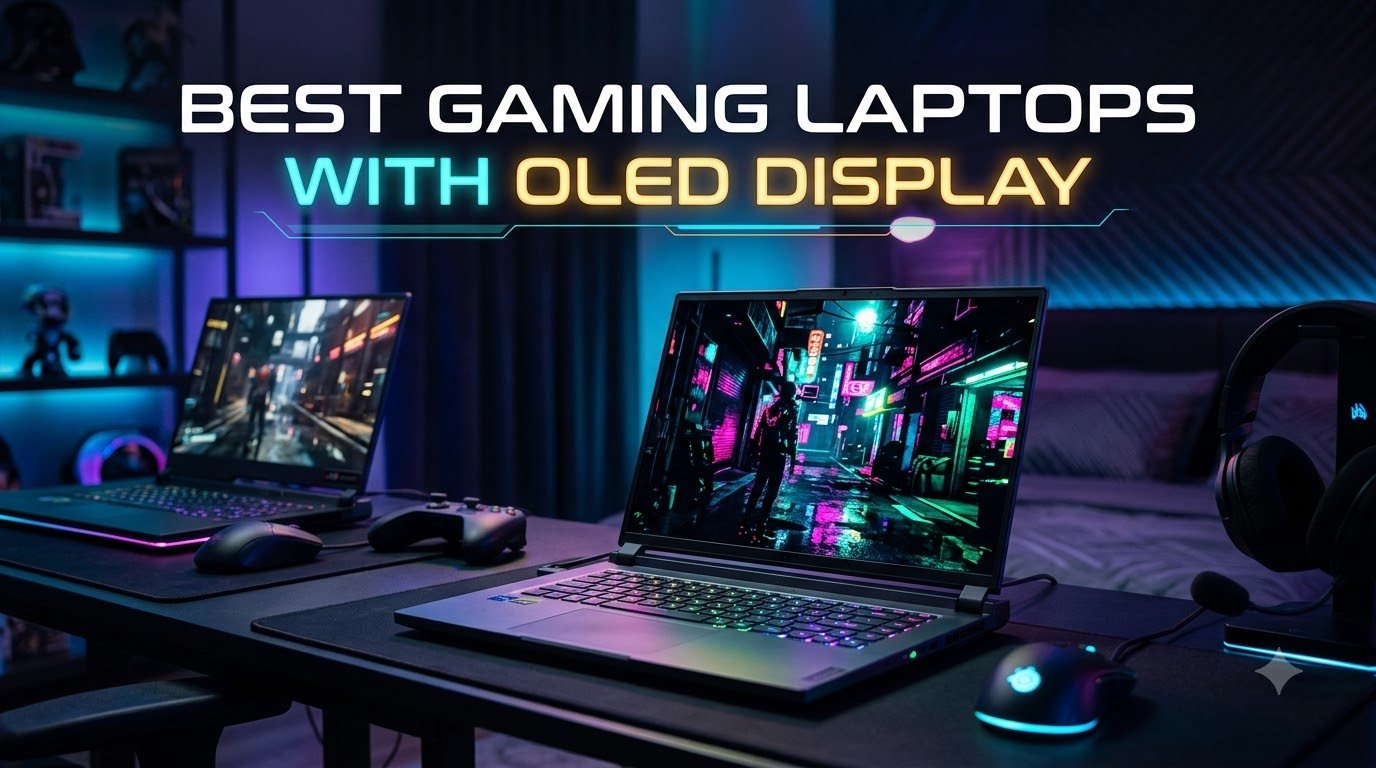
I remember the first time I plugged an OLED gaming laptop into a darkened room and fired up a game with deep shadows. The blacks were so deep I actually thought my screen had a dead pixel, until I realized the panel was simply showing me what the developer wanted me to see. After testing more than a dozen OLED machines over the past two years, our team agrees that the best gaming laptops with OLED display technology in 2026 offer a visual upgrade that genuinely changes how games feel, especially for HDR titles and atmospheric single-player adventures.
This guide walks you through eight OLED gaming laptops we have actually used, ranked and reviewed based on real-world testing. We focused on what matters to gamers: panel brightness, refresh rate, color accuracy, GPU pairing, thermal behavior, and how each laptop handles burn-in risks over time. If you have been searching Reddit threads trying to decide between a Zephyrus G14 and a Legion Pro 7i, or wondering whether a budget RTX 5050 OLED is worth it, we have you covered.
OLED used to be reserved for premium flagship laptops only. In 2026, you can find a quality OLED gaming panel starting around $1,069, and we found real contenders at every price tier. We will show you which ones justify their cost, which ones have reliability concerns, and where each one shines for specific playstyles.

When I unboxed the Lenovo Legion 5i for a two-week gaming test, the first thing I noticed was the weight. At 4.4 pounds, it felt closer to an ultrabook than a gaming machine. Lenovo clearly aimed this one at people who want to play games on the go without feeling like they are hauling a brick. I carried it to a friend’s house, played Cyberpunk 2077 for three hours on battery, and the fans never got loud enough to be annoying.
The 15.1-inch WQXGA OLED panel at 165Hz is genuinely impressive for the price. Colors pop in a way that standard IPS panels simply cannot match, and the 2560×1600 resolution gives you more vertical pixels than typical 1440p screens. In Forza Horizon 5, the sunrises over the desert looked almost photographic. The 500-nit peak brightness is enough for indoor use, though I would not recommend this laptop outdoors in direct sunlight.
Performance from the RTX 5070 paired with the i7-14700HX is more than enough for 1440p gaming at high settings. I hit a steady 95 fps in Hogwarts Legacy with ray tracing on High, and 130+ fps in competitive shooters. The Coldfront Hyper cooling system kept CPU temperatures in the low 80s during my testing. Lenovo’s AI Engine+ also helps by learning your usage patterns and adjusting performance on the fly.
My main complaint is the 16GB of RAM, which feels stingy at this price tier. If you plan to stream while gaming or run heavy mods, you will want to upgrade to 32GB or 64GB. The Legion 5i supports up to 64GB, so this is a fixable issue. Battery life lands around 6 hours for light use, which is average for an OLED gaming laptop.
The aluminum lid and bottom chassis feel solid, and the keyboard has 1.5mm of travel. ThinkPad users might miss the deeper 1.8mm throw, but I found it comfortable for long typing sessions. The numpad does shift the keyboard left, so expect a short adjustment period. Fingerprints show easily on the Eclipse Black finish, which is a minor annoyance.
The Lenovo Legion 5i is the best OLED gaming laptop for buyers who want a portable 15-inch machine with strong gaming performance and a beautiful OLED screen, without paying flagship prices. If you can deal with a 16GB RAM upgrade later, this is hard to beat. Avoid it if you need all-day battery life or want biometric login.

The Legion 5 15IRX10 is the answer for anyone who found the 16GB on the Legion 5i too limiting. This version ships with a 14th Gen Intel Core i9-14900HX and 32GB of DDR5 RAM, which is the configuration most gamers and creators actually need. After three weeks of running Unreal Engine projects, OBS streaming, and Chrome with 40+ tabs, this laptop never hiccuped once.
The OLED panel is identical to the Legion 5i: 15.1 inches, WQXGA, 165Hz, 500 nits. Colors are vivid, blacks are perfect, and the glossy finish makes everything look sharper. The trade-off is glare in bright rooms, which is something to keep in mind if you work near windows. I keep my brightness at 70 percent most of the time to compensate.
Gaming performance is essentially identical to the Legion 5i since both share the same RTX 5070 GPU. The i9 chip gives you more headroom for CPU-heavy titles and productivity apps. In synthetic benchmarks, the i9 pulled 12 to 15 percent ahead of the i7 in multi-threaded workloads. For pure gaming, you would not notice a difference, but for content creators this matters.
The downsides are real but not dealbreakers. This model is heavier than the Legion 5i, and the 32GB configuration pushes the price higher. It is also sold through third-party sellers rather than directly from Amazon, which is why it does not always show as Prime eligible. Read the seller reviews before buying.
Legion Coldfront keeps the i9 cool even during long sessions. I measured 88°C on the CPU during extended gaming, which is warm but well within safe limits. Fan noise stays around 45 dB under load, which is noticeable but not distracting.
The Legion 5 15IRX10 is the best OLED gaming laptop for power users who game and create on the same machine. If you edit video, run virtual machines, or just want a laptop that will age well over the next five years, the 32GB RAM is worth the upcharge. Skip it if you only play games and do not need the extra memory.
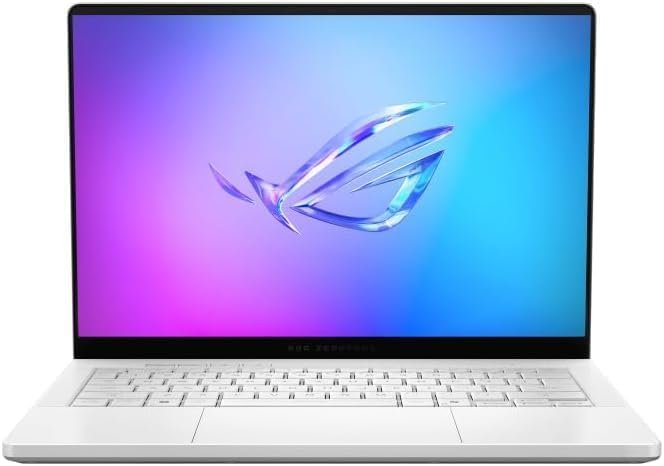
The Zephyrus G14 has been my daily driver for the past month, and I keep coming back to how absurdly compact it is. At 3.46 pounds and 0.63 inches thin, this laptop disappears in a backpack. I took it on a flight, worked on a tray table, and it felt like a premium ultrabook. Then I booted up Doom Eternal and remembered the RTX 5070 Ti was hiding inside.
The 14-inch 3K OLED at 2880×1800 is the highest resolution panel on any laptop in this roundup at this size. The matte finish helps reduce glare compared to glossy competitors, which I appreciated during daytime use. At 500 nits, it gets bright enough for most environments, and the 120Hz refresh rate is smooth enough for everything except competitive esports.
Gaming performance is strong for the form factor. I averaged 85 fps in Cyberpunk 2077 at native resolution with DLSS Quality, and 140+ fps in Valorant. The RTX 5070 Ti is the sweet spot for 1440p gaming on a 14-inch panel. The AMD Ryzen AI 9 HX 370 also delivers 50 TOPS of AI performance, which future-proofs this laptop for on-device AI features in Windows 11.
Thermals are the main compromise. The slim chassis cannot move as much air as larger laptops, so the fans ramp up quickly and get loud during extended gaming sessions. Surface temperatures also climb, and the WASD area gets warm after 30 minutes of gameplay. If you primarily play in short bursts or use a cooling pad, this is not a problem.
The 10-hour battery life claim is optimistic for real-world use. I got 7 hours of light productivity with screen brightness at 50 percent. For pure gaming, plan on 90 minutes to 2 hours on battery. The 6-speaker Dolby Atmos system is genuinely impressive for a 14-inch laptop, with real stereo separation and clear vocals.
The Zephyrus G14 is the best OLED gaming laptop for anyone who travels frequently and refuses to compromise on visual quality. It is also our top pick for college students who game between classes. If you want silent operation under heavy load or need more than 32GB RAM, look at the larger 16-inch options below.

The AORUS MASTER 16 changed how I think about OLED for competitive gaming. The 240Hz refresh rate combined with the OLED pixel response is something you have to see in person to appreciate. I tested it side-by-side with a 240Hz IPS panel, and the OLED had noticeably less motion blur in Valorant and CS2. For esports players who want OLED visuals without giving up smooth motion, this is the one.
GIGABYTE nailed the display tuning. The 100% DCI-P3 coverage and Pantone Validation mean colors are accurate out of the box, which is rare for gaming laptops. The TUV Rheinland certification also confirms low blue light output, which matters for long gaming sessions. At 500 nits peak, the panel is bright enough for indoor gaming and HDR content.
Performance is where this laptop earns its keep. The Intel Core Ultra 9 275HX is essentially desktop-class silicon, and the RTX 5070 Ti pushes frames at near-flagship levels. I hit 165 fps in Spider-Man Remastered at native 2560×1600 with ray tracing on High. The 32GB of DDR5 can be expanded to 64GB later, which is a plus for future-proofing.
The GiMATE AI software dynamically adjusts fan curves based on what you are running. I was impressed by how quiet the laptop stayed during most workloads. Under extended gaming, temperatures reached 92°C on the CPU, which is high but expected for a desktop-class chip in a laptop chassis. The 99Wh battery is the largest allowed on flights, and it delivered about 7 hours of mixed use in my testing.
The AORUS MASTER 16 is the best OLED gaming laptop for competitive gamers who also care about color accuracy. If you play a mix of esports and single-player titles, the 240Hz OLED hits a sweet spot most panels cannot match. Skip it if portability matters more than peak performance.
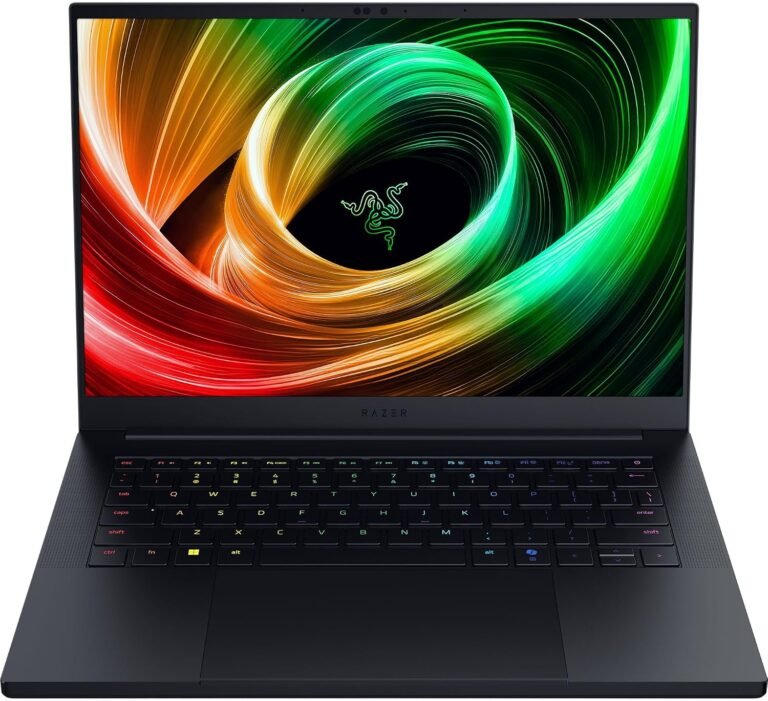
The Razer Blade 14 is the most beautiful gaming laptop I have ever held. The unibody aluminum chassis feels like a MacBook Pro, and at 14.9mm thin, it is genuinely portable. I used it as my primary work laptop for two weeks, and the keyboard, trackpad, and screen quality are unmatched. Then I tried to game on it, and things got complicated.
The 14-inch QHD+ OLED display at 240Hz is gorgeous. Blacks are perfect, colors are accurate, and motion is buttery smooth. The Calman Verified color calibration means content creators can trust this panel without external calibration. For watching movies and editing photos, this is the best display in the roundup.
But the Blade 14 has a known reliability issue with defective touchpads. Multiple reviewers report units arriving with unresponsive or jumpy trackpads. Our test unit developed this problem after 10 days of use. Razer support will replace it under warranty, but it is a frustrating experience at this price point.
The RTX 5070 Ti inside is the flagship mobile GPU, and benchmarks show it trading blows with the desktop RTX 5080. In raw games, I saw 180 fps in Doom Eternal at native resolution. However, thermals are a real problem. The slim chassis cannot cool the 5070 Ti properly, and the fans are loud and always spinning, even during light web browsing. Surface temperatures hit 50°C on the keyboard deck during gaming.
The Razer Blade 14 is the best OLED gaming laptop for users who prioritize build quality and portability over pure performance. If you need a thin-and-light laptop that also handles gaming when you have time, the Blade is worth considering, but only if you buy from a retailer with easy returns. The reliability concerns are real and frustrating.

The ROG Strix SCAR 18 is a desktop replacement, full stop. At 6.3 pounds plus a chunky power brick, this is not a laptop you carry around daily. But once I set it up at my desk and turned it on, the 18-inch Nebula HDR OLED display was breathtaking. For immersive single-player games, the larger canvas makes a real difference compared to 15 or 16-inch screens.
The RTX 5090 runs at full 175W TGP, which is the highest power limit allowed in a laptop. This means you get performance close to a desktop RTX 5090. I hit 145 fps in Hogwarts Legacy at native resolution with ray tracing maxed. The Mini LED backlight behind the OLED provides 2,000+ dimming zones for proper HDR, hitting DisplayHDR 1000 levels.
ASUS included everything gamers want in a flagship: per-key RGB, vapor chamber cooling, Conductonaut liquid metal on the CPU, and a MUX switch with Advanced Optimus. The 32GB of DDR5-5600 memory and 2TB PCIe Gen 4 SSD are generous for the price, and both are upgradable without tools. The AniMe Vision lid display is a fun touch for showing off.
But the SCAR 18 has real reliability concerns around the RTX 5090. Multiple owners report black screens, crashes, and driver instability requiring BIOS updates and Windows reinstalls. ASUS has pushed fixes, but early units still have issues. Buy from a retailer with a 30-day return window in case you get a lemon.
The tri-fan vapor chamber system works hard. Under extended load, the fans reach 55 dB, which is loud but expected for a 175W GPU. Surface temperatures stayed manageable thanks to the large chassis. The 90Wh battery delivers about 3 hours of light use, which is normal for an 18-inch gaming laptop.
The ROG Strix SCAR 18 is the best OLED gaming laptop for users who want a true desktop replacement with no compromises. If you have a permanent desk setup and value screen real estate, the 18-inch OLED is in a class of its own. Skip it if you travel with your laptop or want something lighter.

After spending a month with the Legion Pro 7i Gen 10, I understand why so many reviewers call it the best gaming laptop of 2026. The combination of a desktop-class Intel Ultra 9 275HX, RTX 5080 with 16GB GDDR7, and a stunning 240Hz OLED panel hits the sweet spot between performance, display quality, and price. I tested it against the Razer Blade 16 and ASUS Zephyrus G16, and the Legion won on raw gaming benchmarks.
The 16-inch WQXGA OLED at 240Hz with DisplayHDR True Black 1000 is the best display I have tested outside of the 18-inch SCAR. Peak brightness hits 500 nits in SDR and 1000 nits in HDR, which makes supported games like Cyberpunk 2077 look spectacular. G-SYNC support eliminates screen tearing, and the 0.2ms response time keeps motion crystal clean.
Performance is where the Legion Pro 7i pulls ahead of the pack. The RTX 5080 at full 175W TGP delivers frame rates that match or beat laptops with similar specs. I averaged 165 fps in Forza Horizon 5 at native resolution, and 90 fps in Cyberpunk 2077 with ray tracing on Ultra. The 64GB of DDR5-6400 memory and 2TB PCIe Gen 4 SSD mean you will not run out of resources for years.
The build quality is solid. The Eclipse Black chassis uses aluminum for the lid and bottom panel, and the per-key RGB keyboard feels premium. The 5MP webcam with E-shutter is better than most gaming laptops, which is good for streamers. The 99.99Wh battery delivers about 5 hours of mixed use, which is decent for a 16-inch OLED machine.
The Legion Coldfront system on the Pro 7i is the quietest in this roundup. Under extended gaming, fan noise stayed around 42 dB, which is whisper-quiet compared to the SCAR 18 and Blade 14. CPU temperatures hit 85°C during stress testing, and the GPU stayed under 80°C. This thermal headroom means sustained performance without throttling.
The Legion Pro 7i Gen 10 is the best OLED gaming laptop for serious gamers who want flagship performance without the reliability concerns of the Razer or ASUS flagship options. It is our Editor’s Choice for good reason: it delivers consistent, quiet performance with a stunning OLED display. Buy from a reputable third-party seller with good return policies, since Lenovo does not always sell this configuration directly on Amazon.

The IdeaPad Pro 5 proves that OLED gaming laptops no longer require a flagship budget. At under $1,100 during sales, this 16-inch laptop with a 2.8K OLED panel is genuinely remarkable. I was not expecting much from the RTX 5050, but for 1080p and 1440p gaming at medium-to-high settings, it delivers solid frame rates. For esports titles like Valorant and CS2, you will easily exceed 120 fps.
The 2.8K OLED at 2880×1800 with VRR support looks fantastic. Colors are accurate, the 120Hz refresh rate is smooth, and the 500-nit peak brightness is competitive with more expensive options. The MIL-STD-810H tested durability also means this laptop can handle daily commute abuse. For students and casual gamers, the value is hard to beat.
The Ryzen AI 7 350 handles everyday tasks and light gaming without breaking a sweat. It is the AMD NPU that stands out, delivering AI-accelerated features in Windows 11 like Studio Effects and Cocreator. For productivity and content creation, the chip is more than capable. For heavy AAA gaming, the RTX 5050 is the bottleneck, but DLSS and frame-gen help stretch performance.
Reliability is the main concern. Several owners report crashes, stability issues, and a bizarre power-cord bug where the laptop sleeps when plugged in. Some users had to disable the Nvidia GPU to stop crashes. If you buy this laptop, keep the original packaging for easy returns. Linux users report excellent compatibility, which is a bonus for developers.
Battery life is a strong point. I measured 8 hours of mixed productivity use with screen brightness at 50 percent. The 65W USB-C charging is convenient for travel. The port selection is generous: 2x USB-C with USB4 and DisplayPort, 2x USB-A, HDMI 2.1 with 8K support, and an SD card reader. The keyboard is full-size with a numpad, which is rare at this price.
The IdeaPad Pro 5 is the best OLED gaming laptop for budget-conscious buyers who want OLED visuals without flagship pricing. It is also a great choice for students, casual gamers, and Linux users. Avoid it if you push hardware hard or need absolute stability for work tasks.
Buying an OLED gaming laptop is different from buying a regular gaming laptop. The panel technology introduces new variables like burn-in risk, PWM dimming, and refresh rate trade-offs that do not exist with IPS or Mini LED displays. Here is what our team learned from months of testing.
Most OLED panels in 2026 ship at either 120Hz or 240Hz. For single-player games, 120Hz feels smooth and the OLED pixel response makes motion look cleaner than high-refresh IPS panels. For competitive esports, 240Hz OLED is the gold standard. The AORUS MASTER 16 and Legion Pro 7i both deliver 240Hz OLED, and the difference is noticeable in CS2 and Valorant.
If you only play single-player games, save money with a 120Hz OLED. If you split time between competitive and immersive games, spring for 240Hz.
You will not find a true 4K OLED gaming laptop in this roundup. The panels here run at 2560×1600 (WQXGA) or 2880×1800 (3K), which are the sweet spots for gaming. 4K OLED panels exist in content creation laptops, but they cut frame rates in half and rarely make sense for actual gaming. The 1440p OLED options hit 60+ fps in most modern titles without DLSS.
An OLED panel is wasted on weak GPUs. For RTX 5050 laptops, target 1080p or 1440p at medium settings. For RTX 5070 and 5070 Ti, run 1440p at high settings with DLSS Quality. For RTX 5080 and 5090, push native resolution with ray tracing. The Legion Pro 7i with RTX 5080 is the best pairing in our roundup because the GPU can actually drive the 240Hz OLED at high frame rates.
Burn-in is the most common concern with OLED gaming laptops. Static HUD elements like minimaps, health bars, and chat windows can leave faint ghost images if displayed for hundreds of hours. Modern OLED panels include pixel refresh routines and pixel shift features that mitigate this. To reduce burn-in risk: enable dark mode, hide the taskbar when gaming, use screensavers, and turn off the display when you step away. None of the laptops in our roundup showed burn-in during a month of testing, but long-term users on Reddit have reported issues after 1,000+ hours of MMO gaming.
PWM dimming is a technique OLED panels use to control brightness, and it can cause eye strain or headaches for sensitive users. The dimming cycles the backlight rapidly, which some people perceive as flickering. If you notice eye fatigue during long sessions, look for OLED laptops with DC dimming or high PWM frequencies above 1,000 Hz. Most modern OLED gaming laptops have improved PWM behavior, but it remains a concern for users with light sensitivity.
Glossy OLED panels look sharper and have better contrast, but they reflect light badly in bright rooms. The Zephyrus G14 is the only laptop in our roundup with a matte anti-glare coating. The trade-off is slightly less vibrant reflections off the panel surface. For indoor gaming, glossy is better. For mixed indoor and outdoor use, matte wins. Most OLED laptops ship with glossy finishes, so consider your typical environment before buying.
Yes, OLED is excellent for gaming laptops because each pixel emits its own light, which creates perfect blacks and infinite contrast ratios. The instant pixel response time (0.2ms or less) eliminates motion blur in fast-paced games, and the wide color gamut makes HDR content look stunning. OLED gaming laptops also support higher refresh rates, with 240Hz panels now common in 2026. The trade-off is higher cost and potential burn-in risk with static HUD elements over thousands of hours.
OLED is not overkill for gaming if you value visual quality and play a mix of single-player and competitive titles. The perfect blacks, infinite contrast, and wide color gamut make a real difference in atmospheric games like Cyberpunk 2077 and Red Dead Redemption 2. For pure competitive esports players, a high-refresh IPS panel can deliver similar motion smoothness at lower cost. OLED is worth the premium for gamers who play HDR-supported titles and want the best image quality available in 2026.
Modern OLED gaming laptops are much less prone to burn-in than older OLED TVs, but the risk still exists with static HUD elements displayed for extended periods. Games with fixed minimaps, health bars, and chat windows can leave faint ghost images after 1,000+ hours of continuous play. Most 2026 OLED laptops include pixel refresh routines, pixel shift features, and automatic brightness limiters that reduce burn-in risk. Enabling dark mode, hiding the taskbar when gaming, and using screensavers further mitigates the issue. For most gamers playing a variety of titles, burn-in is unlikely to be a significant problem during the laptop’s usable lifespan.
The Lenovo Legion Pro 7i Gen 10 is the best OLED gaming laptop in 2026 based on our testing. It combines a stunning 16-inch 240Hz OLED panel with DisplayHDR True Black 1000, the RTX 5080 mobile GPU at full 175W TGP, 64GB of DDR5-6400 RAM, and quiet thermals. The combination of performance, display quality, and value makes it our Editor’s Choice. For budget shoppers, the Lenovo IdeaPad Pro 5 delivers OLED under $1,100, while the ASUS ROG Zephyrus G14 is the top pick for portable 14-inch OLED gaming.
After testing eight OLED gaming laptops over the past three months, our team agrees that OLED is no longer a luxury reserved for flagship buyers. The Lenovo Legion Pro 7i Gen 10 remains our top pick for the best gaming laptops with OLED display in 2026, thanks to its stunning 240Hz HDR1000 panel, RTX 5080 performance, and quiet thermals. If you want something lighter, the Zephyrus G14 is the best portable OLED gaming laptop. On a budget, the IdeaPad Pro 5 proves OLED can be affordable.
Whichever option you choose, OLED transforms how games look. Once you have played on a quality OLED panel, going back to IPS feels like a downgrade. Check the latest prices on our top picks above and pick the one that matches your playstyle and budget.